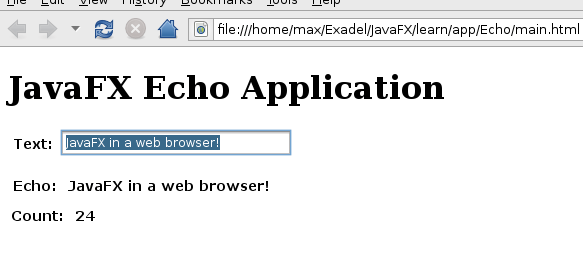
One of the promises of JavaFX is ability to run inside a web browser just like Flex applications run inside Flash player. Here is how to deploy and launch the application in a web browser. With JavaFX, the application is running inside Java virtual machine or maybe we can call it JavaFX player.
Using this example, to compile we typed:
javafxc Echo.fx
To run this application:
javafx Echo
If you look in directory in which you compiled, you should see similar output to this (only showing *.class files):
Echo$1.class
Echo$2.class
Echo$3$1.class
Echo$3.class
Echo.class
Echo$Intf.class
We need to archive all these files for deployment:
jar -cvf Echo.jar *.class
Finally, create HTML page:
        JavaFX Echo Application


	JavaFX Echo Application


            javafx(
            {
                archive: "Echo.jar",
                draggable: false,
                width: 350,
                height: 200,
                code: "Echo",
                name: "Echo"
            }
        );
The JavaScript file referenced will make sure you have the right Java runtime.
Result:
Leave a Reply