Setting RichFaces application to use a particular skin is very simple, all you have to do is set skin to use in web.xml:
  org.richfaces.SKIN
  ruby
It is sometimes desirable to change the skins in runtime. Users might even want to save a particular skin in their preferences. Here is how to do it.
First, instead of hard coding a skin name, we are going to set to an EL expression:
  org.richfaces.SKIN
  #{skinBean.skin}
skinBean is a name of JSF manged bean that looks like this:
public class SkinBean {

   private String skin;

   public String getSkin() {
	return skin;
   }
   public void setSkin(String skin) {
	this.skin = skin;
   }
}
Registering in JSF configuration file:
  skinBean
  demo.SkinBean
  session

   skin
   ruby
We want to initialize the skin property to some initial value. We are also placing the bean in session scope. It wouldn’t make sense to put the bean in request scope as the skin value will be reset on each request. We want the user to select and skin and be applied during the session.
Quickly test how it works, you can use the following page:
		Tabs also change color
		...
Tab panel is only placed to show how look and feel is updated. Place any other RichFaces UI components on the page to see how look and feel is updated.
Result:
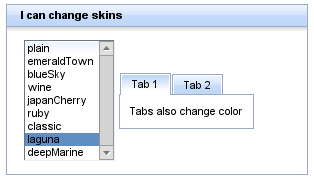
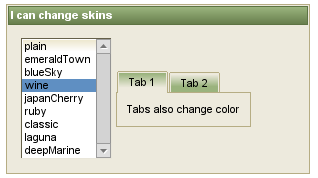
If you want to learn how to create custom skins, read this blog entry.
One more thing you can try is enabling skinning for standard controls, in our example thaht would be h:selectOneListbox:
   org.richfaces.CONTROL_SKINNING
   enable
Learn more about standard skinning.


 Max Katz
Leave a comment