When you download JavaFX SDK, it comes with a number of ready to run examples. They are located in ‘samples’ directory. You can build them from the command line but a much easier way to run is from Exadel JavaFX plug-in for Eclipse. The plug-in has a special wizard that will create a new project based on any of the samples.
- Download and install Exadel JavaFX plug-in for Eclipse
- After setting up JavaFX SDK in Eclipse, select File/New/Example…/JavaFX Examples
- Click Next
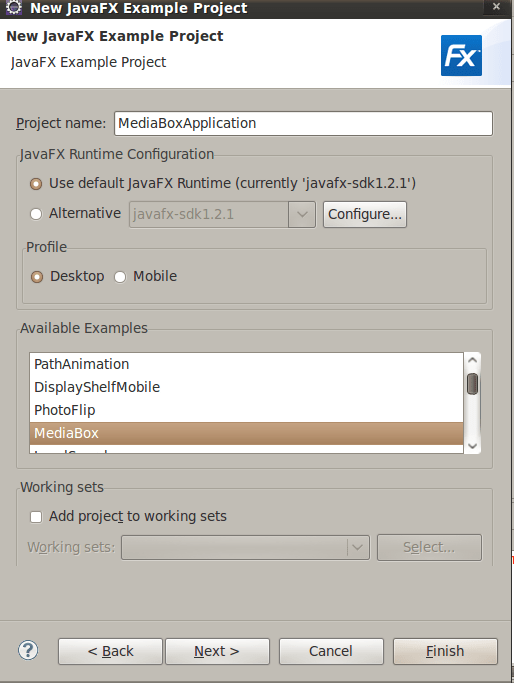
- Enter project name and select from available examples list (screen shot below)
- Click Finish
That’s it. Once the project is created find Main.fx file, right-click it and select Run As/JavaFX Application.

 Max Katz
Leave a comment