The following is a summary of questions and answers from the Okta Workflows community office hours on Thursday, January 23, 2025. I edit questions for clarity. Read past office hours’ questions and answers.

New to Okta Workflows
The Getting Started with Okta Workflows page has all the resources to help you get started.
Community forum
Post your questions in the Okta Workflows community forum.
Office hours questions and answers
How do you process a list in a helper flow and extract a value from each record?
Pass the list items to the List—For Each card.
In the screenshot below, the flow passes
- Items: the whole object.
- Email: a field from the object.
- Flow message: a static text message
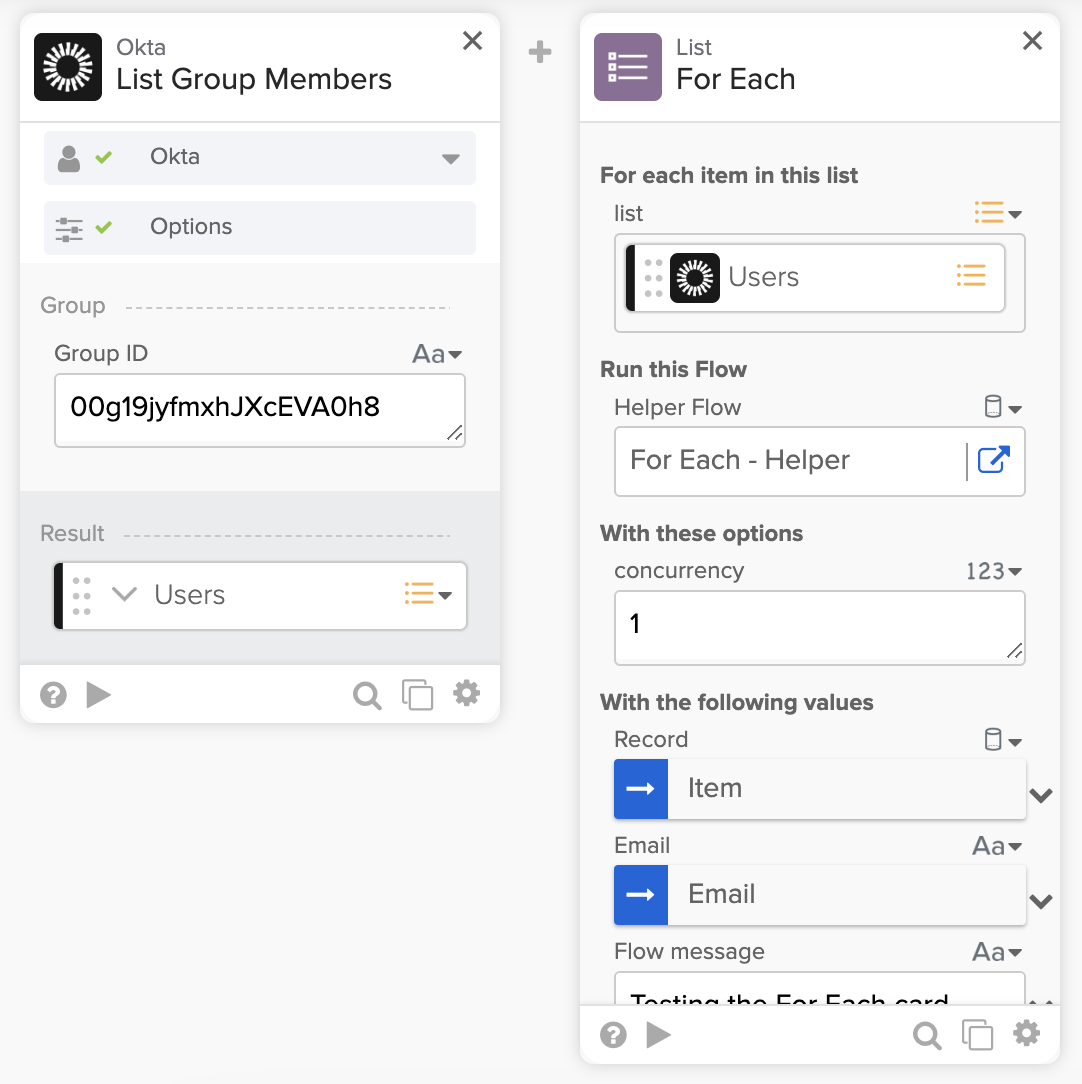
To extract values from the Record object, use the Object—Get card (or the Object—Get Multiple card).

The following resources demonstrate how to set up the For Each card and extract data from each object:
- How to Setup a Workflows Helper Flow (with For-Each and Streaming Cards).
- Working with Lists in Okta Workflows (video).
How do I create a workflow that sends an email or a Slack message when an admin role is granted to a user (or a user is added to an admin group)?
Use the Okta—User Privilege Granted event card to trigger a flow when a user is granted an admin privilege in Okta.
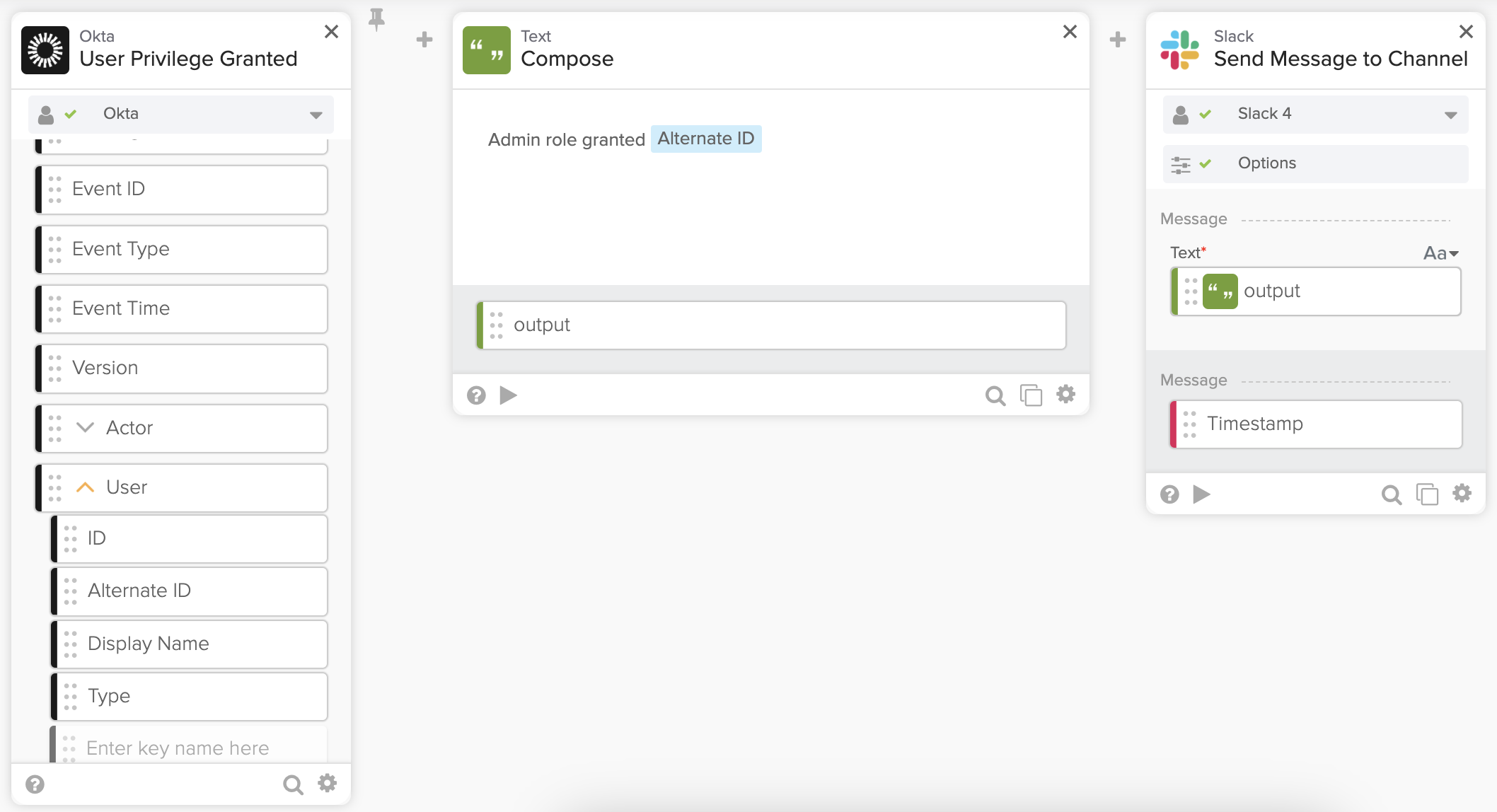
The Getting Started with Okta Workflows – Invite New User to Slack video shows building a similar flow.
Use an event hook with a filter to trigger a flow when a user is added to an admin group. To learn about setting up an event hook with a filter, read Understanding Okta Workflows Events.
I want tips on creating a flow that lists all users, saves users and all attributes to a table, and then allows me to email the table contents as a CSV file to a specific recipient as part of the flow schedule.
The How to Export Group Membership to a CSV File and Email the File in Workflows KB article has an example. The example searches for groups, so simply replace the first card to search for users.
Get in touch
Email me if you have questions or sign up for our next office hours session.
Okta Workflows resources
🍫 Get help from Okta Workflows specialists during weekly community office hours.
📺 Learn from Okta Workflows videos.
🛟 Ask questions on the Okta Workflows community forum.
🙋🏻♀️ Get help from the community: join the #okta-workflows channel on MacAdmins Slack.
 Max Katz
Leave a comment