The following is a summary of questions and answers from the Okta Workflows community office hours on Thursday, June 1, 2025. I edit questions for clarity. Read past office hours’ questions and answers.

Questions
How do you create a connection that uses Basic Authentication with the password set to blank?
The request looks like this:
https://app.some-api.com/v1/list/ -u 65182d3a-4d2f-4da1:Where 65182d3a-4d2f-4da1 is the username, and the password is blank.
Today, the Basic connection doesn’t support a blank password:
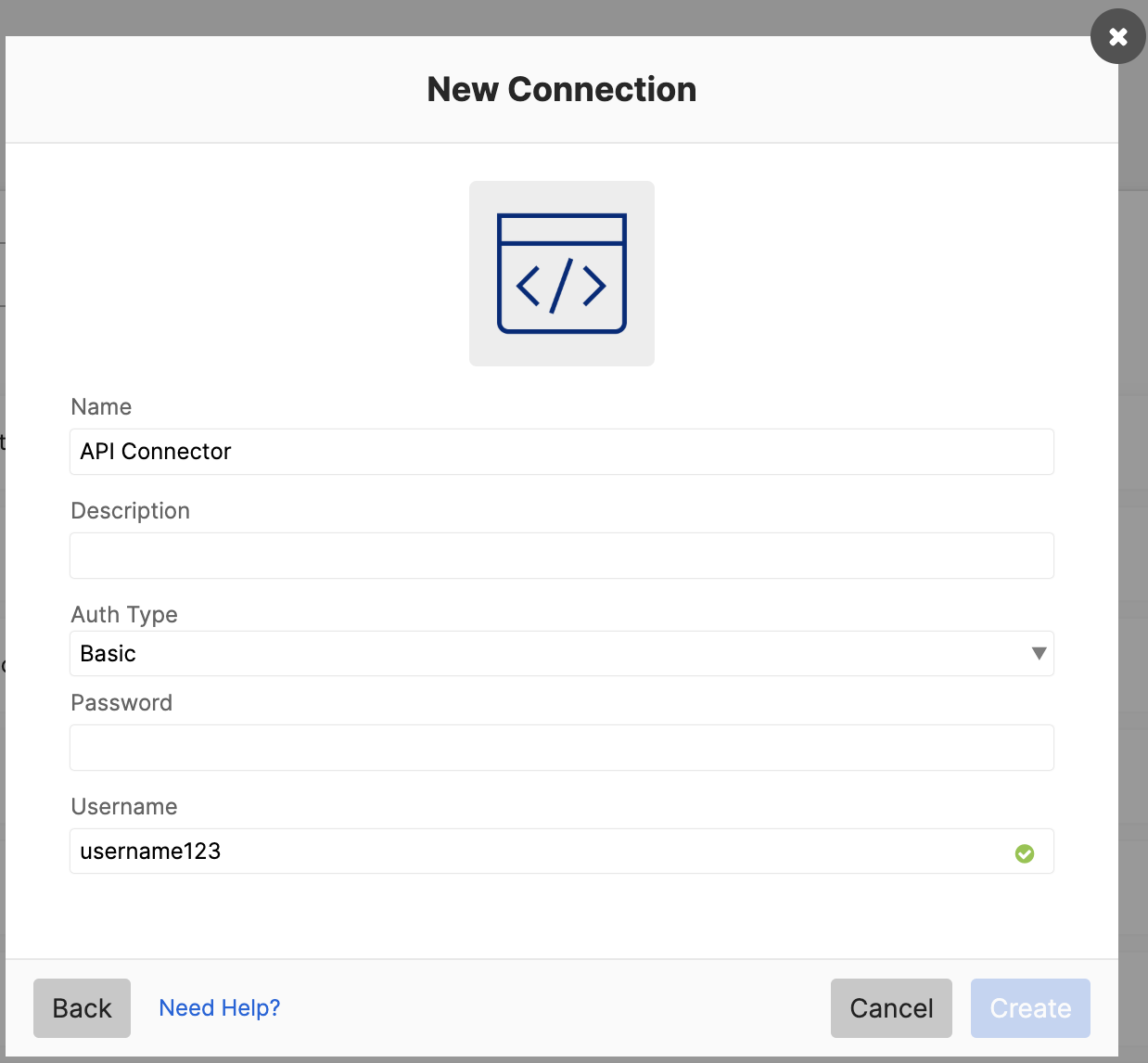
You could manually set up a Basic connection, but we don’t recommend this approach because it keeps the username and password in plain text inside the flow.
We recommend creating a connector for the API in the Connector Builder.
The following screenshot shows connection configuration in the Connector Builder:
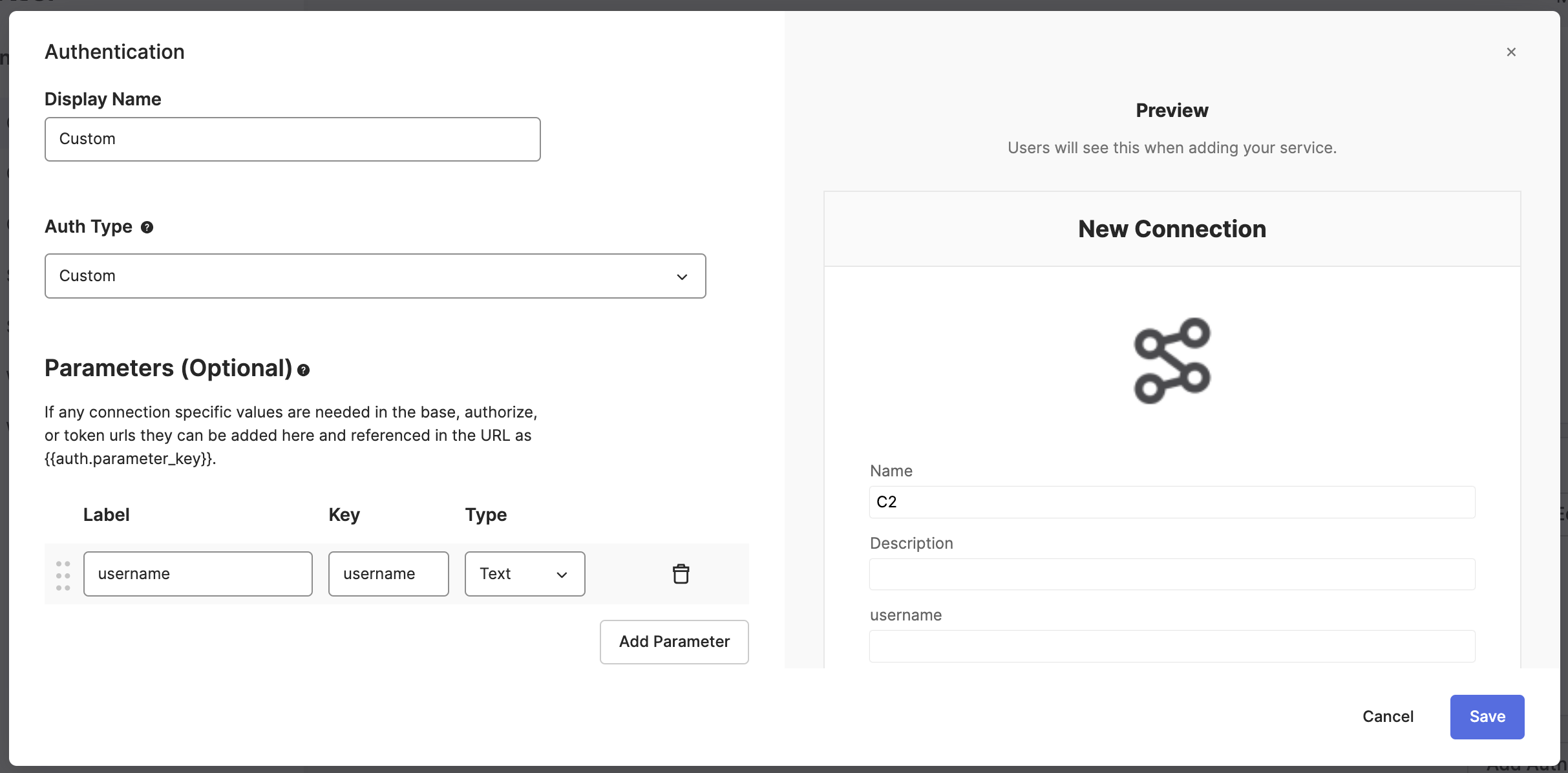
The httpHelper flow would look like this:

The flow accepts the username, encodes the username as base64, and creates an Authorization header.
Learn how to build API connectors using the Connector Builder:
How do you detect a suspicious login and limit user access?
One solution is to use the Detect suspicious MFA push notifications template. This template checks the geolocation (city, state, and country) of both the sign-in request (source) and the successful Okta Verify push (destination). If the city is different, the flow continues to gather information for a security team investigation.
If you find such a user/sign-in, you could perform one or more of the following actions:
- Move the user into a group with limited access
- Clear user session
- Perform a universal logout
Okta Workflows resources
🚀 New to Okta Workflows? The Getting Started with Okta Workflows page has all the resources to help you get started.
📺 Like learning from videos? Watch Okta Workflows videos.
❓Have a question? Ask during community office hours, post on the community forum, or email me.
🙋🏻♀️ Want to learn from the community? Join the #okta-workflows channel on the MacAdmins Slack.
📖 Want to learn more about identity automation? Take Workflows training on Okta Learning.
 Max Katz
Leave a comment