This is a summary of questions and answers from the Okta Workflows office hours on Thursday, August 28, 2025. Read past office hours’ questions and answers.

Questions
How do I change the from email when using the Office 365 Mail-Send Email card?
The Office 365 Connector-Send Email card will use the email you created a connection with (you authenticated with).
To use a different from: email, consider using a service account. This account should have a different email attached to it.
How do you trigger a flow when a user uses the SMS authentication factor? We want to phase out the SMS factor and want create a support ticket when a user uses this factor.
Use the Okta Devices connector-Phone Verification SMS event card to trigger a flow when a user uses the SMS factor.
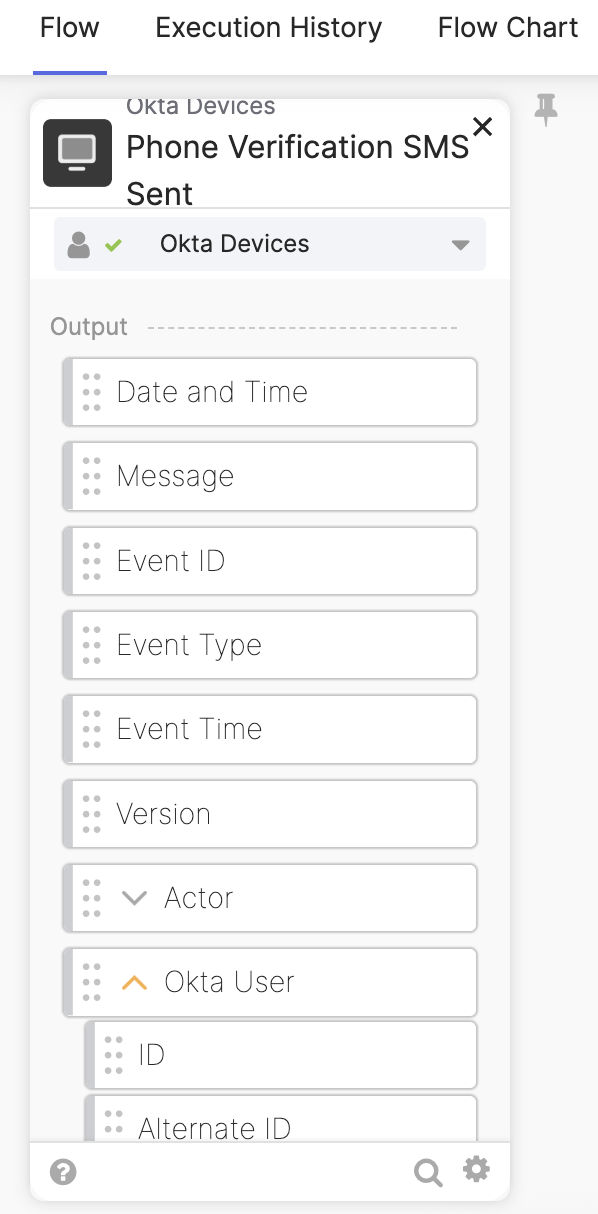
The flow will create multiple support tickets if a user uses the SMS factor multiple times a day. You need to add logic to handle such a case. For instance, check if a user already has a support ticket.
Okta Workflows also has the Okta Devices-Phone Verification Call Sent event card. You can use this event to trigger a flow when Okta sends a verification phone call.
Okta Workflows resources
🚀 New to Okta Workflows? The Getting Started with Okta Workflows page has all the resources to help you get started.
📺 Like learning from videos? Watch Okta Workflows videos.
❓Have a question? Ask during community office hours, post on the community forum, or email me.
🙋🏻♀️ Want to learn from the community? Join the #okta-workflows channel on the Mac Admins Slack.
📖 Want to learn more about Okta and automation? Take the Okta Workflows training on Okta Learning.
 Max Katz
Leave a comment