tutorial
Step-by-step tutorials.
-

In a previous blog post I showed how to create your first cloud function (plus a video). It’s very likely that your cloud function will need to invoke an external REST API. The following tutorial will show you how to create such function (it’s very easy). Sign into an IBM Cloud account Click Catalog Remove…
-

Learn how to build your first cloud function, a 5-minute video.
-

Serverless, Function as a Service (FaaS) or just cloud functions allows you to write code that will run in the cloud. You can use a number of different languages such as JavaScript (Node.js), Swift, Python, Java, PHP and others to write the function code. What’s nice is that you don’t need to worry about servers,…
-

Converting speech or audio to text has a large number of applications and can bring advanced capabilities to applications. Image you are running a call center with thousands of simultaneous calls. You would like to identify some trends/analytics such as if the callers are having problems with a particular product or feature. Or if the callers…
-
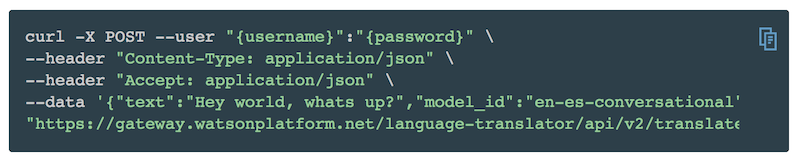
This blog post shows how to invoke IBM Watson Language Translator API from an Appery.io app.
-

Geolocation is one of the most widely used APIs in mobile apps today. From weather to Uber and Lyft, the device location is crucial information and many APIs use it to determine what services and products are available in a given location. When building a mobile app in Appery.io, using the Geolocation API is simple.…
-

This video shows how to build and test a complete Ionic app with an API backend. The tutorial starts by showing how to create an app backend with API Express by connecting to an external REST API. Then, the tutorial shows how to build an Ionic app and import the backend service into the app.…
-

The Appery.io Backend Services consists of the following components: Database – for storing any app data. Server Code – for writing server-side app logic using JavaScript. API Express – integrating with external systems and APIs. Push Notifications – sending push messages to devices. Web Hosting – publishing and hosting mobile web apps. In this post,…
-
This video shows how to use the SQL and Script components to build a Login service. The SQL component runs a custom SQL query to check if a user exists in a database. The Script component adds custom logic to check what the SQL component returned and defines the response (user found or user not…
-
This short video shows how to build an Ionic app that connects to an RSS feed. You can click on a link and navigate to the article. RSS feed used in this tutorial: http://feeds.gawker.com/lifehacker/full. There are many more videos on the Appery.io YouTube channel to help you build mobile apps fast.
-
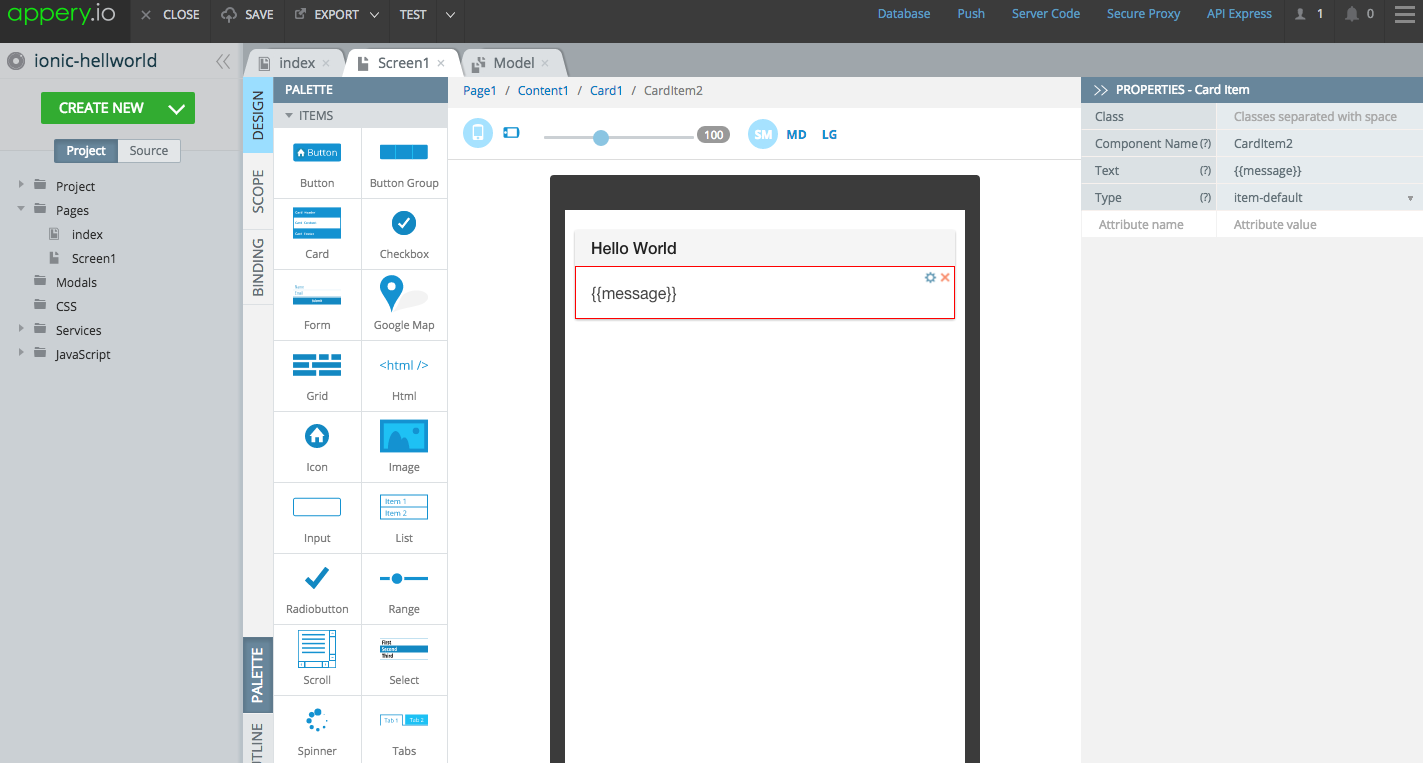
In this tutorial you are going to build a Hello World app with Ionic in Appery.io. This is how the app is going to look: You should finish this tutorial in about 10 minutes.
-

Appery.io is the best mobile app development platform out there. Get the most out of it with our webinars. We’ve put together six so far to kick off the new year. The first two cover the most used frameworks on the platform. The next webinar delves into our service for making enterprise assets like SQL…
-
For years, developers had to make a choice: build a single hybrid app with a so-so user experience, or build a native app for each platform with a great user experience. Developers don’t have to make this choice anymore. By integrating the Ionic SDK into Appery.io, developers can build enterprise HTML5/hybrid apps on a single code base that…
-
Great JavaScript tutorial.
-
Appery.io lets you build powerful mobile apps in no time using intuitive visual tools. Using Twilio, you can easily integrate the Twilio API with Appery.io’s cloud-based rapid development environment with integrated back-end services and get sending SMS fast In this tutorial you are going to build a mobile web and hybrid mobile app that allows…
-
Instant API is a true API-as-a-Service which makes it easy and cost-effective to build an API. Instant API has simplified all of the key areas of an API’s lifecycle, covering API creation, hosting, management, discovery, monetization, and documentation. For example, let’s say you have information and services or data and services you want to expose…
-
Introduction This short tutorial shows how to build a barcode scanner app with Apache Cordova (PhoneGap) using Appery.io cloud development platform. The tutorial has the following steps: Register for Appery.io account Create a new app Build the app UI Add Barcode scanner service Binding the service to the page Testing the app Register for Appery.io…