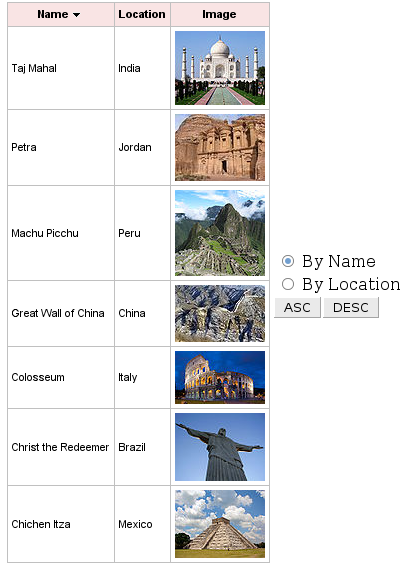
Continuing the sorting series, let’s see how to use external controls to sort the 7 New Wonders of the World. In the first post we used the column headers, now we are going to use buttons outside the table for sorting. Let’s first look at changes to the page.
	    Name


	      Location


	   Image
For the two columns (name, location) we want to sort, we add two attributes. selfSorted=â€?falseâ€? means that sorting will be done by external controls (we can’t click on the column headers anymore). sortOrder is bound to an bean property that sets the sort order to either ascending or descending.
Next to the table, two radio buttons let select column to sort by and the buttons to perform sorting.
Let’s see how the updated managed bean looks. First we need to add three properties:
...
private String nameDirection = Ordering.UNSORTED.name();
private String locationDirection = Ordering.UNSORTED.name();
private String column;
...
// getter for nameDirection and locationDirection
// getter and setter for column
column will be set to the column by which we want to sort. Based on the column selected, we will change nameDirection or locationDirection to ascending or descending value. One last thing is the sorting methods as shown next:
public void sortAsc (ActionEvent event){
   if ( column.equals("location"))
      this.locationDirection = Ordering.ASCENDING.name();
   else
      this.nameDirection = Ordering.ASCENDING.name();
}
public void sortDesc (ActionEvent event){
   if ( column.equals("location"))
      this.locationDirection = Ordering.DESCENDING.name();
   else
      this.nameDirection = Ordering.DESCENDING.name();
}


 Max Katz
Leave a reply to RichFaces sorting and filtering – complete edition | Maxa Blog Cancel reply