Okta Workflows how-to guides are questions and answers from the community office hours, the #okta-workflows channel on MacAdmins Slack and other places. Read all the other how-to guides.
On to the question.
How to create a flow with multiple if-conditions in Okta Workflows?
Using the If/Else card
Workflows has the Branching – If/Else card that specifies one condition. In the following example, the card is checking if Notify count < 3:

The Branching – If/Else card doesn’t support specifying multiple conditions.
Using the Compare and the And cards
Use the True/False – Compare card to create multiple if-conditions.
You need to check for three conditions:
Notify count < 5 AND Division == 'Sales' AND Department == 'Marketing'Using the Compare card, your flow looks like this:
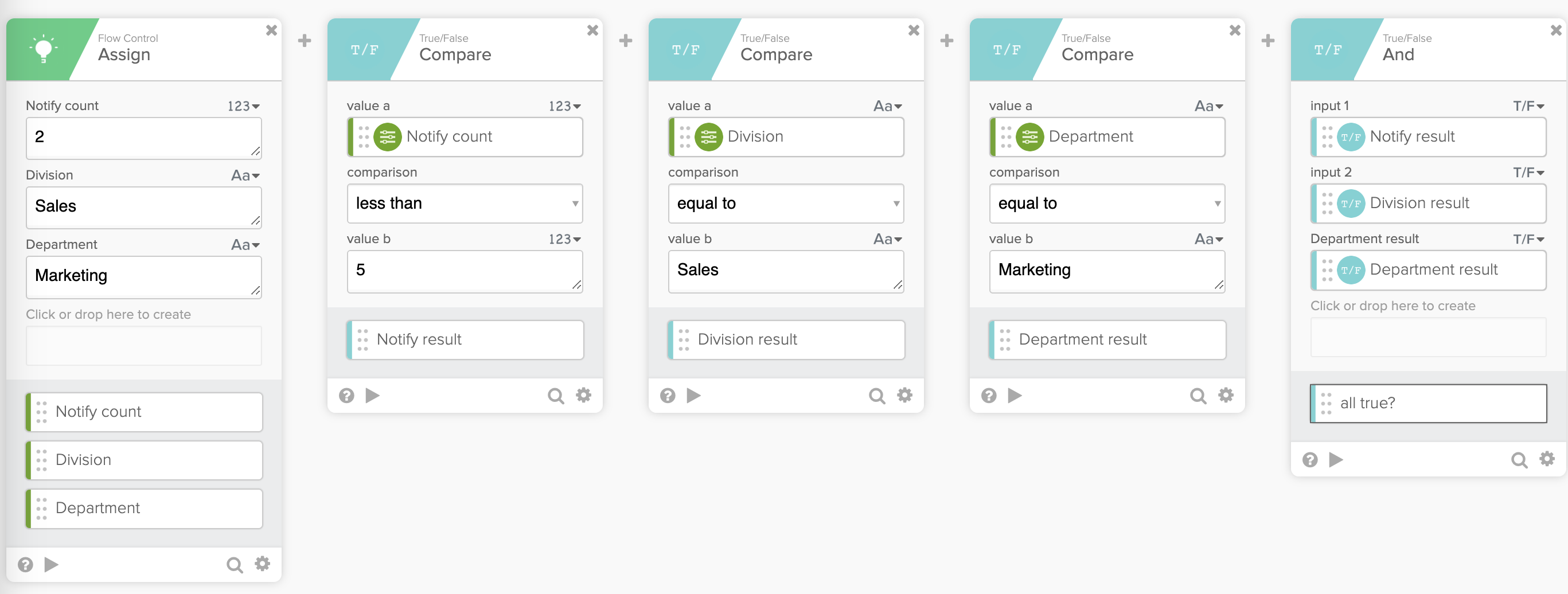
The flow works like this:
- The flow has three Compare cards
- Each Compare card is a single if-statement
- The Compare card output is true or false
- The result from each Compare card is passed to the True/False – And card
- The And card acts as the card with multiple if-statements
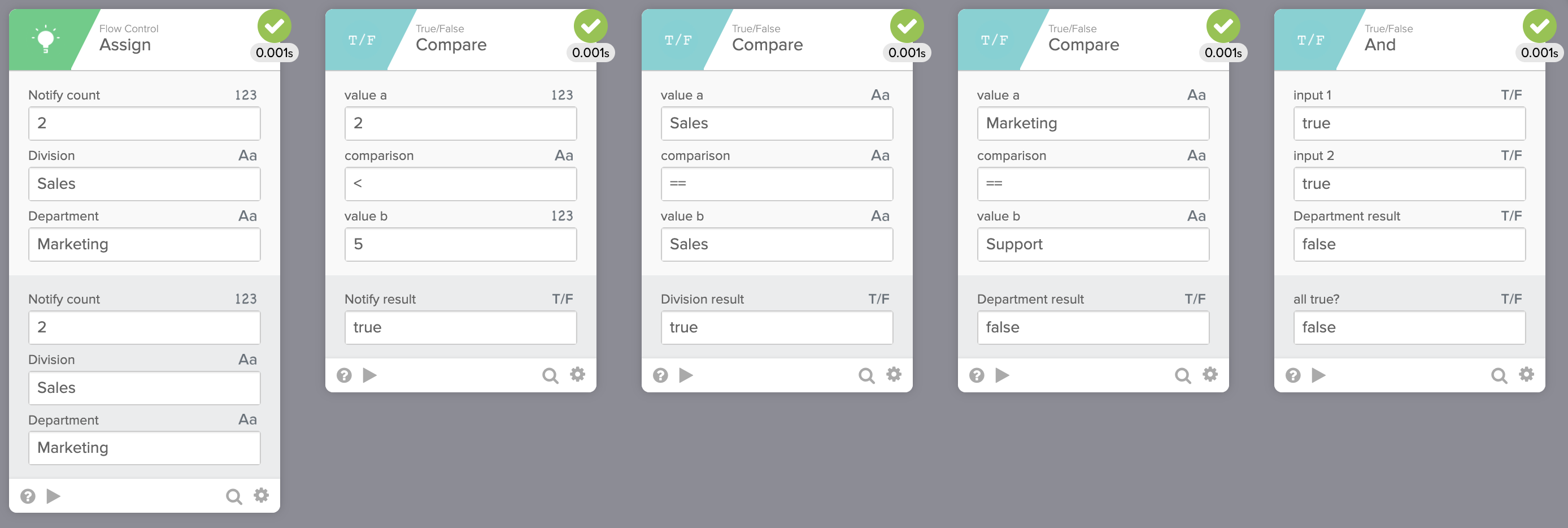
If there three Compare card’s outcome is true, then the outcome of the And card will be true. It looks like this:

If one of the conditions evaluates to false, then the And card will evaluate to false. In this example, the third condition evaluates to false:
Using the Compare and the Or cards
You can also use the True/False – Or card. The Or card will evaluate to true (since one of the inputs is true):

The True/False card has other functions you can use:
- All False?
- And
- Any False?
- Compare
- Expression
- Not
- Or
- Or (Exclusive)
- XNOR
Read the True/False card documentation.
Summary
You learned how to create a flow with multiple if-conditions in this blog post.
This guide was based on Workflows Tip #13 – How to build a flow with multiple conditions from Bryan Barrows, Workflows Builder Advocate at Okta.
More resources to help you learn:
🍫 Get help from Workflows specialists during weekly community office hours.
📺 Learn from Workflows videos.
🛟 Get help from support: discuss a Workflows topic or ask a question.
🙋🏻♀️ Join the #okta-workflows channel on MacAdmins Slack to learn and get help from the community.
 Max Katz
Leave a comment