Okta Workflows how-to guides are questions and answers from the community office hours, the #okta-workflows channel on MacAdmins Slack and other places. Read all the other how-to guides.
On to the question.
How to include the running flow name in a Slack message?
You are running a flow that sends a message to Slack. It could be a regular message or an error message. You need to include the flow name in the message. You need the person receiving the message to know which flow sent the message.
This guide will show you three ways to do that:
- Setting the flow name using the Assign card
- Using a helper flow to get the calling flow name
- A reusable helper flow to get the calling flow name
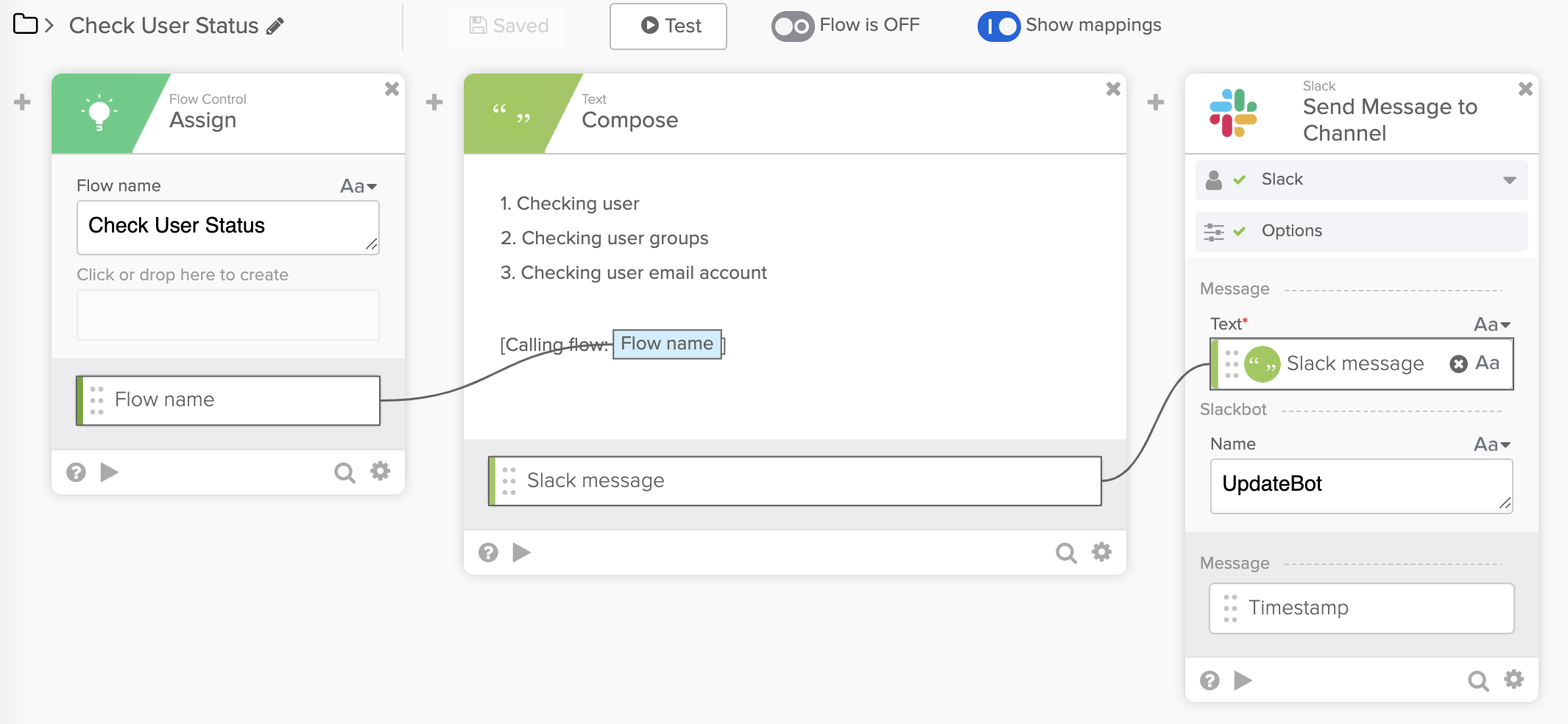
Setting the flow name using the Assign card
You set the flow name at the beginning of the flow using the Assign card. Then you can add the flow name to a message in the Compose card and send it to Slack.
Using a helper flow to get the calling flow name
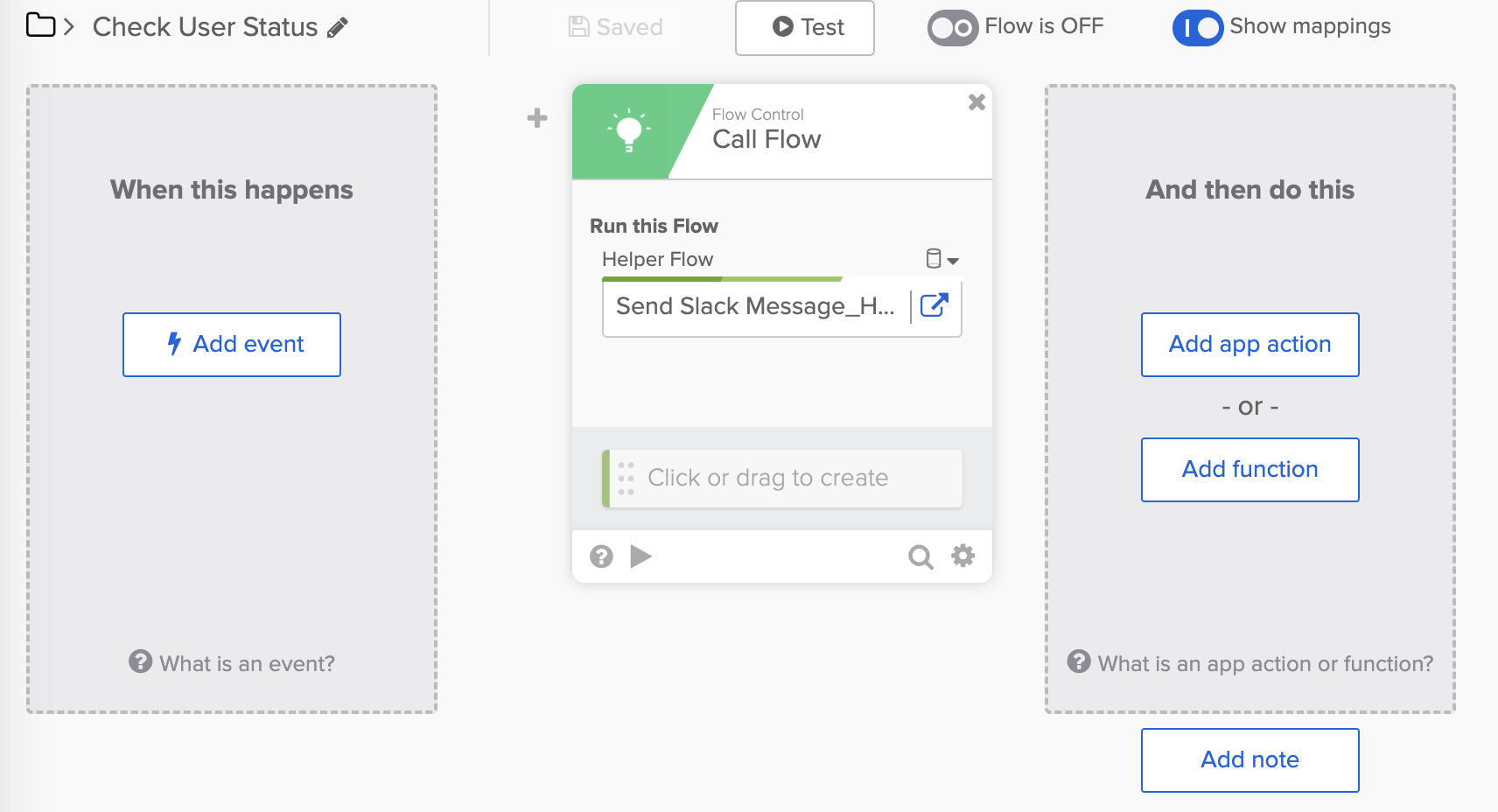
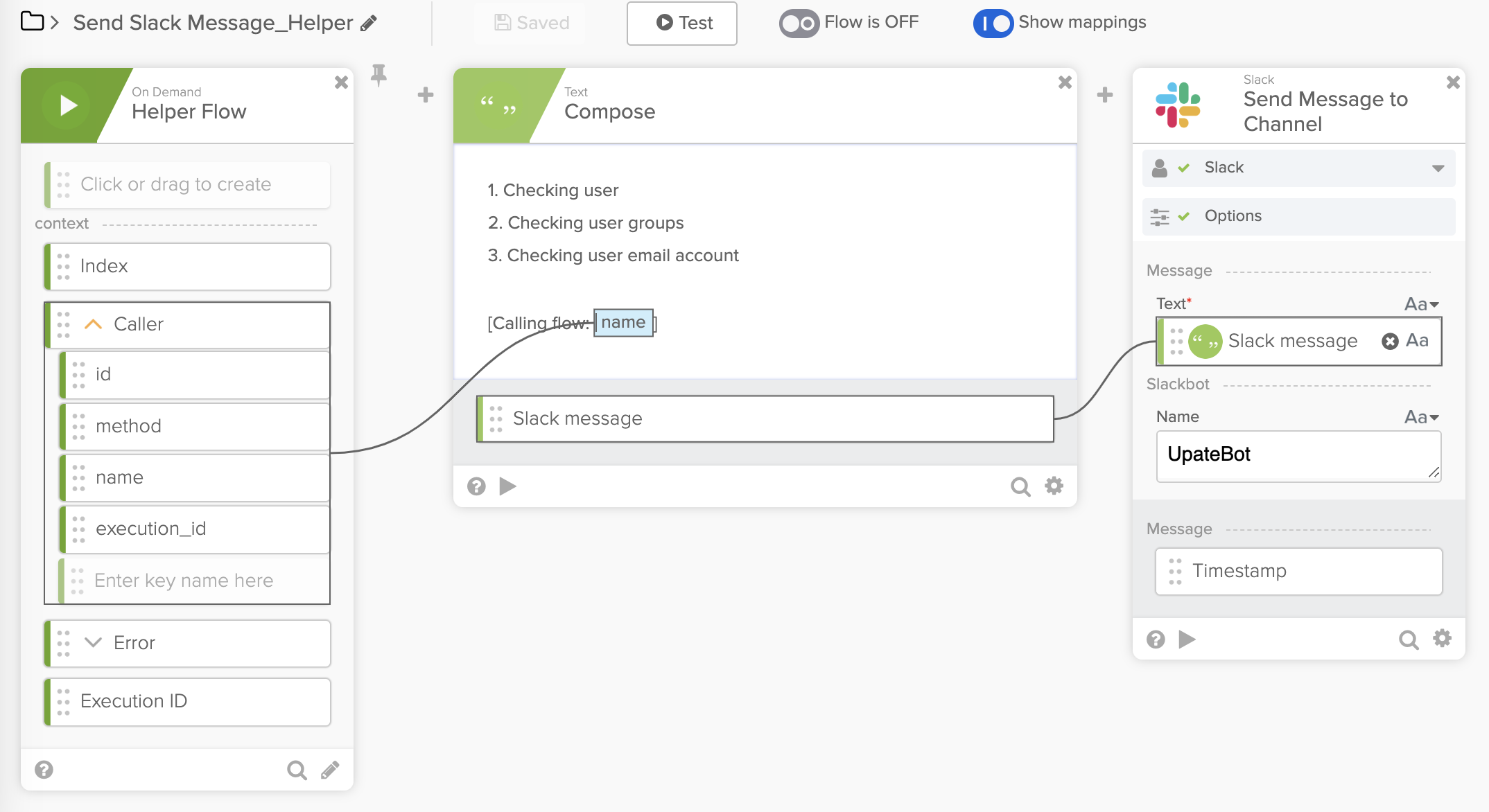
You use a helper flow to send the message. The helper flow has information about the flow that called it, including its name.
The main flow below calls the helper flow to send the message.
The helper flow below has information about the flow that called it. The object Caller.name is the flow name. The name is added to a message in the Compose card and sent to Slack.
A reusable helper flow to get the calling flow name
You create a reusable helper flow that returns the calling flow name.
The helper flow below gets the calling flow name (Caller.name) and passes it to the Return card.

In the main flow below, the Call Flow card calls the helper flow to get the calling flow name. Then the flow name is added to a message in the Compose card and sent to Slack.

Using this approach, you can reuse the helper flow in any other flows to get the calling flow name.
What you learned
This guide taught you three ways to get the calling flow name and include it in a message.
- Setting the flow name using the Assign card
- Using a helper flow to get the calling flow name
- A reusable helper flow to get the calling flow name
More resources to help you learn:
🍫 Get help from Workflows specialists during weekly community office hours.
📺 Learn from Workflows videos.
🛟 Get help from support: discuss a Workflows topic or ask a question.
🙋🏻♀️ Join the #okta-workflows channel on MacAdmins Slack to learn and get help from the community.
 Max Katz
Leave a comment