In this guide:
- Okta Workflows guides
- Watson Natural Language Understanding (NLU)
- Calling the Watson API
- Workflows resources
Okta Workflows guides
Okta Workflows guides are questions and answers from the community office hours, the #okta-workflows channel on MacAdmins Slack, and other places. Read all the other guides.
How to call Watson Natural Language Understanding API from Workflows?
Watson Natural Language Understanding (NLU)
IBM Watson Natural Language Understanding (NLU) is a natural language AI service for advanced text analytics. One capability of the service is to extract emotions (joy, anger, sadness, fear, and other feelings) from text.
This guide will teach you how to extract emotions from a text using Watson NLU in Okta Workflow.
One use case could be, if you share updates to Slack, you could run the updates through the Watson NLU to determine the text emotion before sharing.
You need an IBM Cloud account to call the API. If you don’t have one, sign up for a free account.
Calling the Watson API
The flow to call Watson API looks like this:

The flow has the following cards:
- The Object – Construct card creates the request body payload.
- text – is the text to extract emotions from.
- features – object instructs the API to extract emotions data from text. The API supports additional text analytics features.
- The Text – Compose card sets the endpoint URL. The URL is listed on the service’s Manage tab:

- The API Connector – Post card makes the HTTP call after it receives the URL and body fields.
One last part is the connection to the API. A custom connector is created for the Watson API.

The Watson API uses Basic authentication. The connector setup looks like this:
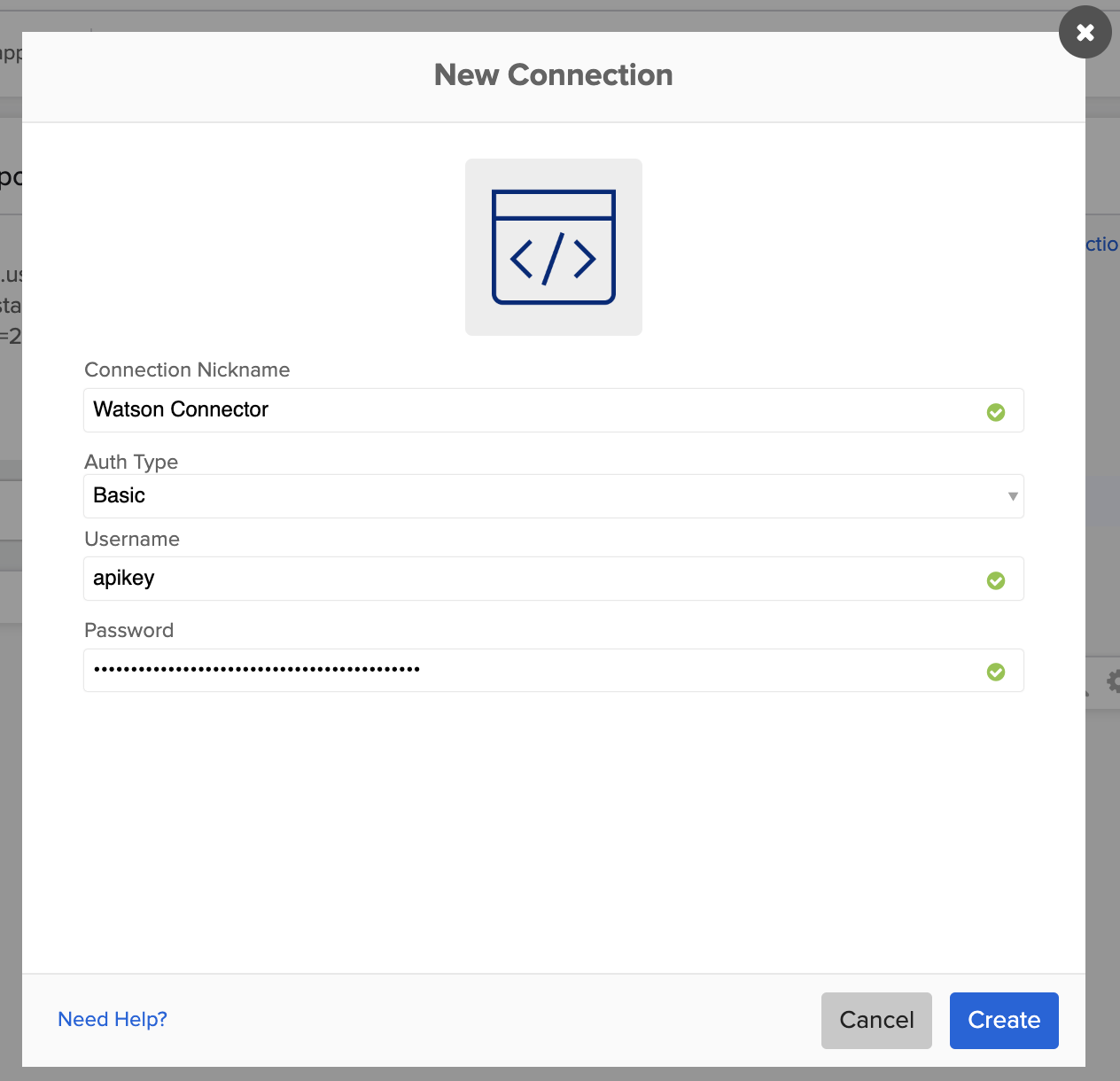
apikey is the actual username for Watson APIs.
Watson API docs
Service response when running with I love building no-code automations input:
{
  "usage": {
    "text_units": 1,
    "text_characters": 36,
    "features": 1
  },
  "language": "en",
  "emotion": {
    "document": {
      "emotion": {
        "sadness": 0.049281,
        "joy": 0.9057,
        "fear": 0.026308,
        "disgust": 0.003774,
        "anger": 0.016007
      }
    }
  }
}
The joy score is 0.9, which indicates it’s a happy text.
You learned how to call Watson NLU API from Okta Workflows.
Workflows resources
🍫 Get help from Workflows specialists during weekly community office hours.
📺 Learn from Workflows videos.
🛟 Get help from support: discuss a Workflows topic or ask a question.
🙋🏻♀️ Get help from the community: join the #okta-workflows channelon MacAdmins Slack.
 Max Katz
Leave a comment