Okta Workflows guides
Okta Workflows guides are questions and answers from the community office hours, the #okta-workflows channel on MacAdmins Slack, and other places. Read all the other guides.
How to search the Tables – Search Rows card in Workflows?
This guide will teach you how to test the Tables – Search Rows card.
Testing the Search Rows card
You use the Tables – Search Rows card and pass a variable into the Where Expression field:
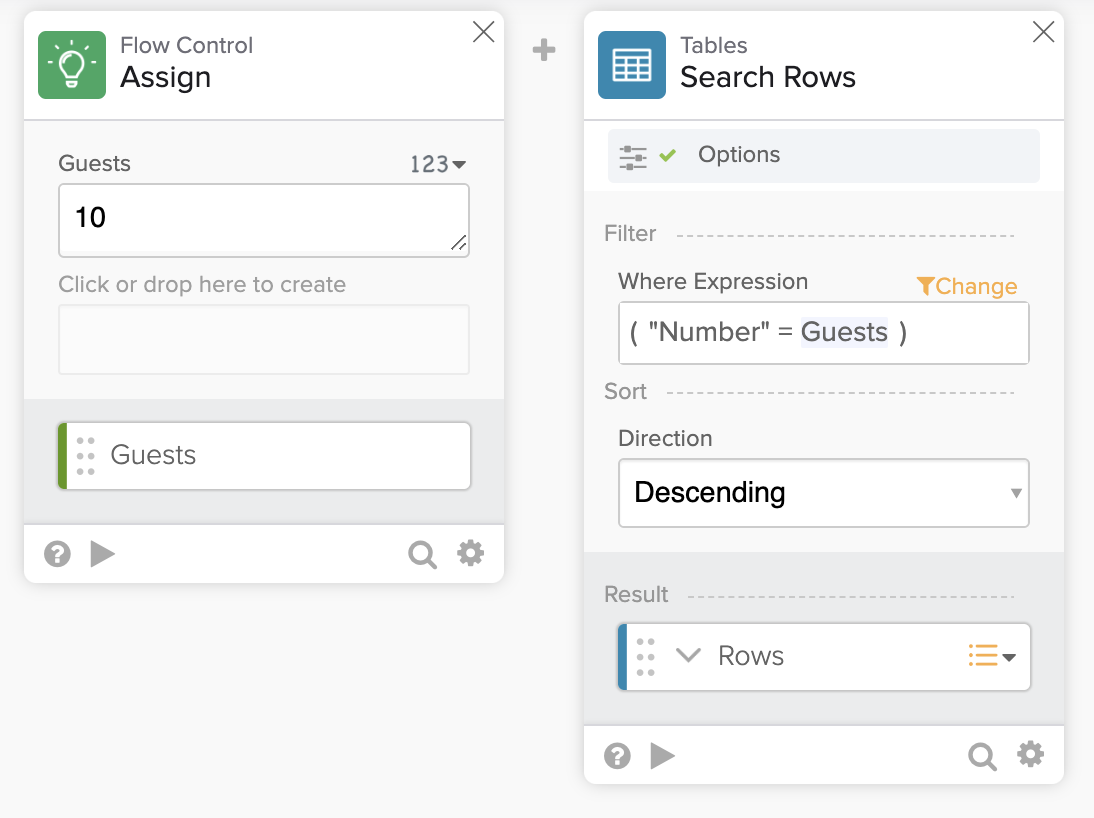
When you test the Search Rows card, you will see the following:

The test output is not what you expected.
You need to modify the Where Expression JSON to perform the test.
The JSON for searching is:
{
  "expr": [
    {
      "lhs": "Number",
      "op": "=",
      "join": "AND",
      "rhs": 10
    }
  ]
}
Note that the rhd was updated with rhs.
Testing the card with updated JSON returns valid test outcome:

Another example searching with two fields.
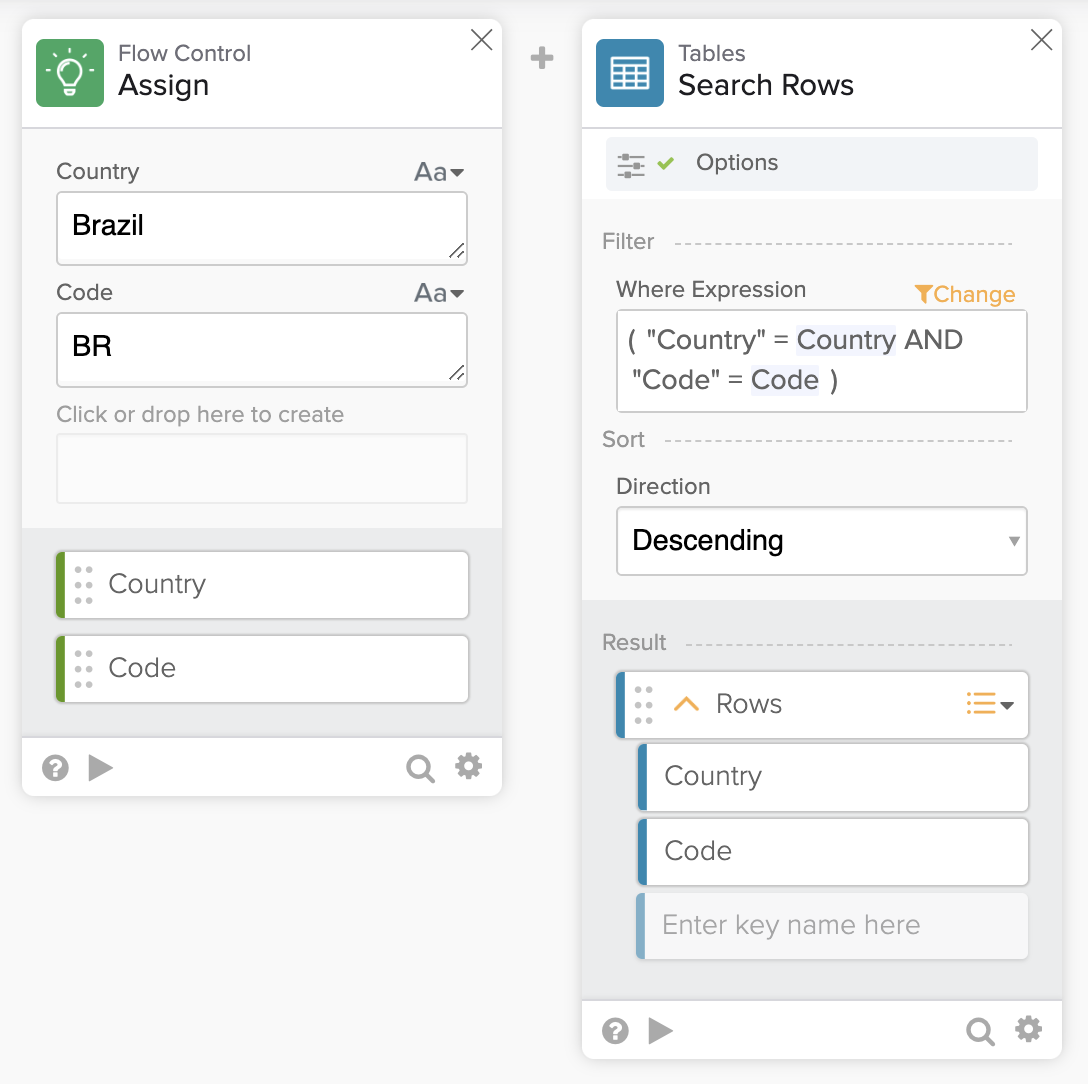
This is the updated JSON to test the Search Rows card above:
{
  "expr": [
    {
      "lhs": "Country",
      "op": "=",
      "join": "AND",
      "rhs": "Brazil"
    },
    {
      "lhs": "Code",
      "op": "=",
      "join": "AND",
      "rhs": "BR"
    }
  ]
}
Now, testing the card produces the correct result:

Related Workflows guides
Workflows resources
🍫 Get help from Workflows specialists during weekly community office hours.
📺 Learn from Workflows videos.
🛟 Get help from support: discuss a Workflows topic or ask a question.
🙋🏻♀️ Get help from the community: join the #okta-workflows channelon MacAdmins Slack.
 Max Katz
Leave a comment