In this guide:
Okta Workflows guides
Okta Workflows guides are questions and answers from the community office hours, the #okta-workflows channel on MacAdmins Slack, and other places. Read all the other guides.
How to capitalize the first letter and lowercase the rest of a text in Okta Workflows?
This guide will teach how to capitalize the first character and lowercase the rest of a text.
Capitalize and lowercase text
You have the following text:
recipe: Vegetarian Chili With Winter Vegetables
and need to format it as:
Recipe: vegetarian chili with winter vegetables
The following flow capitalizes the first letter and lowercases the rest of the text:
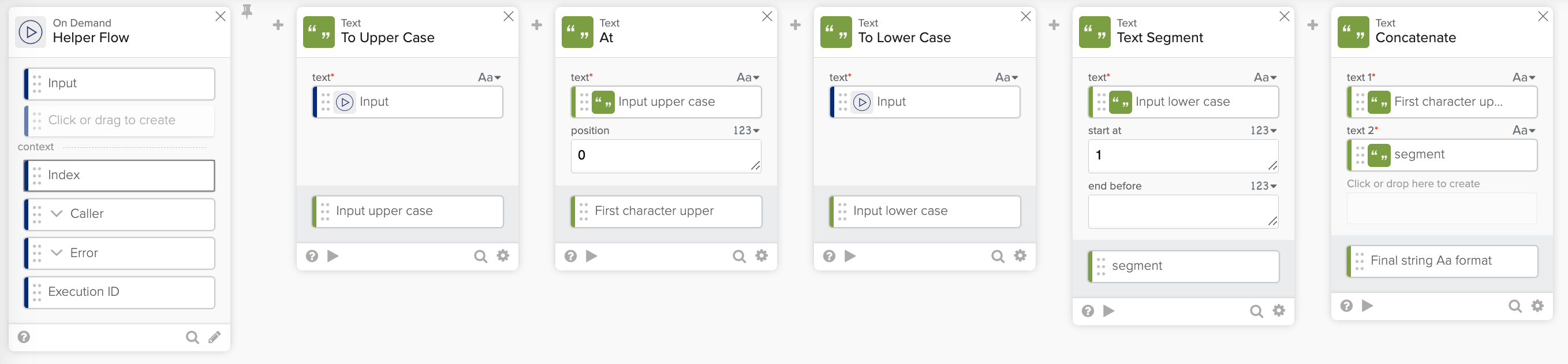
The flow does the following:
- The Helper Flow card accepts text as input.
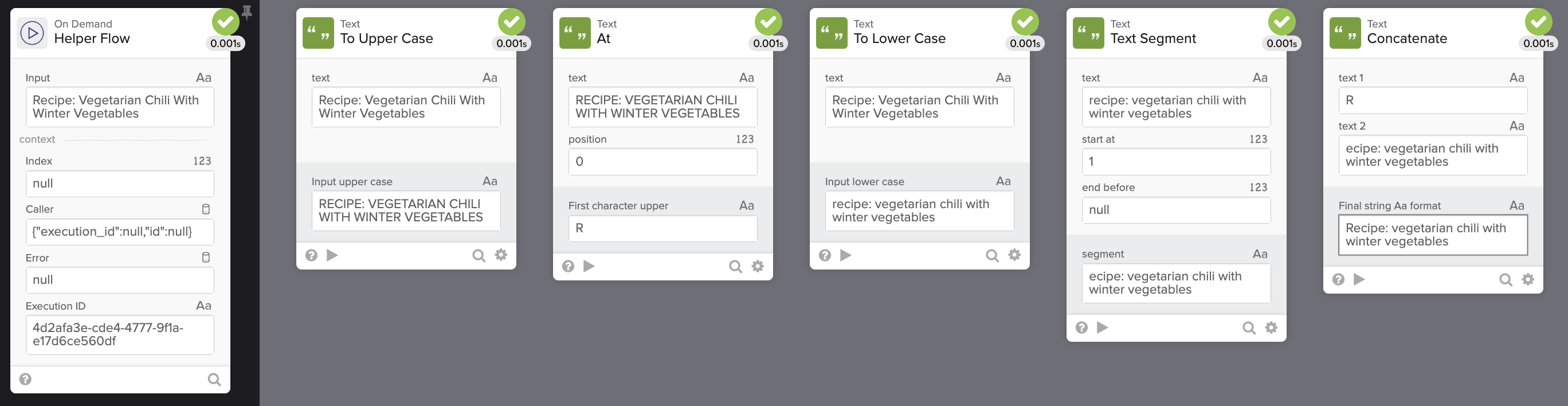
- The To Upper Case card formats the entire text to upper case (
RECIPE: VEGETARIAN CHILI WITH WINTER VEGETABLES). - The At card extracts the first character (
R). - The To Lower Case card formats the entire text to lowercase (
recipe: vegetarian chili with winter vegetables). - The Text Segment card segments the lowercase text starting at position 1 (
ecipe: vegetarian chili with winter vegetables). - The last card, the Concatenate card, combines the first character in upper case with the segment from step 5 in lower case. The final result is
Recipe: vegetarian chili with winter vegetables.
Running the flow:
Workflows resources
🍫 Get help from Workflows specialists during weekly community office hours.
📺 Learn from Workflows videos.
🛟 Get help from support: discuss a Workflows topic or ask a question.
🙋🏻♀️ Get help from the community: join the #okta-workflows channelon MacAdmins Slack.
 Max Katz
Leave a comment