In this guide:
Okta Workflows guides
Okta Workflows guides are questions and answers from the community office hours, the #okta-workflows channel on MacAdmins Slack, and other places. Read all the other guides.
How to clear user sessions in Okta using Okta Workflows?
This guide will teach you how to clear user sessions in Okta.
Clear user sessions
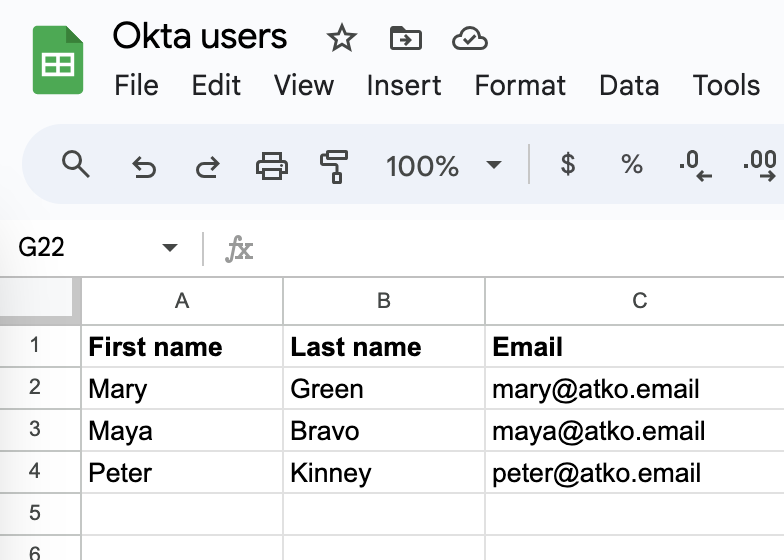
For the purpose of this guide, the users are loaded from a Google Sheets spreadsheet:
This is the main List users flow:
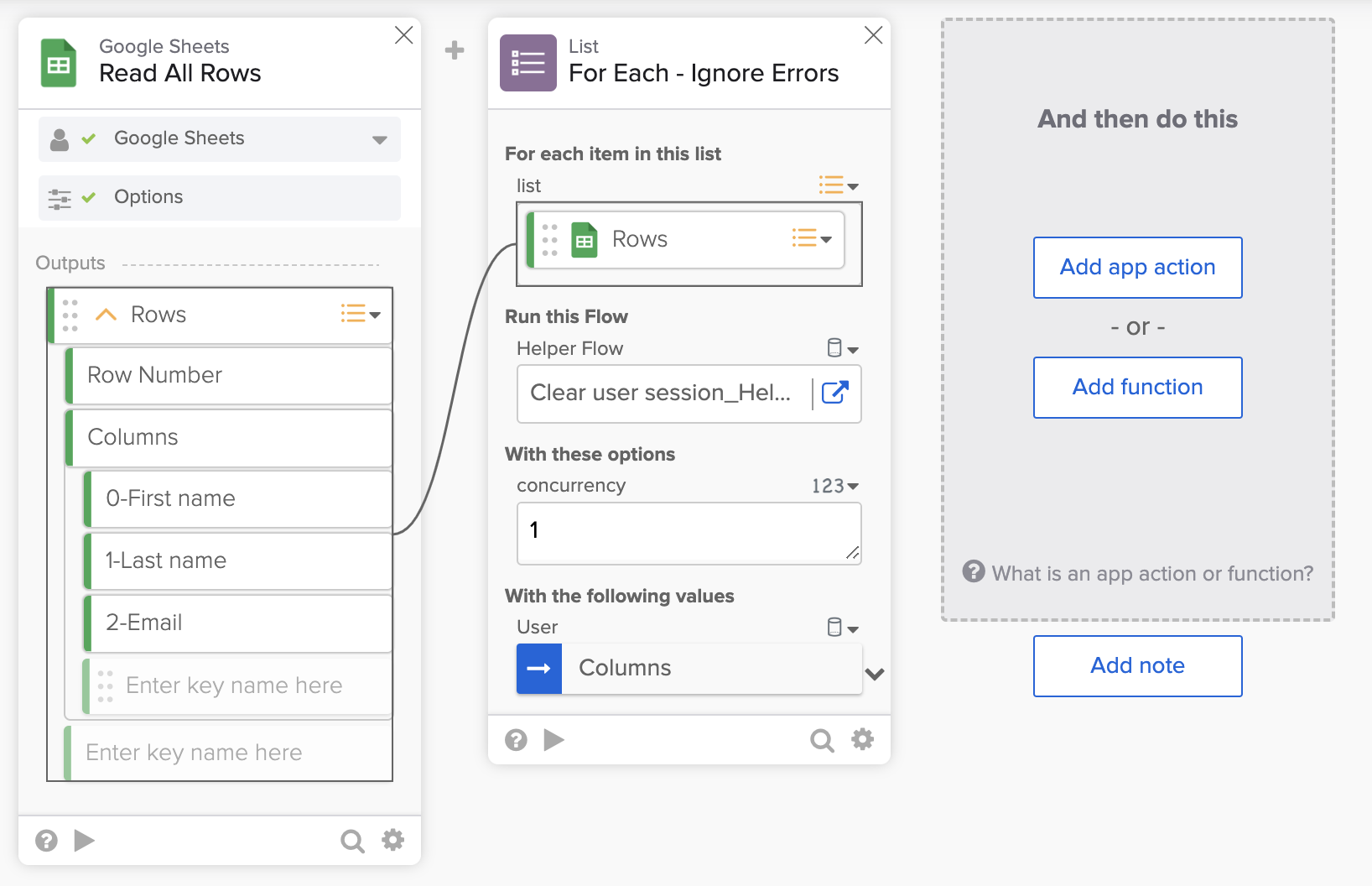
The flow has the following steps:
- The Google Sheets – Read All Rows card loads users from a spreadsheet. For these users, we will clear their Okta session.
- The List – For Each Ignore Errors calls a helper flow to process the user list. It is similar to the List – For Each card, but it will continue working if any errors occur in the helper flow.
- Note that the Columns field is passed to the helper flow (not Rows).
This is the Clear user session helper flow:

The flow has the following steps:
- The Helper Flow card has User input.
- The Object – Get card extracts the email from the user information.
- 2-Email is the third column in the spreadsheet.
- The Okta – Read User card retrieves the user’s ID.
- The Okta – Clear User Session card clears the session for the specified user ID.
- If a user’s session can’t be cleared, an error will occur, but the flow will continue to process other users since it uses List – For Each Ignore Errors card.
Related Okta Workflows guides
Okta Workflows resources
🍫 Get help from Workflows specialists during weekly community office hours.
📺 Learn from Workflows videos.
🛟 Get help from support: discuss a Workflows topic or ask a question.
🙋🏻♀️ Get help from the community: join the #okta-workflows channelon MacAdmins Slack.
 Max Katz
Leave a comment