In this guide:
Okta Workflows guides
Okta Workflows guides are questions and answers from the community office hours, the #okta-workflows channel on MacAdmins Slack, and other places. Read all the other guides.
How to search a table by date in Okta Workflows?
This guide will teach you to search a table by date in Okta Workflows.
Search table by date
You have a table with names and dates. You need to search the table by date. For instance, you need to retrieve records with the Registration Date older than 30 days.

The following flow retrieves records older than 30 days on July 24, 2024.

Flow steps
The flow has the following steps.
Get current date
The Date & Time – Now card returns the current date.
Date 30 days ago
You need to find records older than 30 days. The Date & Time – Subtract card subtracts 30 days from today’s date, but you can subtract any number of days.
Format date
The Date & Time – Convert card formats the past date into a format that matches the format in the table. The custom field holds the date you will use.
Search table
In the last step, the Tables – Search Rows card searches the table where the Registration Date is older than 30 days ago (custom field).

Flow result
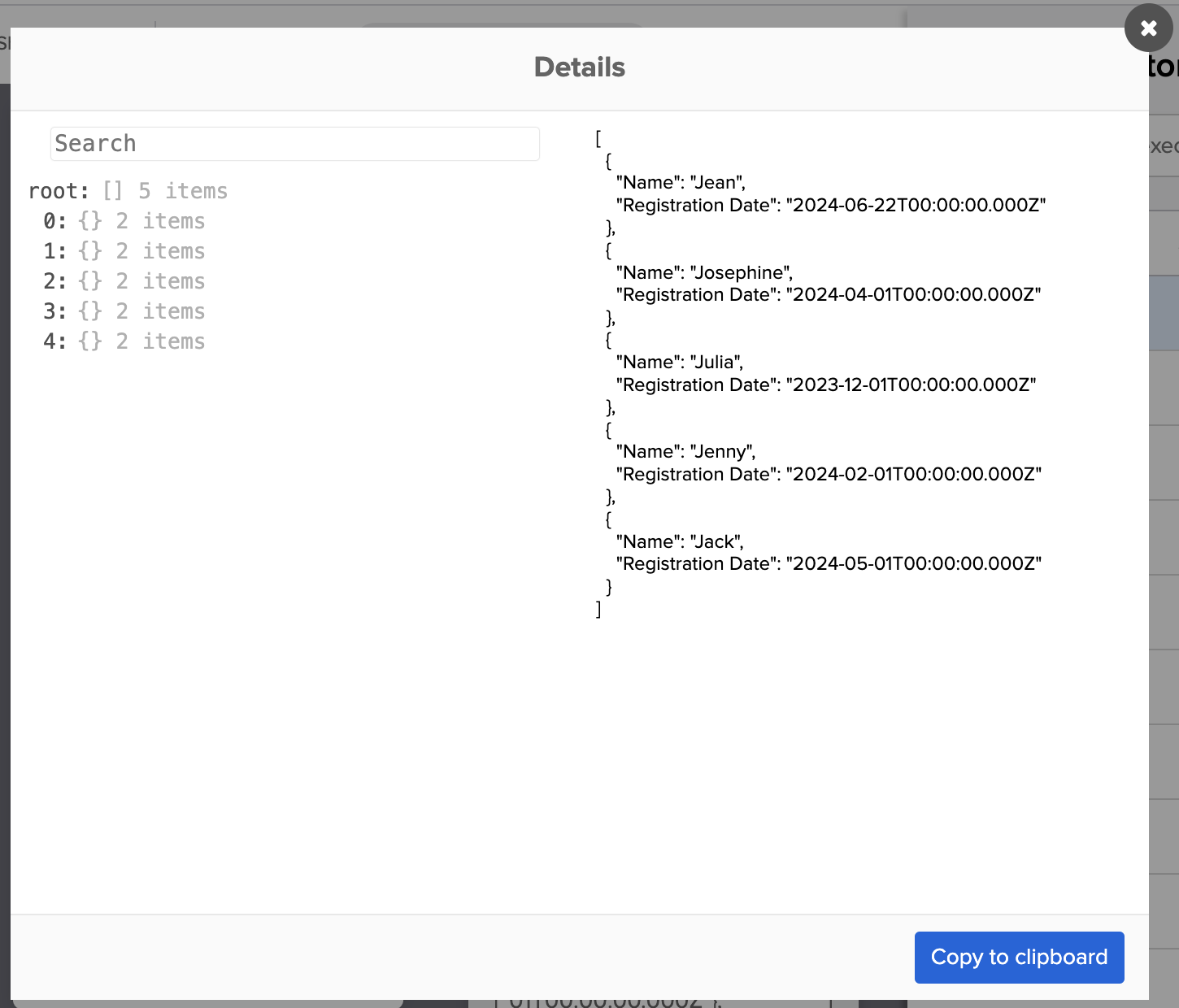
The flow retrieves records where the Registration Date is older than 30 days (from July 24, 2024).
Related Okta Workflows guides
- Remove Duplicates from a Table in Okta Workflows.
- Searching a Table Using a Custom Filter in Okta Workflows.
- How to Iterate Over Rows in a Table in Okta Workflows.
Okta Workflows resources
🍫 Get help from Workflows specialists during weekly community office hours.
📺 Learn from Workflows videos.
🛟 Get help from support: discuss a Workflows topic or ask a question.
🙋🏻♀️ Get help from the community: join the #okta-workflows channel on MacAdmins Slack.
 Max Katz
Leave a comment