In this guide:
Okta Workflows guides
Okta Workflows guides are questions and answers from the community office hours, the #okta-workflows channel on MacAdmins Slack, and other places. Read all the other guides.
How to pause a flow for 30 days in Okta Workflows?
This guide will teach you to pause a flow for 30 days in Okta Workflows.
Pause a flow
You must pause a flow for 30 days (or another number of days).
You will save the date you need to run the flow the next time in a table. Another flow can check if it’s time to run. If yes, it can call the flow you paused.
The table keeps the date when to run the flow next time:

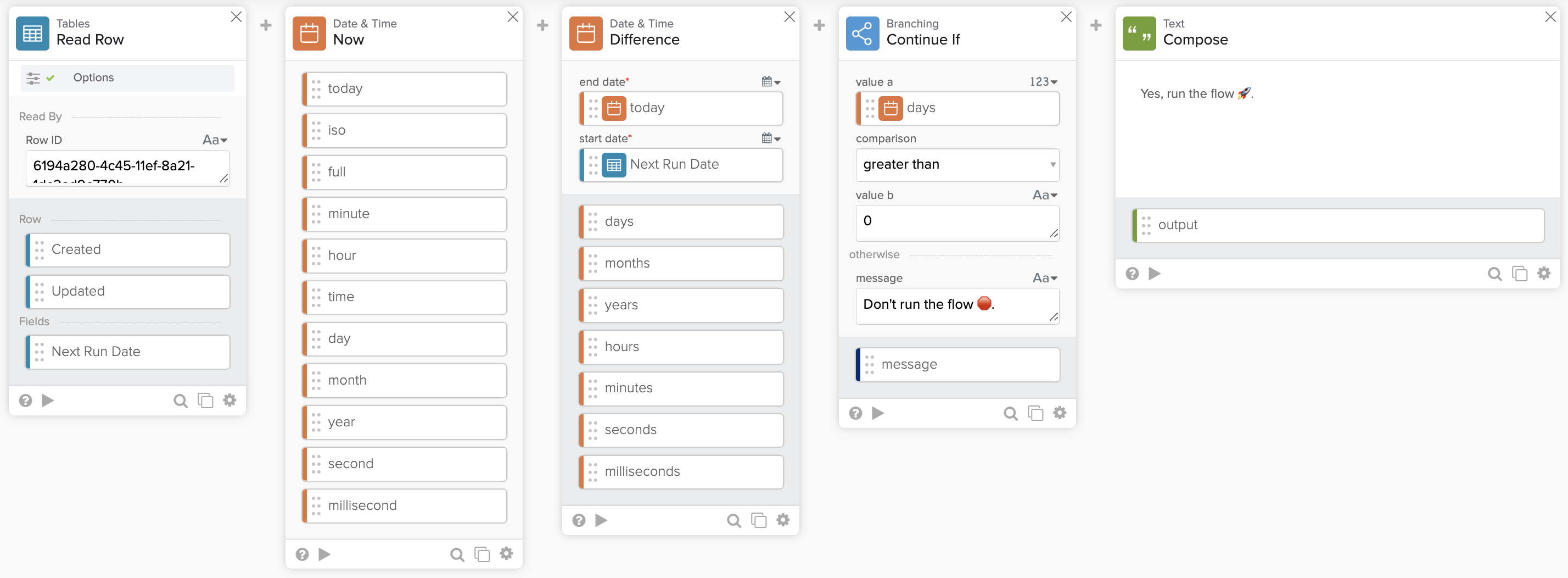
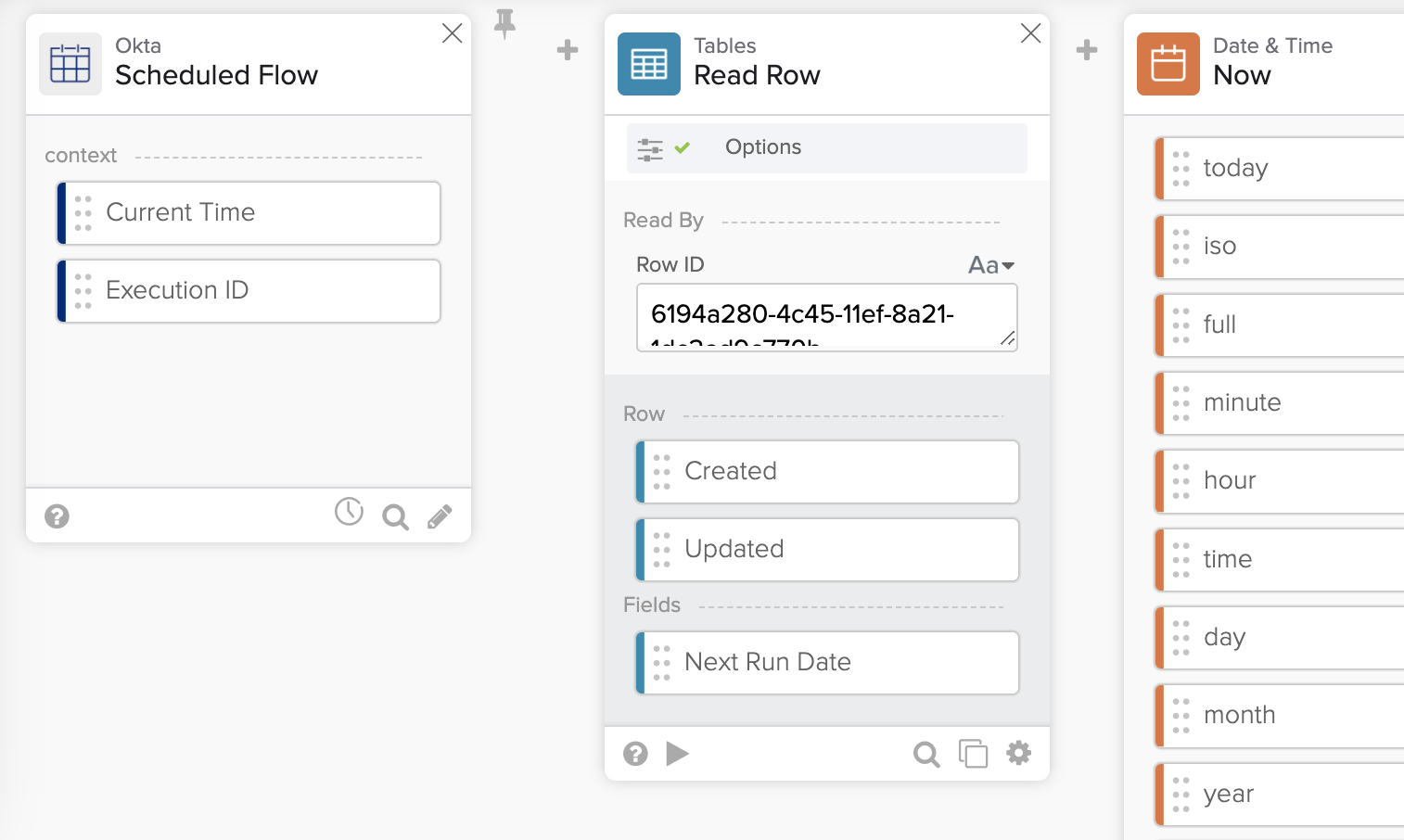
The flow to check whether to run a flow or not:
Flow steps
The flow has the following steps.
Retrieve the next run date
Using the row ID, the Table – Read Row card retrieves a row from a table that holds the date to run a flow next time.
Get today’s date
The Date & Time – Now card returns today’s date.
Before or after the run date?
In this step, you find if today is still before or after the next run date. The Date & Time – Difference card finds the difference in days between today’s date and the future run date.
Check if to run the flow
The Branching—Continue If card checks if the difference in days from the previous card is smaller or larger than zero.
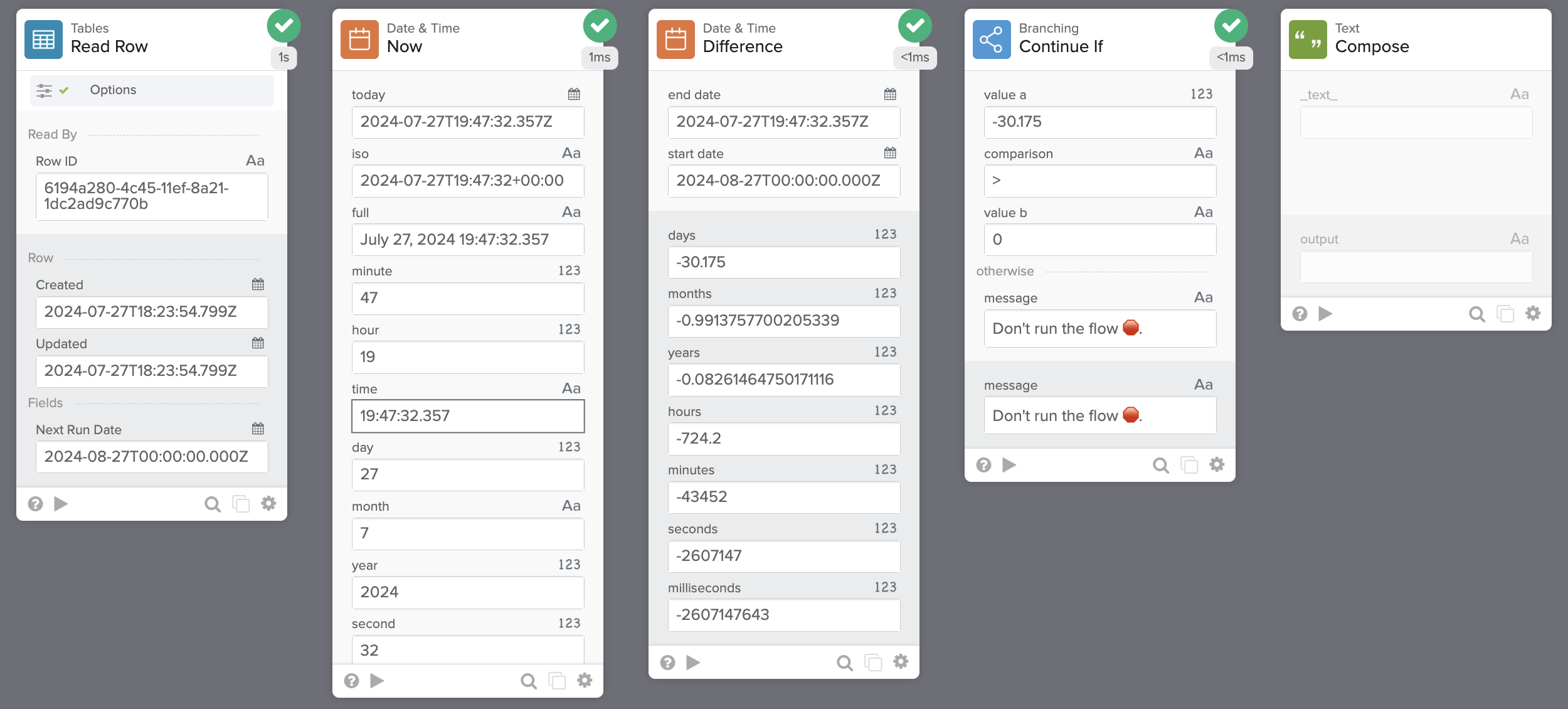
- If smaller than zero, today’s date is before the future run date. Don’t run the flow yet. The card also returns Don’t run the flow message.
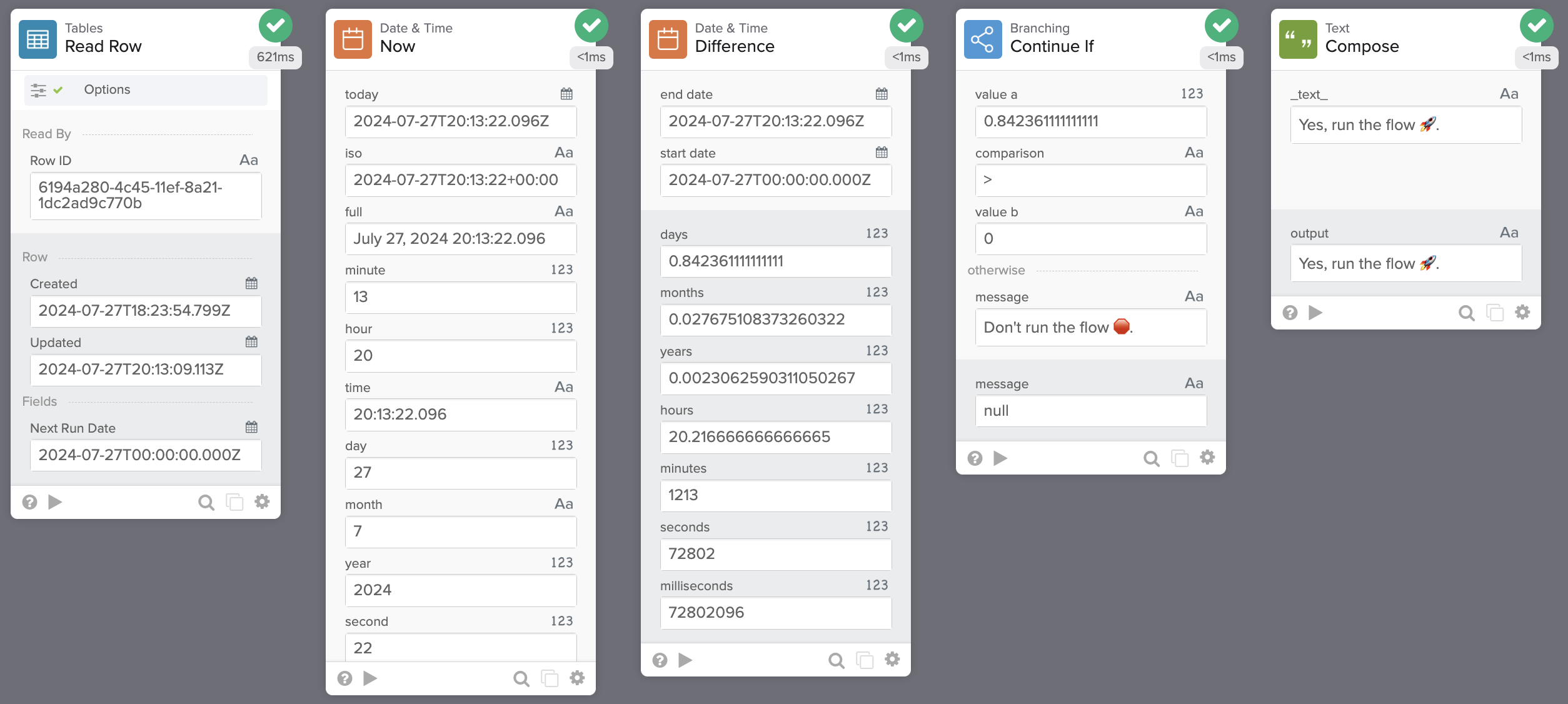
- If larger than zero, today’s date is after the future run date. Run the flow.
Compose card
Since this is an example, the Compose card prints Yes, run the flow 🚀. In real automation, the flow calls the flow that was paused. You could also continue the flow logic in this flow.
Result
You can configure this flow to run daily.
Running the flow with today’s date before the future run date:
Running the flow with today’s date after the future run date:
Related Okta Workflows guides
- How to Run a Flow Just Once or Manually.
- How to Trigger a Flow – 6 Ways to Run a Flow.
- How to Include the Running Flow Name in a Slack Message in Okta Workflows.
Okta Workflows resources
🍫 Get help from Workflows specialists during weekly community office hours.
📺 Learn from Workflows videos.
🛟 Get help from support: discuss a Workflows topic or ask a question.
🙋🏻♀️ Get help from the community: join the #okta-workflows channel on MacAdmins Slack.
 Max Katz
Leave a comment