In this guide:
- Okta Workflows guides
- Send HTML email with data from a table
- Related Okta Workflows guides
- Okta Workflows resources
Okta Workflows guides
Okta Workflows guides are questions and answers from the community office hours, the #okta-workflows channel on MacAdmins Slack, and other places. Read all the other guides.
How do you send an HTML email with data from a table in Okta Workflows?
This guide will teach you how to send an HTML email with data from a table in Okta Workflows.
Send HTML email with data from a table
You want to send the following data in an HTML email (in a table format):

The automation will use the List—Reduce card to collect all data into rows into HTML table rows.
Guides and examples about using the List—Reduce card to format a data list into a single value.
This is the main flow:
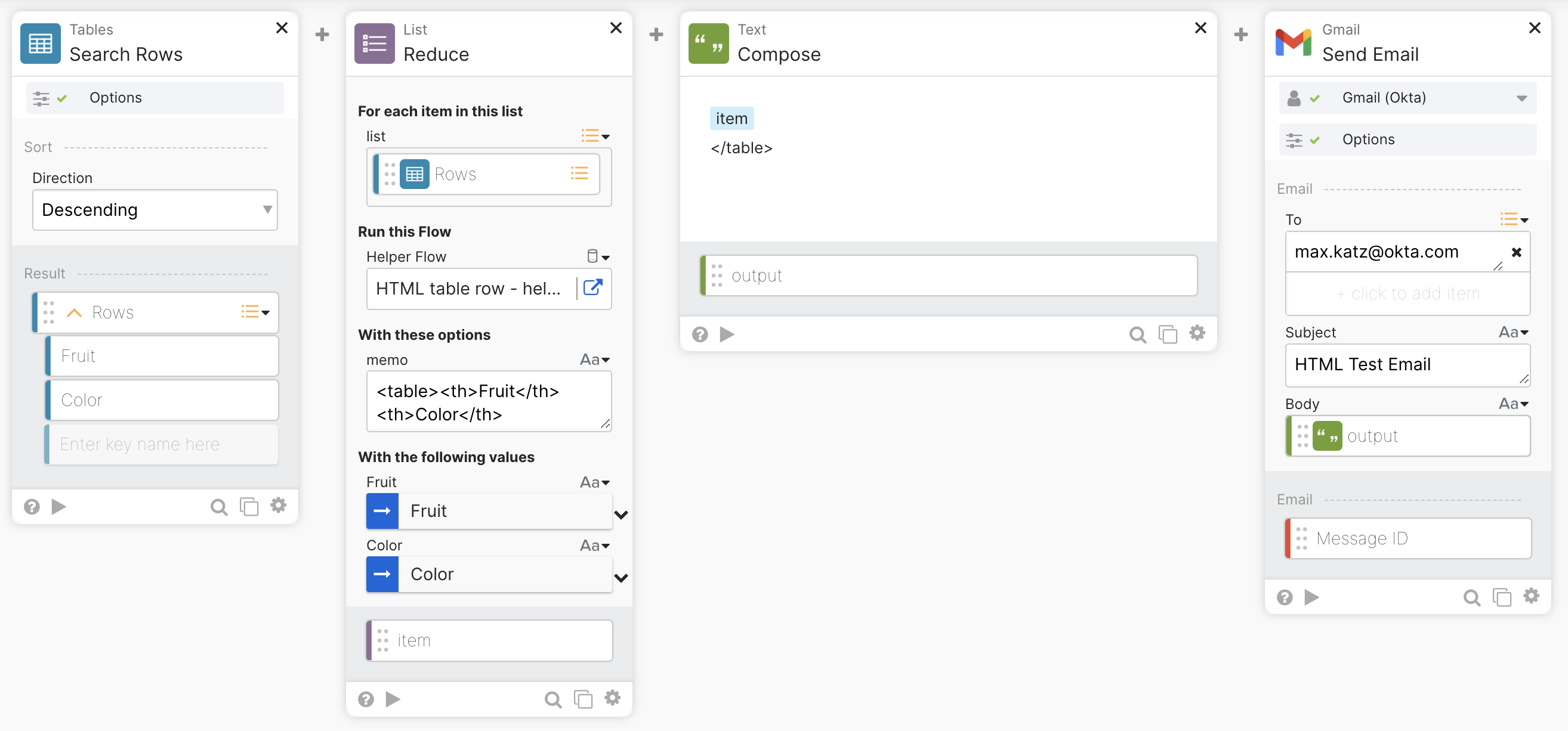
The flow has the following steps:
- The Table—Search Rows card returns rows from the table.
- The List—Reduce card sends the list data to a helper flow, which converts each record into an HTML table row. The Reduce card returns a single text with the data in HTML table format.
- The Text—Compose card closes the table HTML tag.
- The Gmail—Send Email card sends an HTML email. The card sets the Body is HTML field in Options to Yes.
The helper flow:

The flow has the following steps:
- The List—Reduce card from the main flow passes the Fruit and Color fields to this helper flow.
- The Text—Compose card creates an HTML table row and appends it to the memo field, which holds previous HTML table rows.
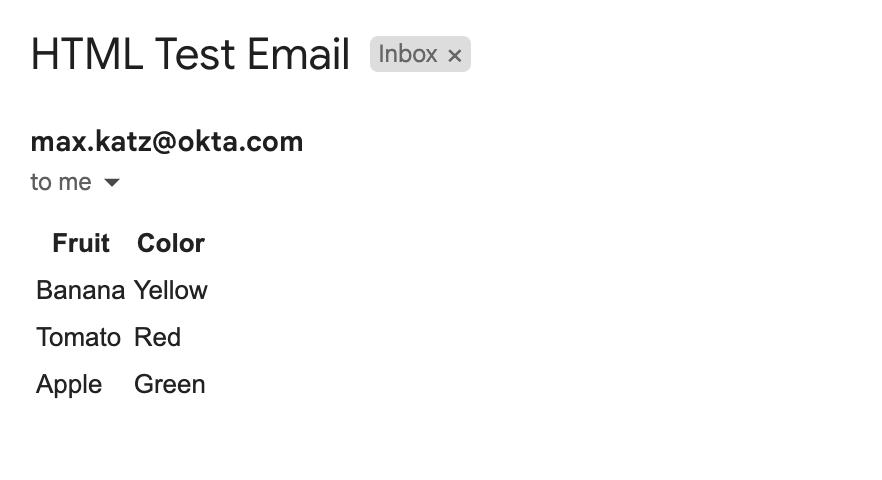
The email you will receive after running the flow:
Download the flows
Download and try this flow automation.
Related Okta Workflows guides
- Search Okta System Log and Email the Results in Okta Workflows.
- Save Deactivated Users, Export as CSV, and Email in Okta Workflows.
- How to Export Group Membership to a CSV File and Email the File in Okta Workflows.
- How to Send HTML Email with Gmail and Office 365 Email in Workflows.
Okta Workflows resources
📺 Learn from Okta Workflows videos.
❓Ask questions during Okta Workflows community office hours.
🛟 Ask questions on the Okta Workflows community forum.
🙋🏻♀️ Join the #okta-workflows channel on the MacAdmins Slack to get help from the community.
 Max Katz
Leave a comment