In this guide:
- Okta Workflows guides
- Update or insert a table record (upsert example)
- Related Okta Workflows guides
- Okta Workflows resources
Okta Workflows guides
Okta Workflows guides are questions and answers from the community office hours, the #okta-workflows channel on MacAdmins Slack, and other places. Read all the other guides.
How to update or insert a record in a table in Okta Workflows?
This guide will teach you to update or insert a record in a table in Okta Workflows. In database terminology, an update and insert operation is an upsert.
Update or insert a table record (upsert example)
There is a table with department information. Each record has an ID, name, and number of employees.
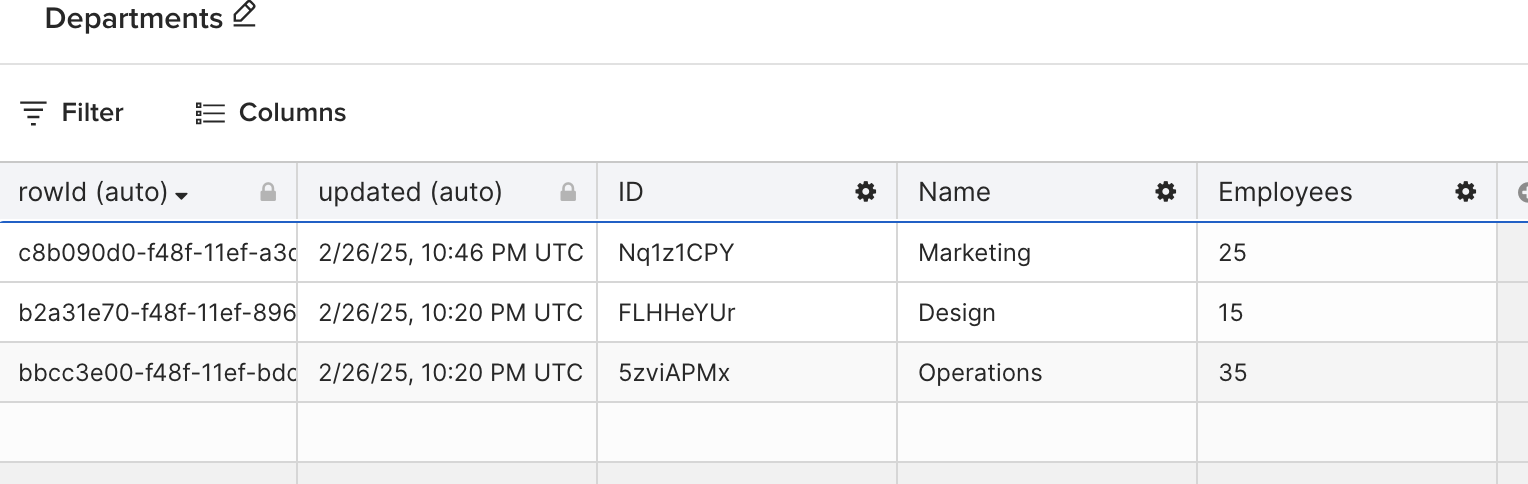
You want to update a record if a record already exists in a table or insert a new record if the record doesn’t exist in a table. In database terminology, an update and insert operation is an upsert.
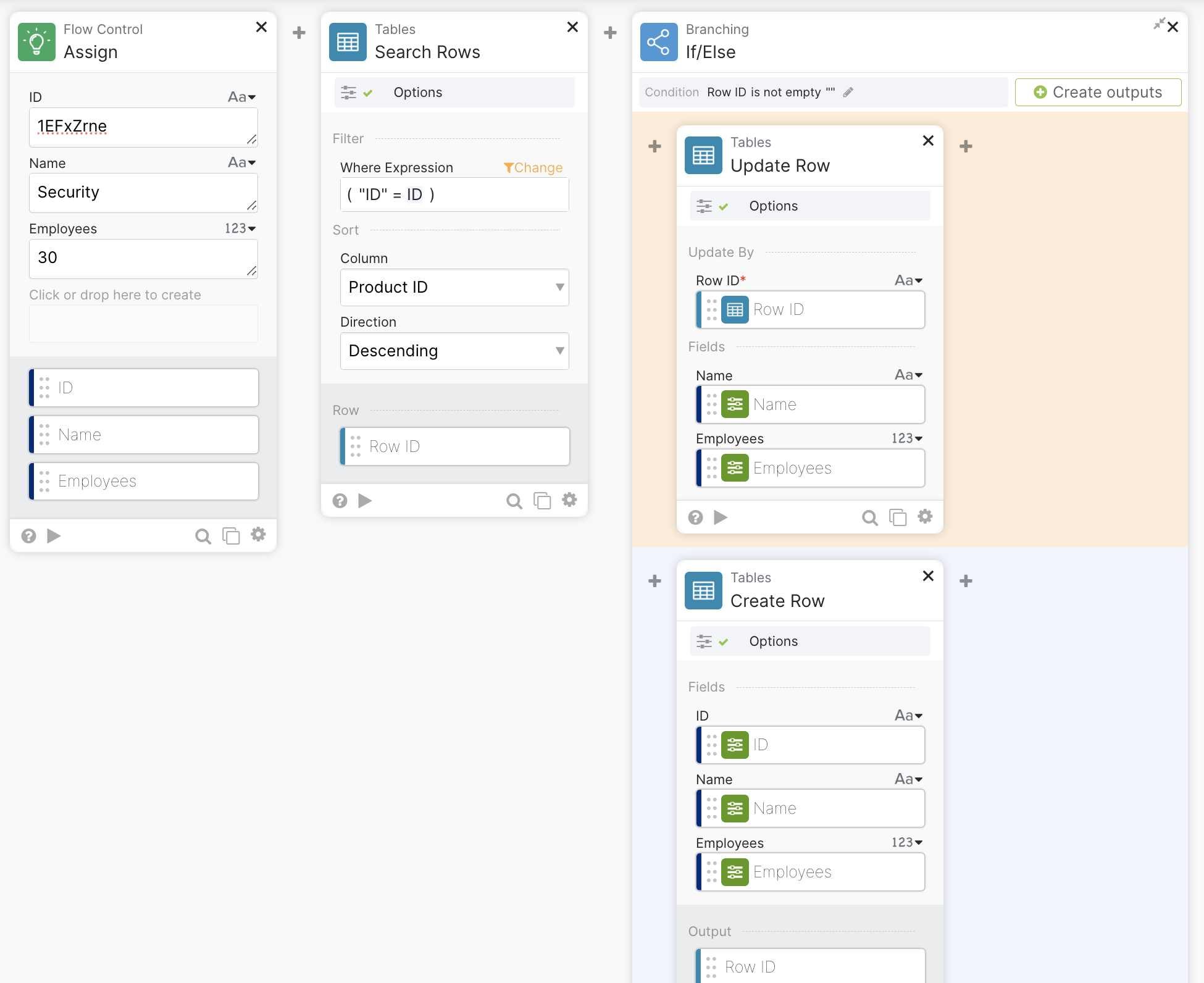
The following flow does an update if a record exists or inserts a new record if the record doesn’t exist.

When the flow has the following inputs (in the Assign card), it finds a matching record and updates it. The flow runs the If condition and the Update Row card.

This is the table after the flow updates the Marketing record:

When the flow has the following inputs (in the Assign card), the flow doesn’t find an existing record and inserts a new record. The flow runs the Else condition and the Create Row card.
This is the table after the flow inserts the Security record:

Related Okta Workflows guides
Okta Workflows resources
📺 Learn from Okta Workflows videos.
❓Ask questions during Okta Workflows community office hours.
🛟 Ask questions on the Okta Workflows community forum.
🙋🏻♀️ Join the #okta-workflows channel on the MacAdmins Slack to get help from the community.
 Max Katz
Leave a comment