In this guide:
Okta Workflows guides
Okta Workflows guides are questions and answers from the community office hours, the #okta-workflows channel on MacAdmins Slack, and other places. Read all the other guides.
How do you set up a custom list sort in Okta Workflows?
This guide will teach you how to set up a custom sort in Okta Workflows.
Custom list sort
Let’s look at an example using the List-Sort card before setting up a custom search.
Basic sort
Okta Workflows provides the List-Sort card to perform a basic sort: sort a list from smallest to largest.
Let’s say you have the following object list and need to sort the list by number of employees.
[
	{
		"departmentName": "Sales",
		"location": "New York",
		"employees": 50
	},
	{
		"departmentName": "Marketing",
		"location": "San Francisco",
		"employees": 30
	},
	{
		"departmentName": "Engineering",
		"location": "Austin",
		"employees": 100
	},
	{
		"departmentName": "Customer Support",
		"location": "Chicago",
		"employees": 40
	},
	{
		"departmentName": "Legal",
		"location": "Boson",
		"employees": 10
	}
]
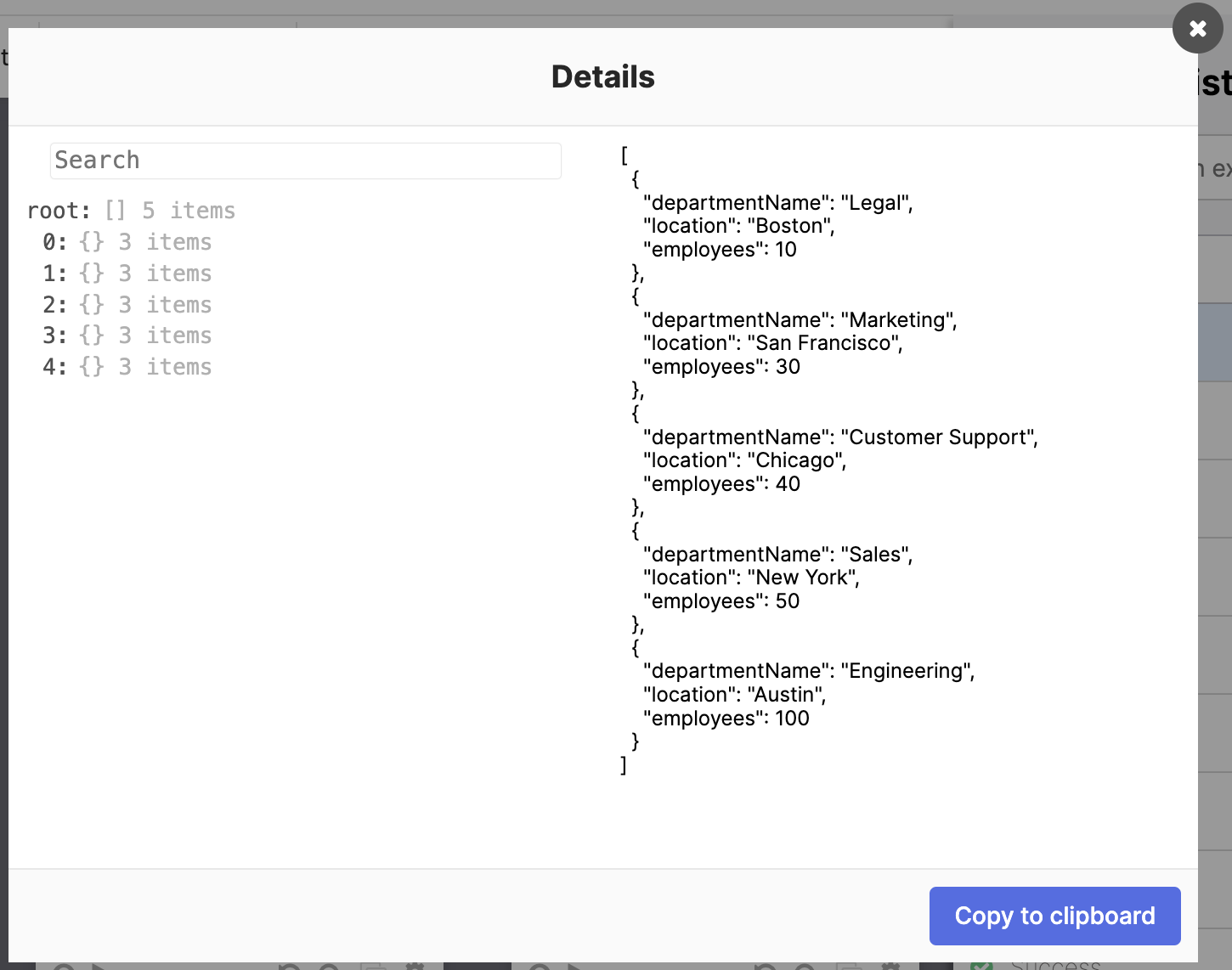
The following flow sorts the list using the employees value from smallest to largest.

The flow has the following steps:
- The Text-Compose card creates the JSON list as text.
- The JSON-Parse card converts the text into a JSON object.
- The List-Sort card sorts the list using the employee value from smallest to largest.
Result after sorting the list:
Custom sort
You can use the List-Sort Custom card to define a custom search.
For instance, let’s say you want to sort the following text using the length of each word so the word we is first and the word automation is last.
[
    "we",
    "build",
    "identity",
    "automation",
    "using",
    "okta",
    "workflows"
]
Main flow
The main flow looks similar to the flow in the first example, except the List-Sort Custom card sets up a helper flow.
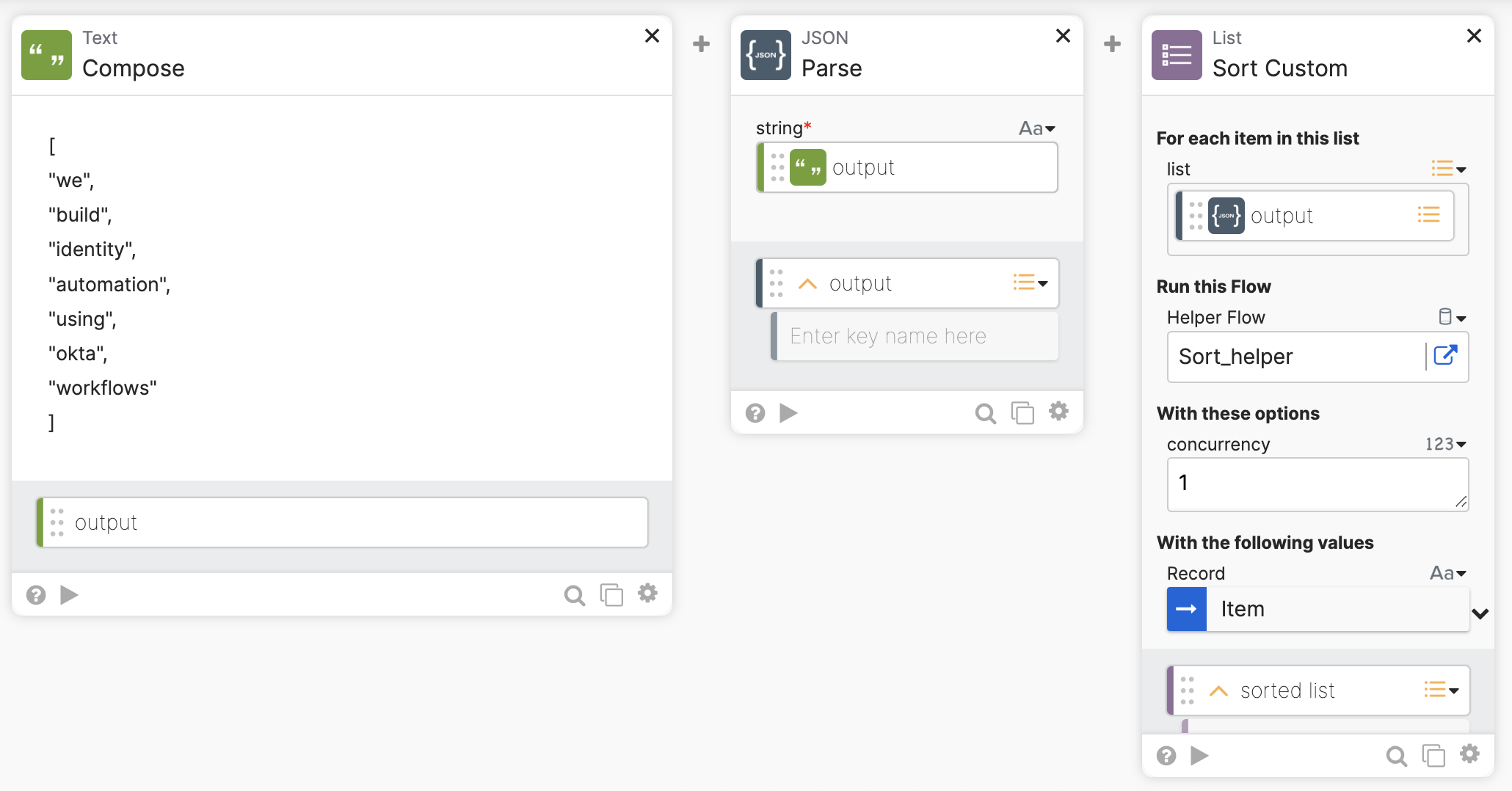
The flow has the following steps:
- The Text-Compose card creates the JSON list as text.
- The JSON-Parse card converts the text into a JSON object.
- The List-Sort Custom card calls a helper flow for a custom sort.
Helper flow
This is the helper flow:

The flow has the following steps:
- The main flow passes each text item into the helper flow in the On Demand-Helper Flow card.
- The Text-Length card returns the length of each word in the list.
- The Flow Control-Return card returns the length of each word in the list. Workflows uses the length number to then sort the list.
You don’t perform the actual sorting. You return a position number, and Workflows uses that number to sort the list.
Running the flow
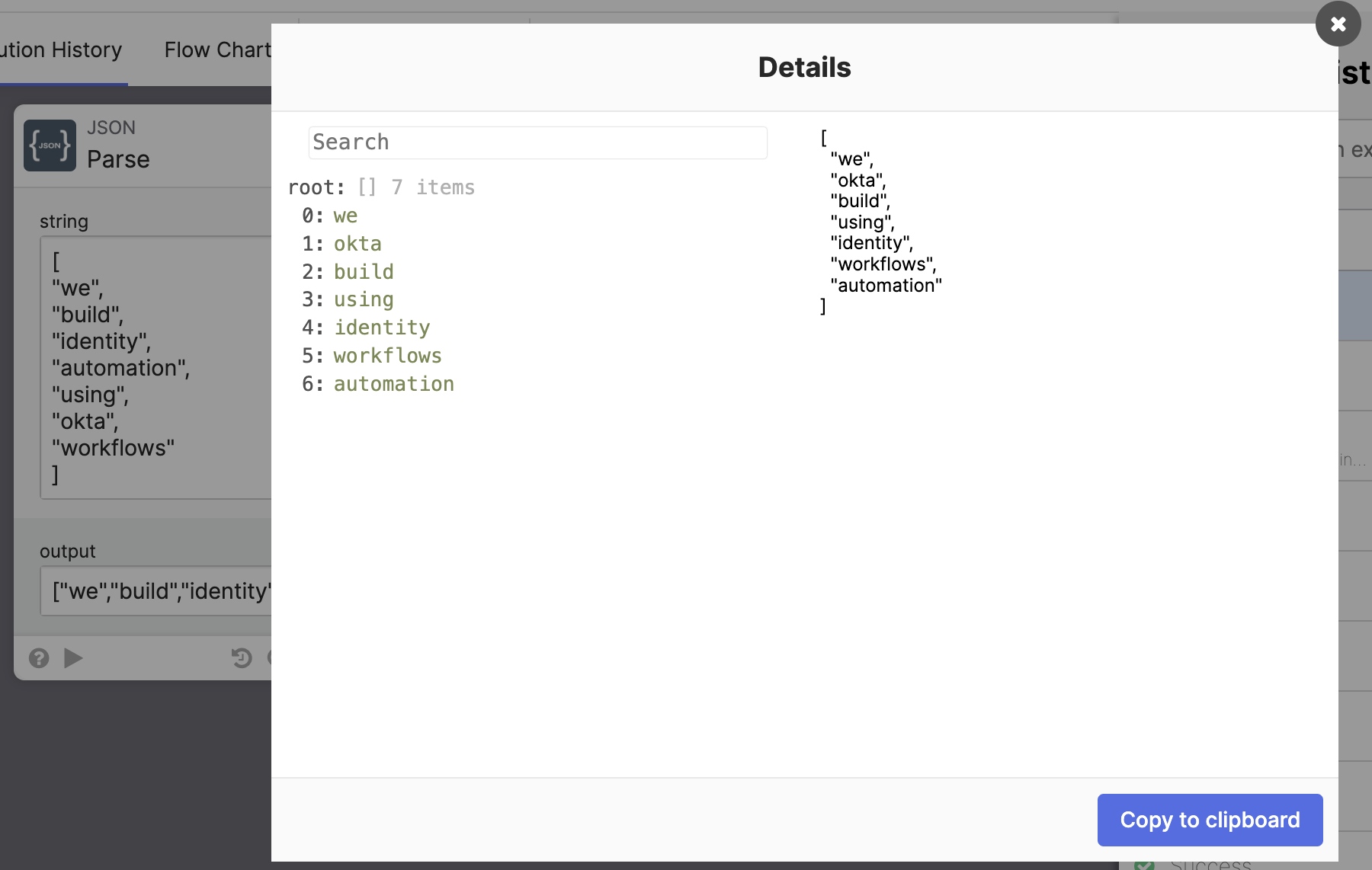
Running the flow will sort the list using each word’s length. The original list order is also visible in the JSON-Parse card.
Another custom sort example
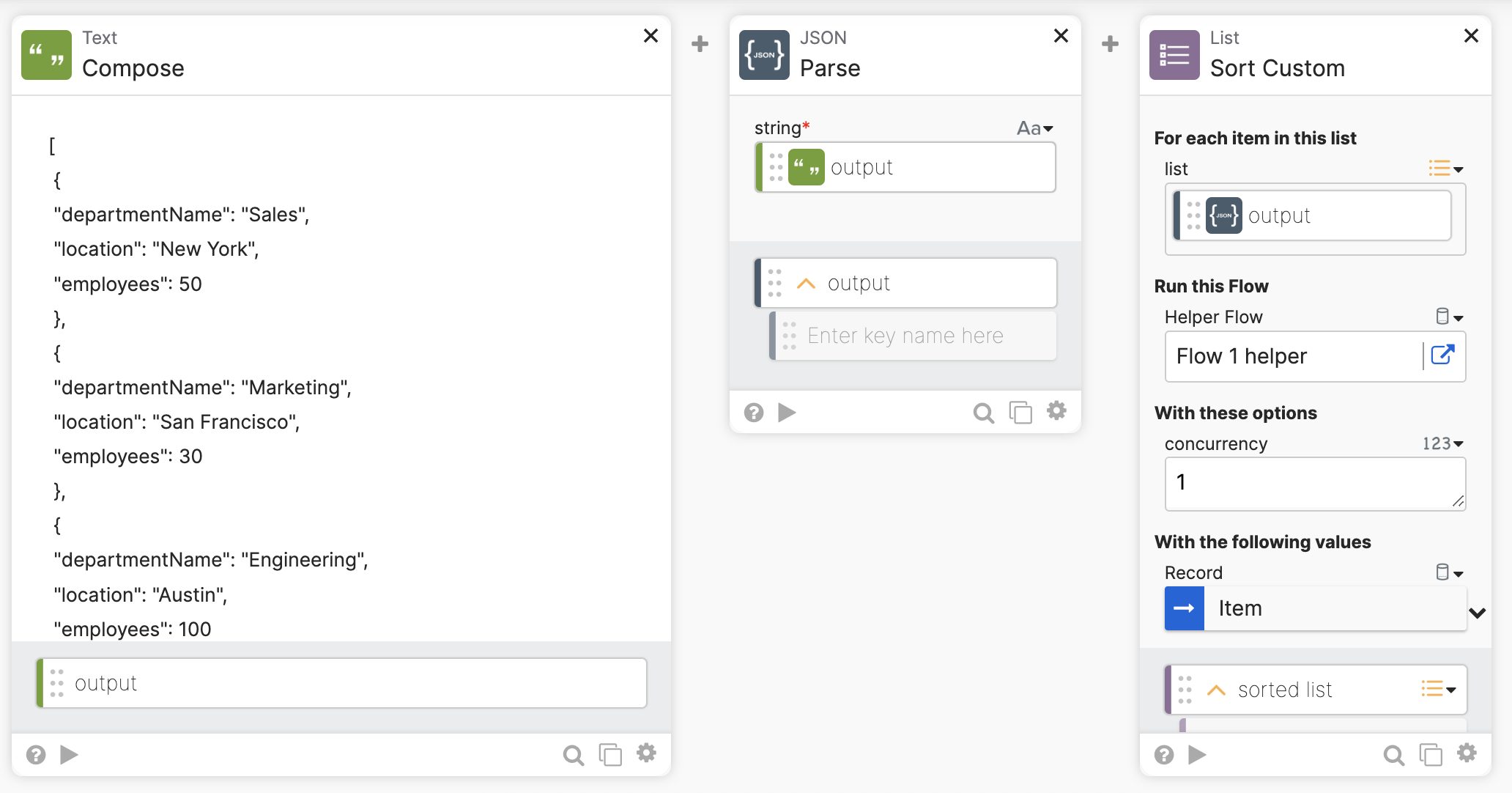
Returning to the first example, let’s say you want to sort the list using the employees’ values, but now, go from largest to smallest instead of using the built-in smallest to largest sort.
The main flow:
The helper flow uses the Number-Formula card to negate the employees value to reverse the sort order:

The sort results when running the flow:

Related Okta Workflows guides
- How To Search for Groups Using Custom Search Criteria in Okta Workflows.
- How to Create a Custom List Filter in Okta Workflows.
- Search for Users using Custom Search Criteria in Okta Workflows.
Okta Workflows resources
🚀 New to Okta Workflows? The Getting Started with Okta Workflows page has all the resources to help you get started.
📺 Like learning from videos? Watch Okta Workflows videos.
❓Have a question? Ask during community office hours, post on the community forum, or email me.
🙋🏻♀️ Want to learn from the community? Join the #okta-workflows channel on the MacAdmins Slack.
📖 Want to learn more about Okta and automation? Take the Okta Workflows training on Okta Learning.
 Max Katz
Leave a comment