In this guide:
Okta Workflows guides
Okta Workflows guides offer questions and answers from Okta Workflows community office hours. They also come from the #okta-workflows channel on the Mac Admins Slack and other places. Read all the other guides.
How do make a call to a GraphQL service in Okta Workflows?
This guide will teach you how to call a GraphQL service in Okta Workflows.
Call a GraphQL service
The flow will use this Countries GraphQL endpoint example from Postman. The API endpoint is at https://countries.trevorblades.com.
The next flow makes a call to a GraphQL service:
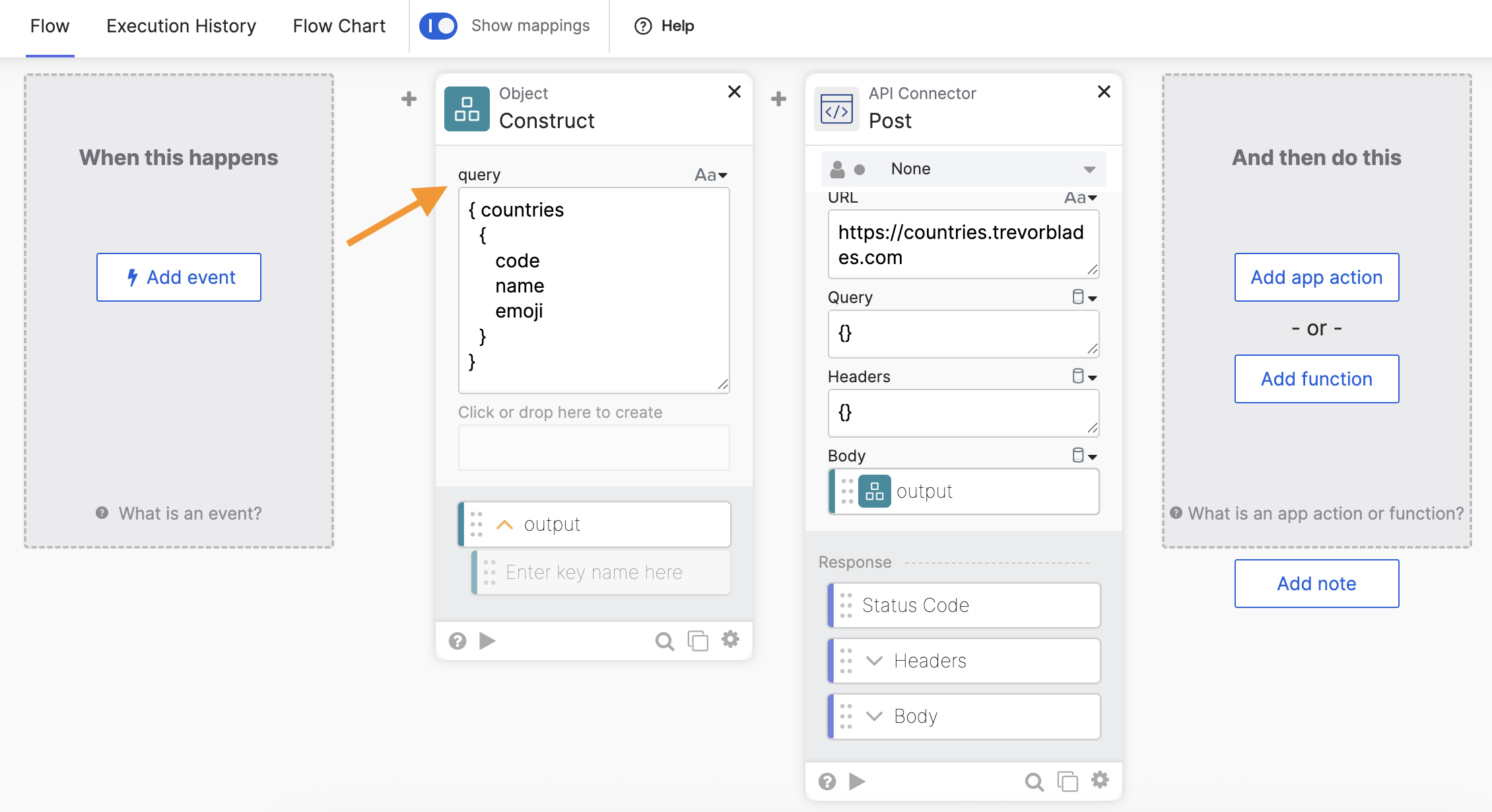
The automation has the next steps:
- The Object-Construct card creates a call query. Note the field name is set to query.
- The API Connector-Post card makes a call to the GraphQL service.
The automation result:

Note the API Connector-Post card turned off, showing the Status Code and Headers fields for clarity.
Extract data from result
If you want to extract a value from the response, the following screenshot, for example, shows how to extract the emoji value from the response:

Download flow
Download the flow for this KB article.
Related Okta Workflows guides
Okta Workflows resources
🚀 New to Okta Workflows? The Getting Started with Okta Workflows page has all the resources to help you get started.
📺 Like learning from videos? Watch Okta Workflows videos.
❓Have a question? Ask during community office hours, post on the community forum, or email me.
🙋🏻♀️ Want to learn from the community? Join the #okta-workflows channel on the Mac Admins Slack.
📖 Want to learn more about Okta and automation? Take the Okta Workflows training on Okta Learning.
 Max Katz
Leave a comment