Okta Workflows Tips are short and handy Okta Workflows tips and tricks. Read all the earlier tips.
Insert list item at
Okta Workflows’ List card has two functions for adding items:
There is no card to insert an item at a specific index.
This flow shows how to insert an item at a specific index.
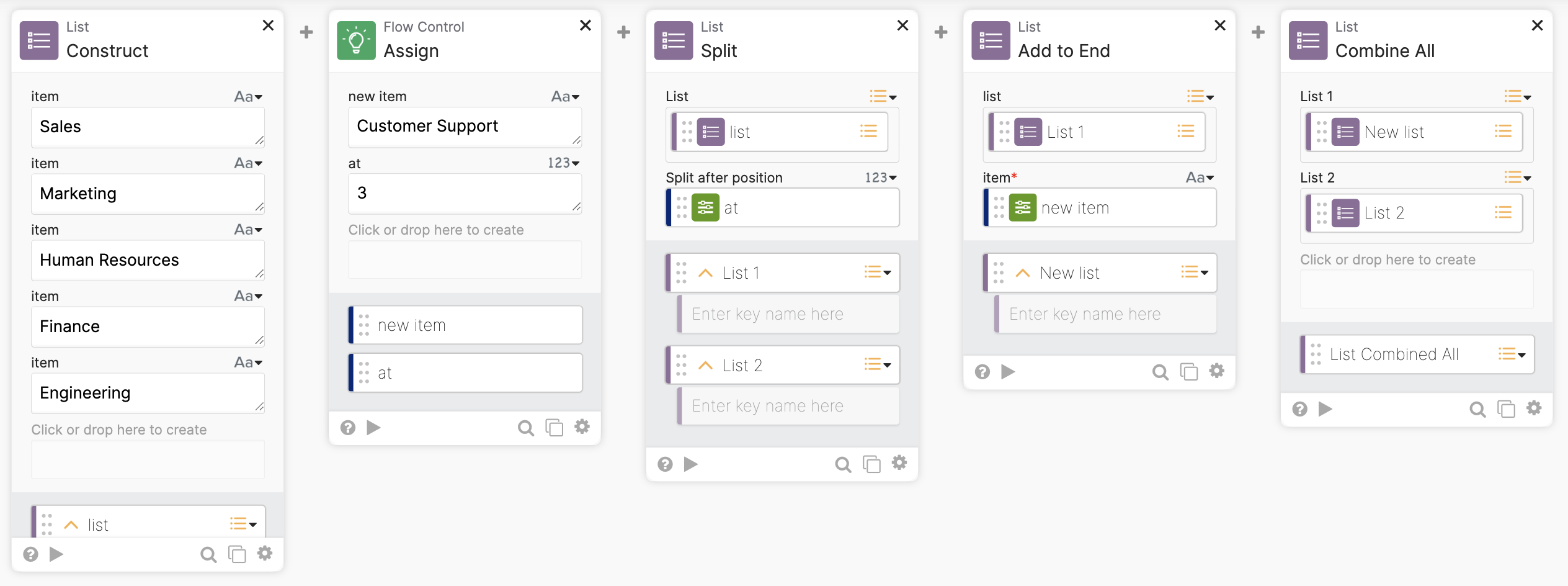
How the flow works
- The List-Construct card creates a list.
- The Flow Control-Assign card creates an item to insert into the list and at what position (index).
- The List-Split splits the list into two lists at the position (index) to insert an item.
- Using the example above and inserting at position 3:
- List 1: Sales, Marketing, Human Resources
- List: Finance, Engineering
- Using the example above and inserting at position 3:
- The List-Add to End adds the item to the list (List 1).
- List 1: Sales, Marketing, Human Resources, Customer Support
- The List-Combine All combines the two lists:
- List new: Sales, Marketing, Human Resources, Customer Support, Finance, Engineering
Running the flow:
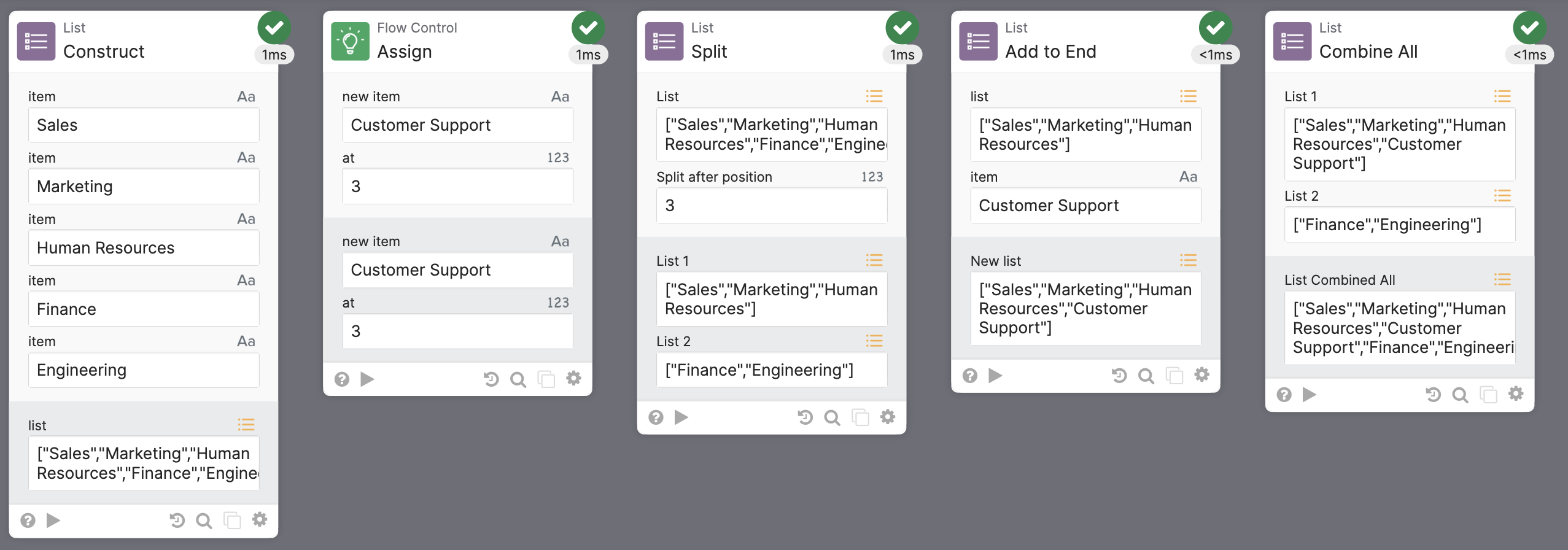
List with a new item:

Note: this flow doesn’t handle adding an item at position 5. The flow requires extra logic to handle this use case.
Okta Workflows resources
🚀 New to Okta Workflows? The Getting Started with Okta Workflows page has all the resources to help you get started.
📺 Like learning from videos? Watch Okta Workflows videos.
❓Have a question? Ask during community office hours, post on the community forum, or email me.
🙋🏻♀️ Want to learn from the community? Join the #okta-workflows channel on the Mac Admins Slack.
📖 Want to learn more about Okta and automation? Take the Okta Workflows training on Okta Learning.
 Max Katz
Leave a comment