Updated: May 15, 2025
In this guide:
- Okta Workflows guides
- Delete deactivated users in Okta
- Related Okta Workflows guides
- Okta Workflows resources
Okta Workflows guides
Okta Workflows guides are questions and answers from the community office hours, the #okta-workflows channel on MacAdmins Slack, and other places. Read all the other guides.
How do you delete deactivated users in Workflows?
This guide will teach you how to delete deactivated users in Okta using Workflows.
Delete deactivated users in Okta
There are two flows to delete deactivated users:
- List deactivated users
- Delete user
List deactivated users
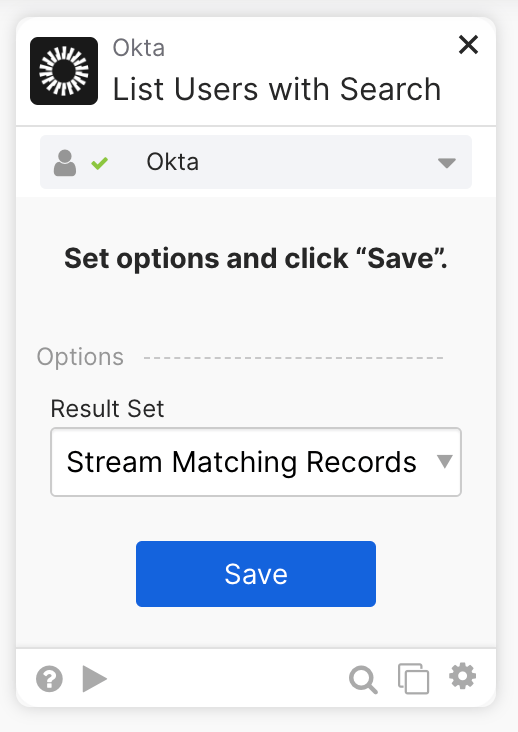
The list deactivated users flow finds all deactivated users and streams the users to a helper flow. You can start the flow on schedule or run it manually via the Run button):

The flow has the following steps:
- The flow uses the Okta—List Users with Search card, with Status set to DEPROVISIONED, to find deactivated users.
The card uses the streaming option to send records directly to the helper flow.
Delete user
This is a flow to delete a user.
Important: When using the streaming option, the Helper Flow card must have the following two fields, or the flow will not work correctly.
- Record (type Object)
- State (type Object)
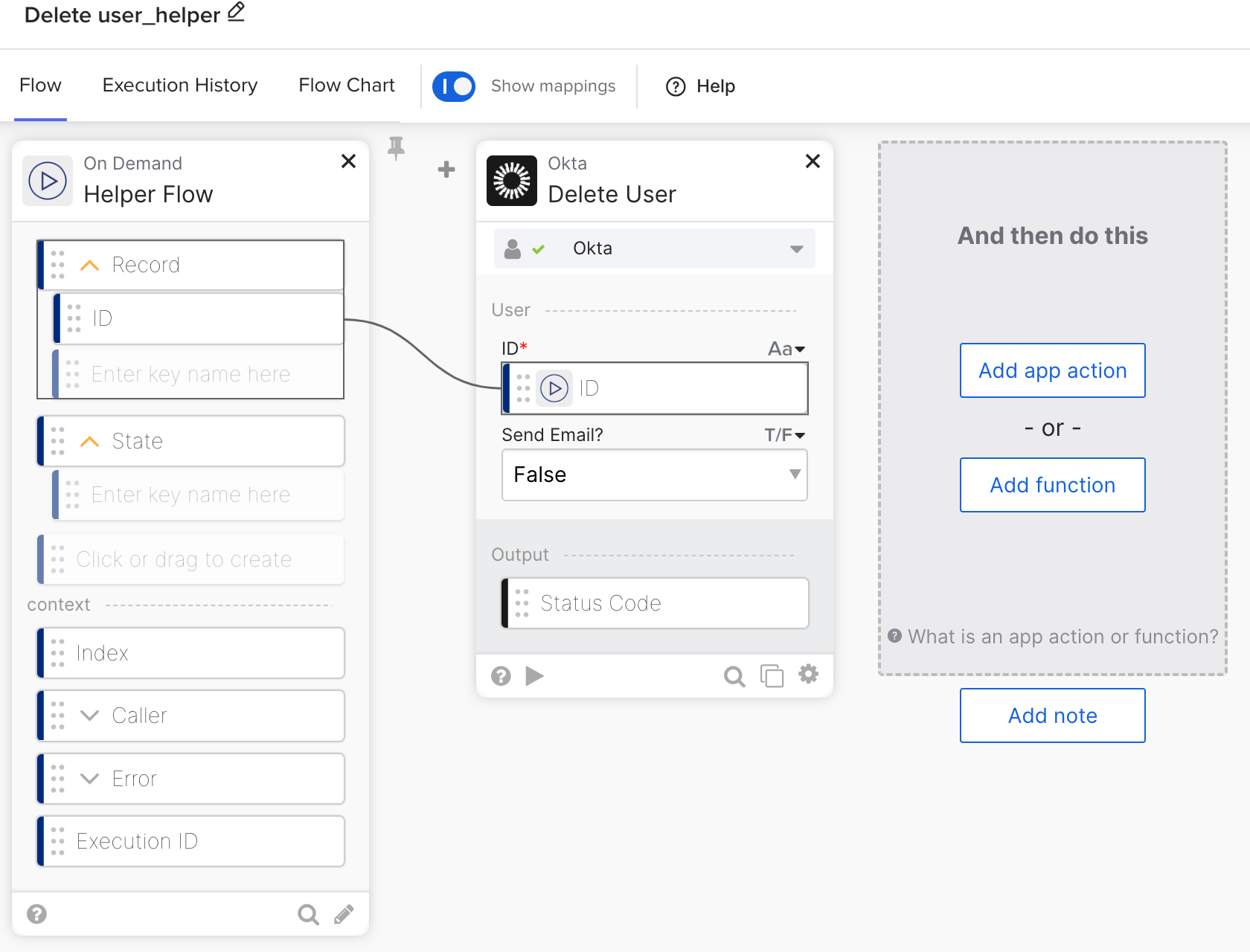
The helper flow has the following steps.
- The Helper Flow card has two inputs: Record and State (both must be Object types)
- Record: This is the current record passed to this helper flow. The current record has many attributes. For this example, you are interested in the user’s ID (type Text), which is passed to the Okta—Delete User card to delete the user.
- The State parameter passes any additional attributes to the helper flow. Since you don’t have any in this example, it’s okay to leave it empty.
- The Okta – Delete User card deletes a user using its user ID.
Note: If you use the delete action on an active Okta user, the user will be deactivated and a second delete dser action is necessary to delete the user.
Workflows docs
Related Okta Workflows guides
- How to Delete Multiple Table Rows
- How to Suspend Multiple Users from a CSV File in Okta Workflows
- Save Deactivated Users, Export as CSV, and Email in Okta Workflows
Okta Workflows resources
🚀 New to Okta Workflows? The Getting Started with Okta Workflows page has all the resources to help you get started.
📺 Like learning from videos? Watch Okta Workflows videos.
❓Have a question? Ask during community office hours, post on the community forum, or email me.
🙋🏻♀️ Want to learn from the community? Join the #okta-workflows channel on the MacAdmins Slack.
📖 Want to learn more about identity automation? Take Workflows training on Okta Learning.
Leave a Reply