Updated August 28, 2025
In this guide:
- Okta Workflows Guides
- Send an email with an attachment
- Related Okta Workflows Guides
- Okta Workflows resources
Okta Workflows Guides
Okta Workflows guides offer questions and answers from Okta Workflows community office hours. They also come from the #okta-workflows channel on the Mac Admins Slack and other places. Read all the other guides.
How do you send an email with an attachment from Okta Workflows?
This guide will teach you how to send an email using the Gmail connector in Okta Workflows. It will also cover using the Office 365 Mail connector.
Send an email with an attachment
Gmail connector
This flow uses the Gmail-Send Email with Attachment card and sends the file from https://humanstxt.org/humans.txt.
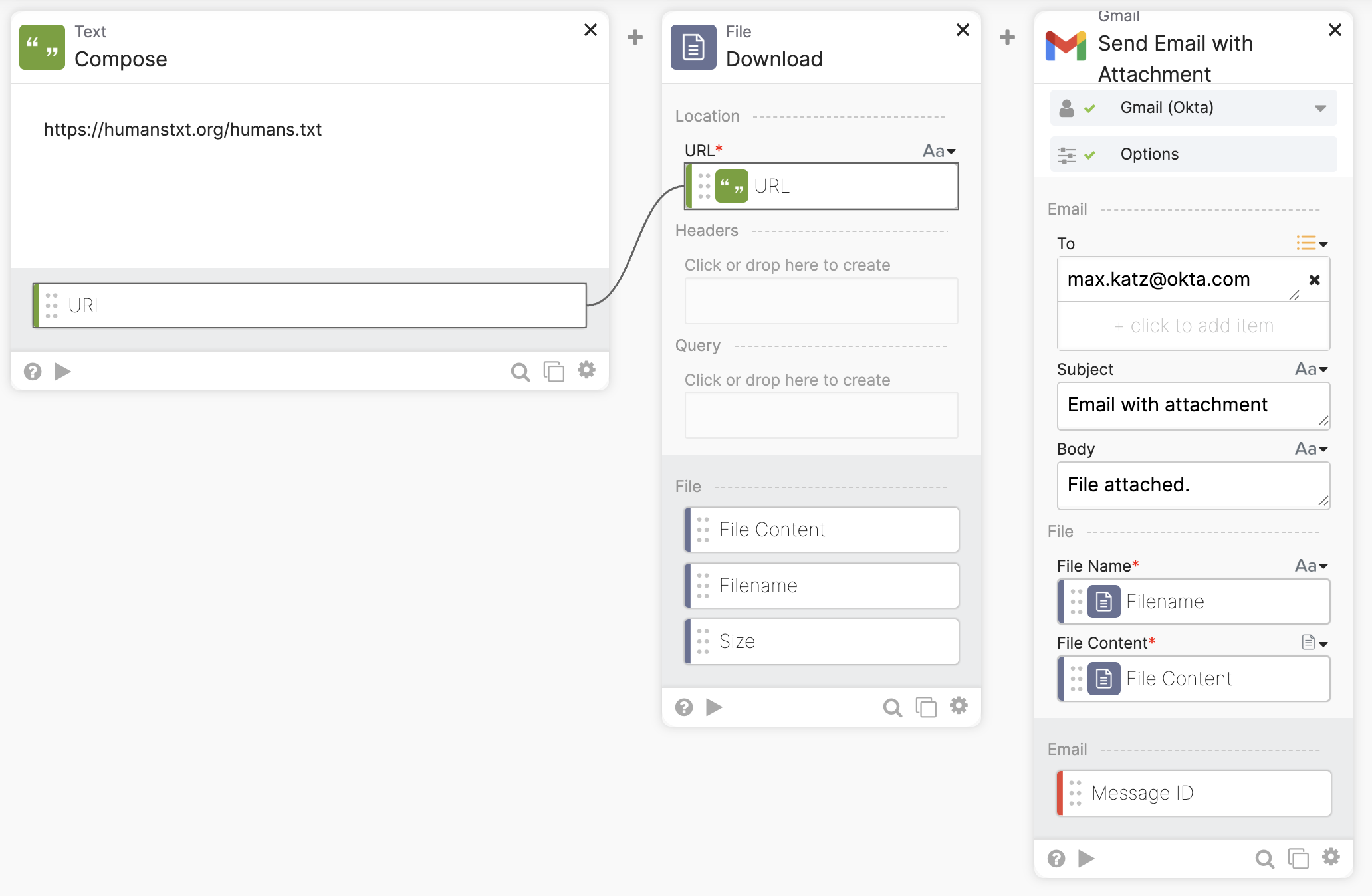
The flow has these steps:
- The Text-Compose card sets up the file link.
- The File-Download card downloads the file from the specified link. In this example, the file is publicly available on the internet.
- The Gmail-Send Email with Attachment card sends the email with the file as an attachment.
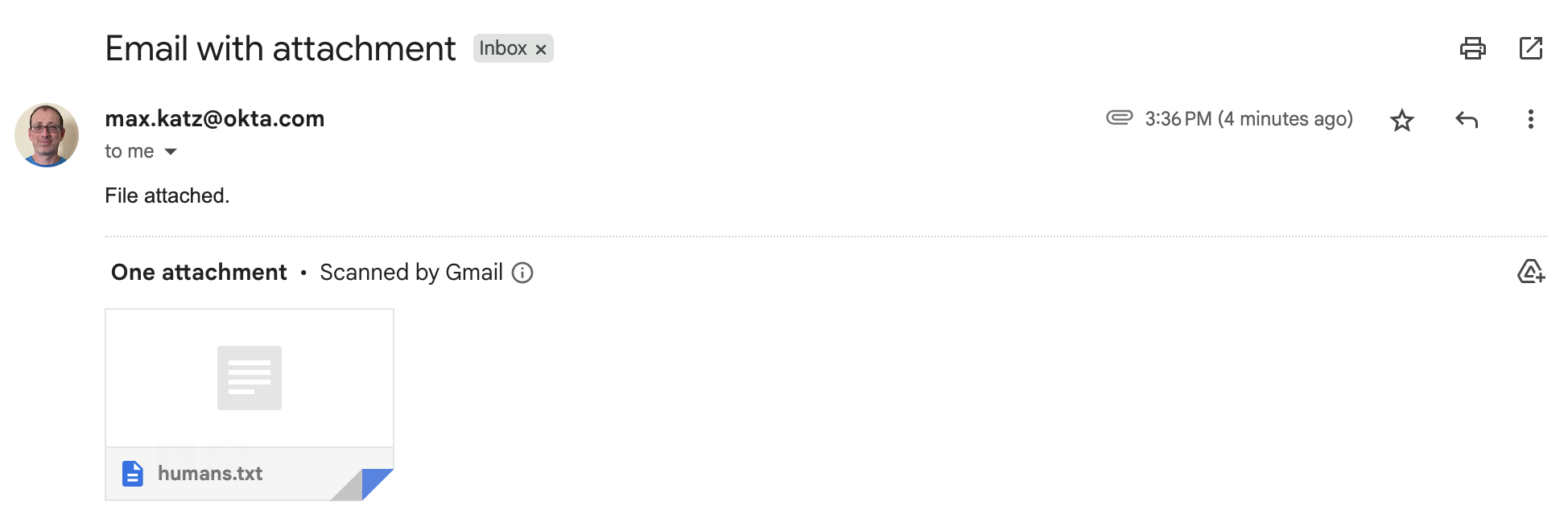
This is how the email looks:
The following flow downloads an image from Google Drive.
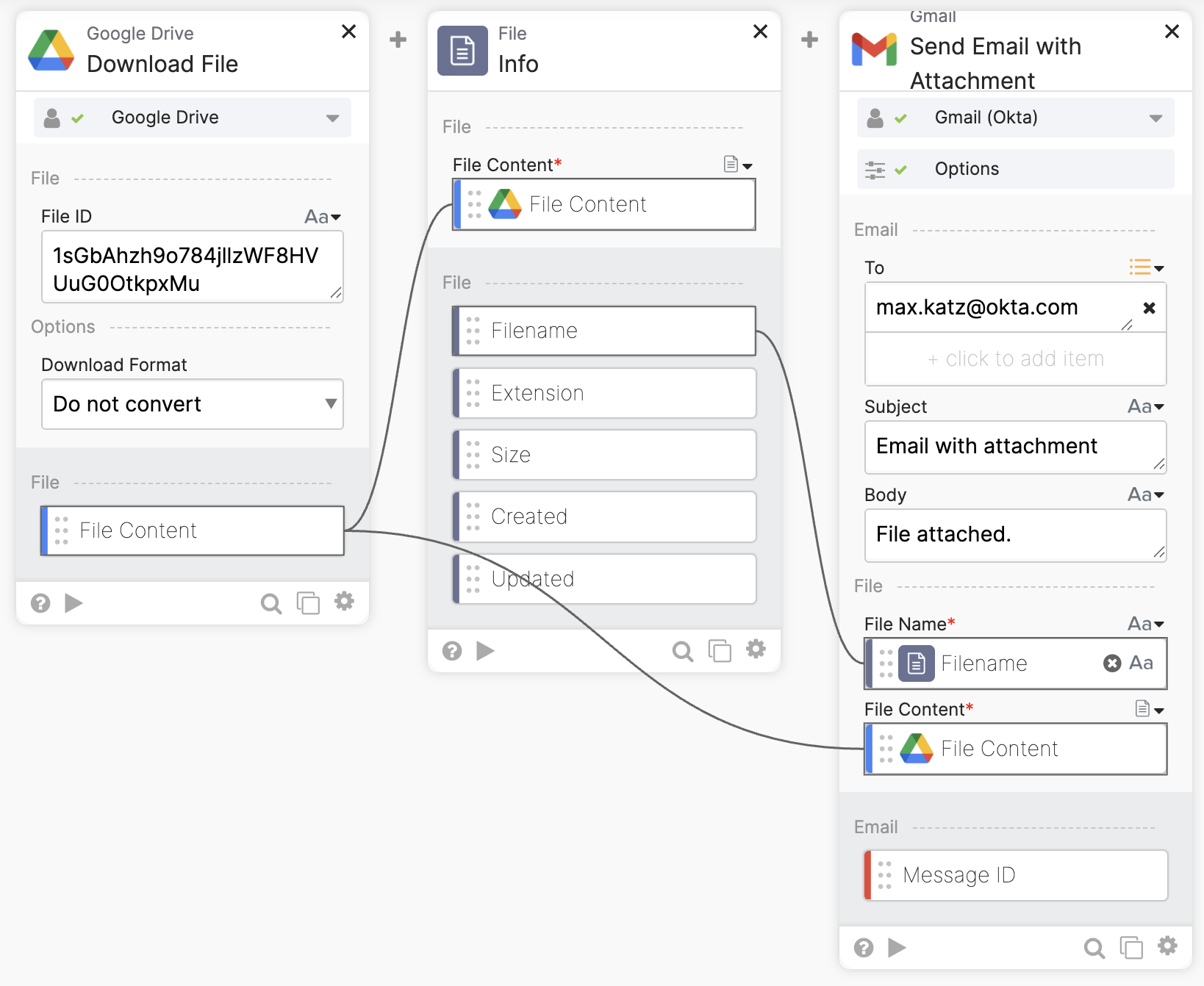
The flow has these steps:
- The Google Drive-Download File card downloads the file. You can get the file ID from its share link.
- The File-Info card gets information about the file, including its name. The name is passed to the next card.
- The Gmail-Send Email with Attachment card sends the email with the file as an attachment.
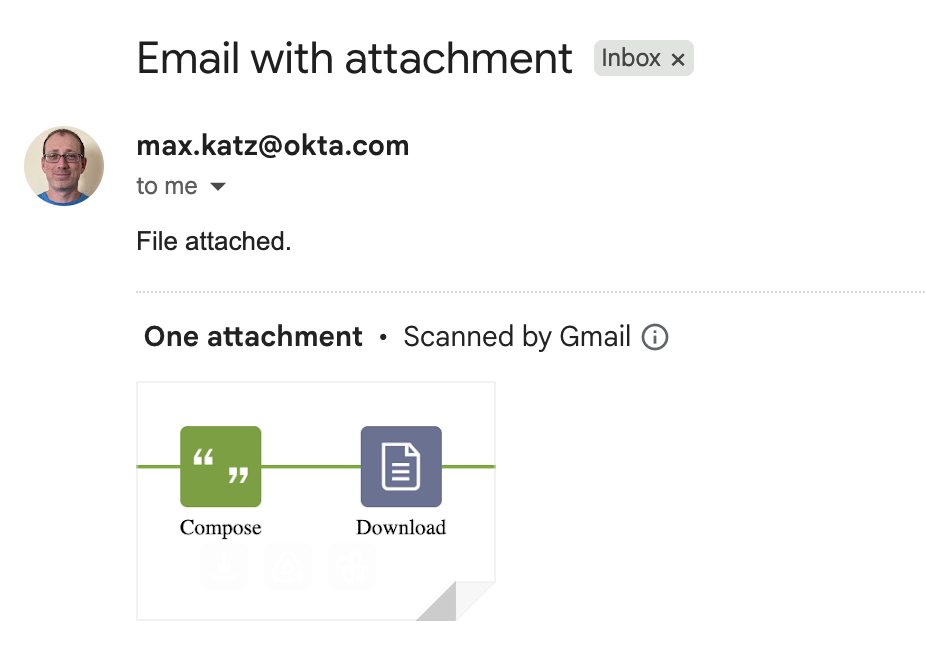
This is how the email looks:
Office 365 Mail connector
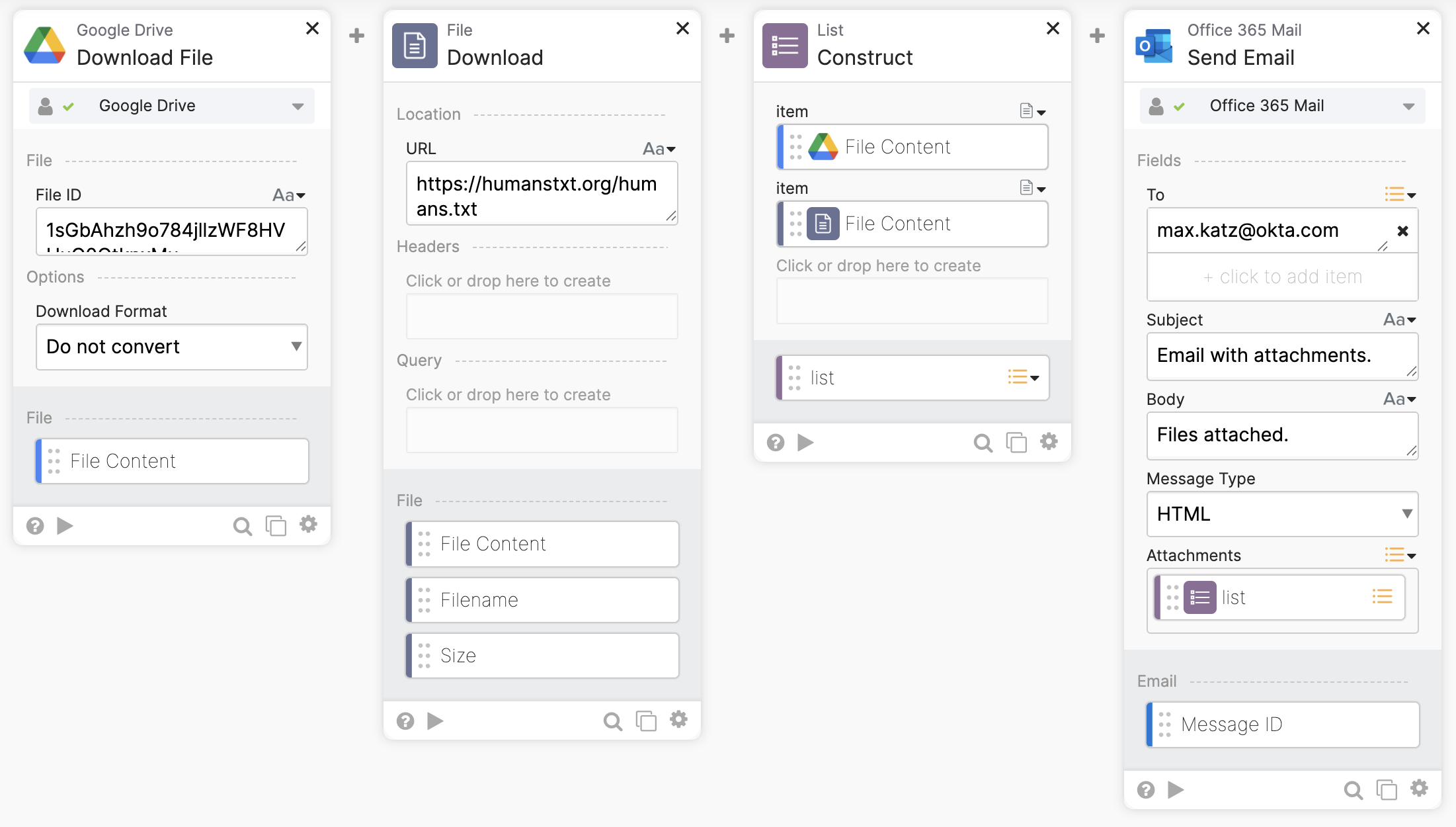
With the Office 365 Mail-Send Email card, you can send multiple files. The flow below downloads two files and attaches them to an email. The Office 365 Mail-Send Email card expects a list of files. The flow uses the List-Construct card to create a file list.
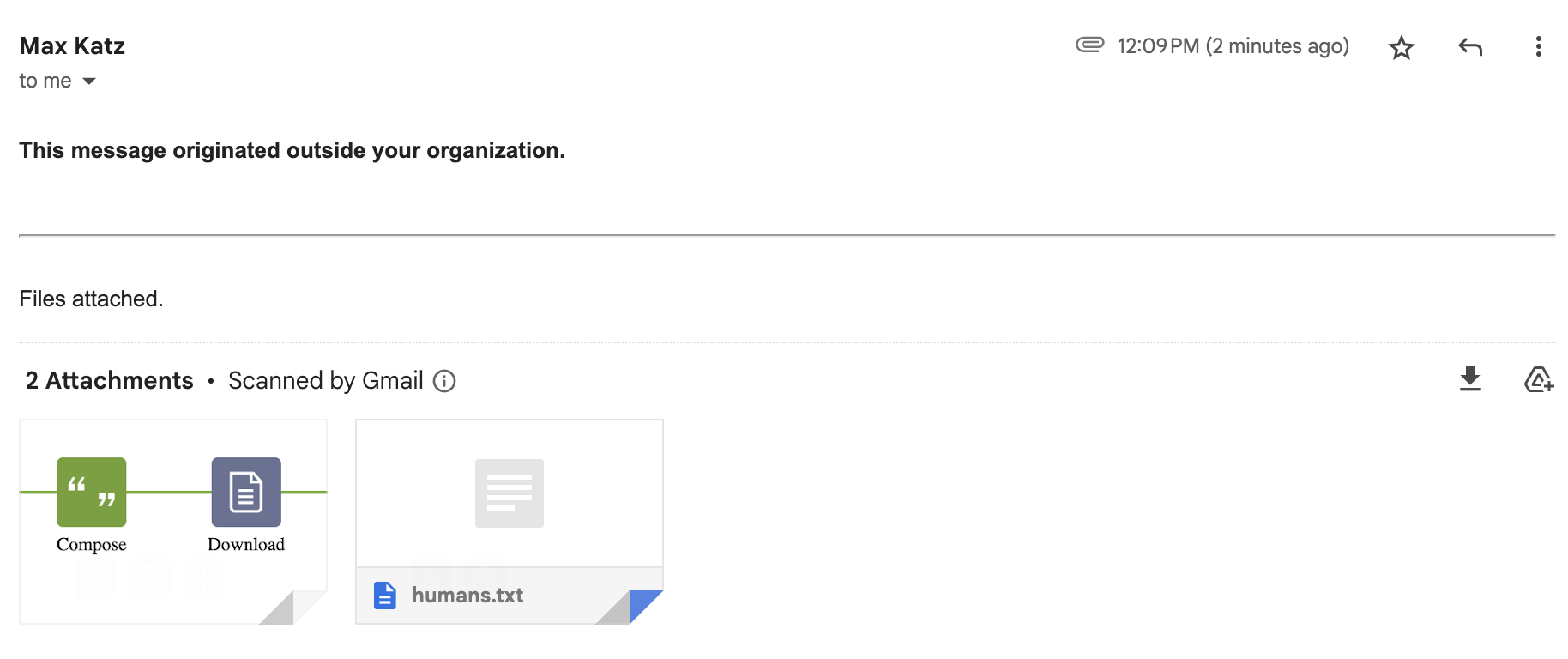
Email with two attachments:
Related Okta Workflows Guides
- Send an HTML Email With Data From a Table in Okta Workflows.
- Search Okta System Log and Email the Results in Okta Workflows.
- Save Deactivated Users, Export as CSV, and Email in Okta Workflows.
- Send an Email with an Image in Okta Workflows.
- How to Export Group Membership to a CSV File and Email the File in Okta Workflows.
- How to Send HTML Email with Gmail and Office 365 Email in Workflows.
Okta Workflows resources
🚀 New to Okta Workflows? The Getting Started with Okta Workflows page has all the resources to help you get started.
📺 Like learning from videos? Watch Okta Workflows videos.
❓Have a question? Ask during community office hours, post on the community forum, or email me.
🙋🏻♀️ Want to learn from the community? Join the #okta-workflows channel on the Mac Admins Slack.
📖 Want to learn more about Okta and automation? Take the Okta Workflows training on Okta Learning.
 Max Katz
Leave a comment