Welcome to another Okta Workflows Tips post. Read all previous tips.
In this tips post I want to share a number of excellent community-created Workflows resources.
📘 A guide that shows how to use Okta Workflows to automate user de-provisioning via Slack.
📘 A guide that shows how to checks if a username exists in GitHub and then automatically checks to see if a team exists under their Department / Team Name and if not, creates the Parent and Child team relationship in its place.
📘 A guide that shows how to audit inactive Zendesk workspace users in Okta.
📚 A collection of Workflows-related articles from Everything Identity and Access Management leveraging OKTA technology blog.
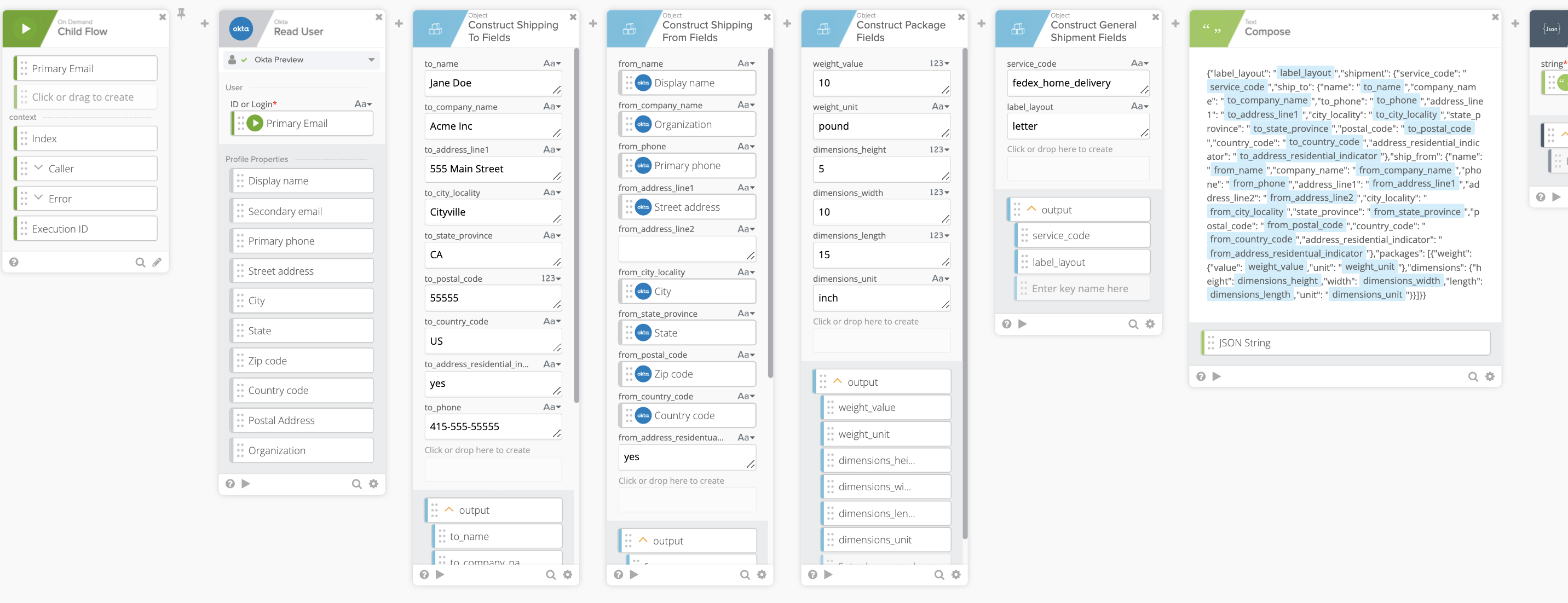
🔁 This sample workflow automatically generates shipping labels and emails them to users. Will need a ShipEngine and courier (Fedex, UPS, etc) accounts to do so. After you download the file, unzip it and import the .flow file to Workflows.
🔁 A sample workflow automating and keeping Gmail signature lines up-to-date with Okta user profile changes. After you download the file, unzip it and import the .flow file to Workflows.
And and, one more as a bonus ⤵️
🎁 Join the helpful and happy Workflows Slack community on MacAdmins workspace (join the #okta-workflows channel).
Two resources to help you learn more:
🎥 Short how-to Workflows videos to help you become a better automation builder.
✏️ Read our Workflows How-To Guides based on community member questions.
 Max Katz
Leave a comment