Okta Workflows how-to guides are questions and answers from weekly community office hours, #okta-workflows channel on MacAdmins Slack, and other places. Read all the other how-to guides.
On to the question.
How to remove a deactivated user from all groups in Okta?
User groups
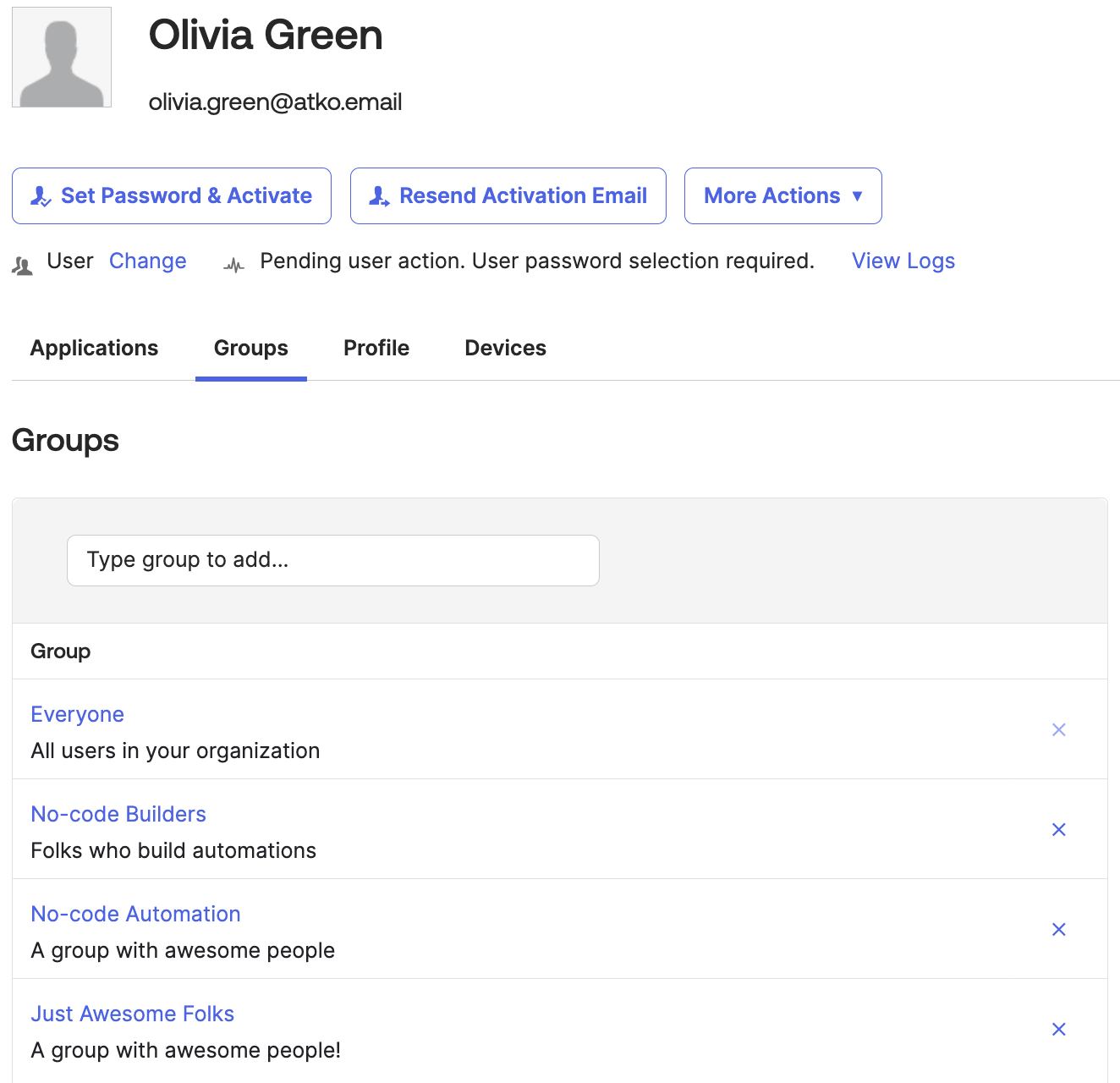
When a user is deactivated, you want to remove the user from all groups. In the screenshot below, user Olivia Green is a member of four groups. The Everyone group is a default group from which a user cannot be removed. You will add logic to check for the Everyone group and skip removing the user from it.
List user groups flow
The first flow is List User Groups:
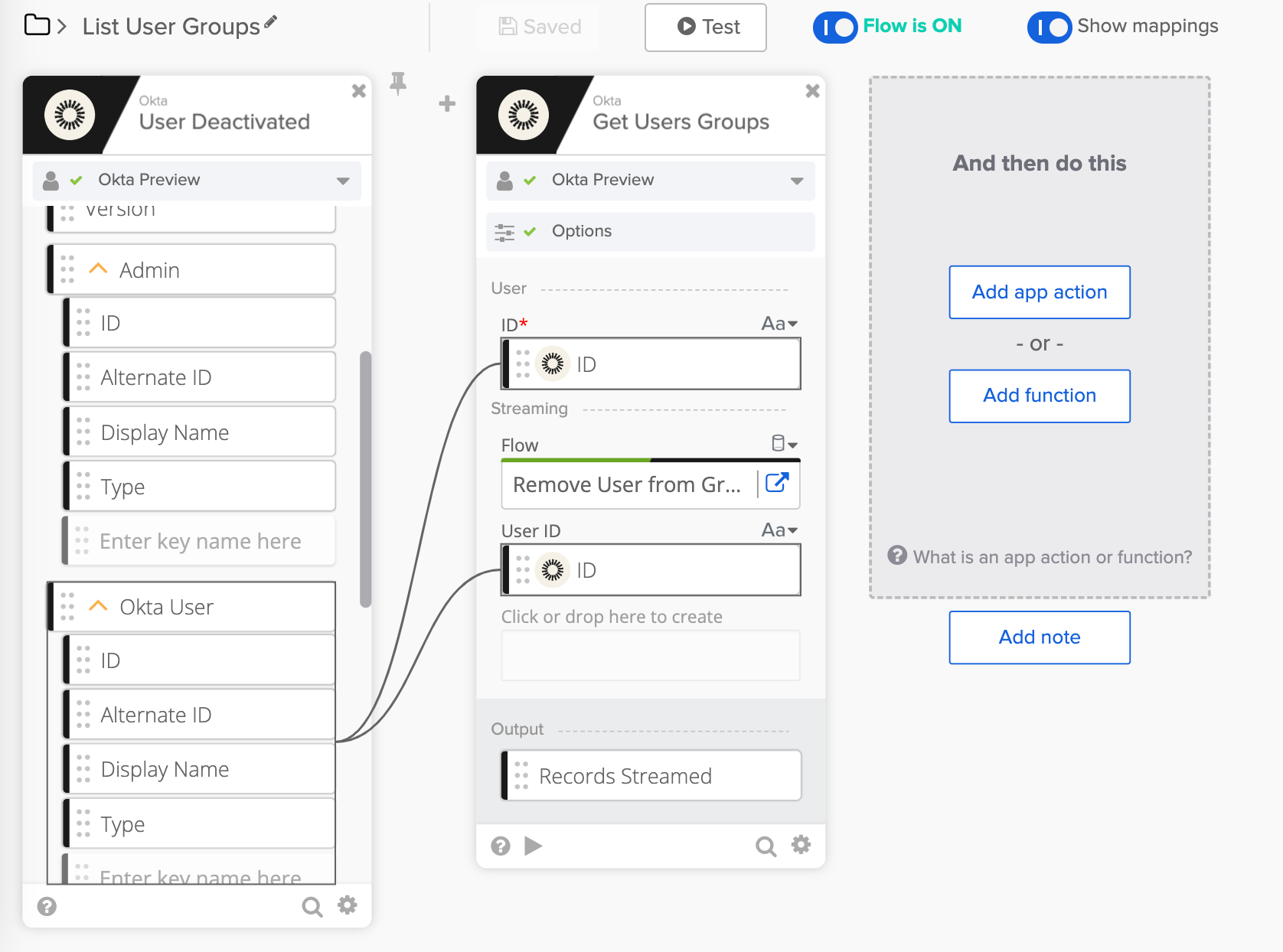
In this flow:
- The flow is triggered when a user is deactivated (Okta – User Deactivated card)
- The Okta – Get Users Groups card finds all user groups and streams the list to a helper flow (Remove User from Group_Helper flow)
- In addition to the group list, the User ID field is passed to the helper flow (in the Streaming section). The User ID is needed when removing a user from a group.
Next, you are going to look at the helper flow.
Remove User from Group helper flow
This is the helper flow:

In this flow:
- The first Helper Flow card, sets up inputs for the helper flow
- The Record (type object) field is an item from the list
- If you inspect the JSON object for an item (below), it has the fields ID (text), Profile (object), and Profile.Name (text)
- Because you need these fields in the flow, they are exposed under the Record object
- The State (object) field allows passing any additional data to the flow. In this flow, you are passing the User ID field
- The Record (type object) field is an item from the list
- The Continue If cards adds logic not to remove the user from the Everyone group. It works like the if/else condition
- If the group Name (value a) is not equal to Everyone (value b) then continue the flow
- Else (the otherwise section) halt the flow (a message is also created)
- The Remove User from Group card removes the user (User ID) from this group (Group ID)
Learn about streaming action cards:
A JSON snippet passed to the helper flow:
{
  "Profile": {
    "Name": "No-code Automation",
    "Description": "A group with awesome people"
  },
  "Last Updated": "2022-07-01T14:10:24.000Z",
  "ID": "00g16ym8ayy6wKBvS0h8",
  ...
}
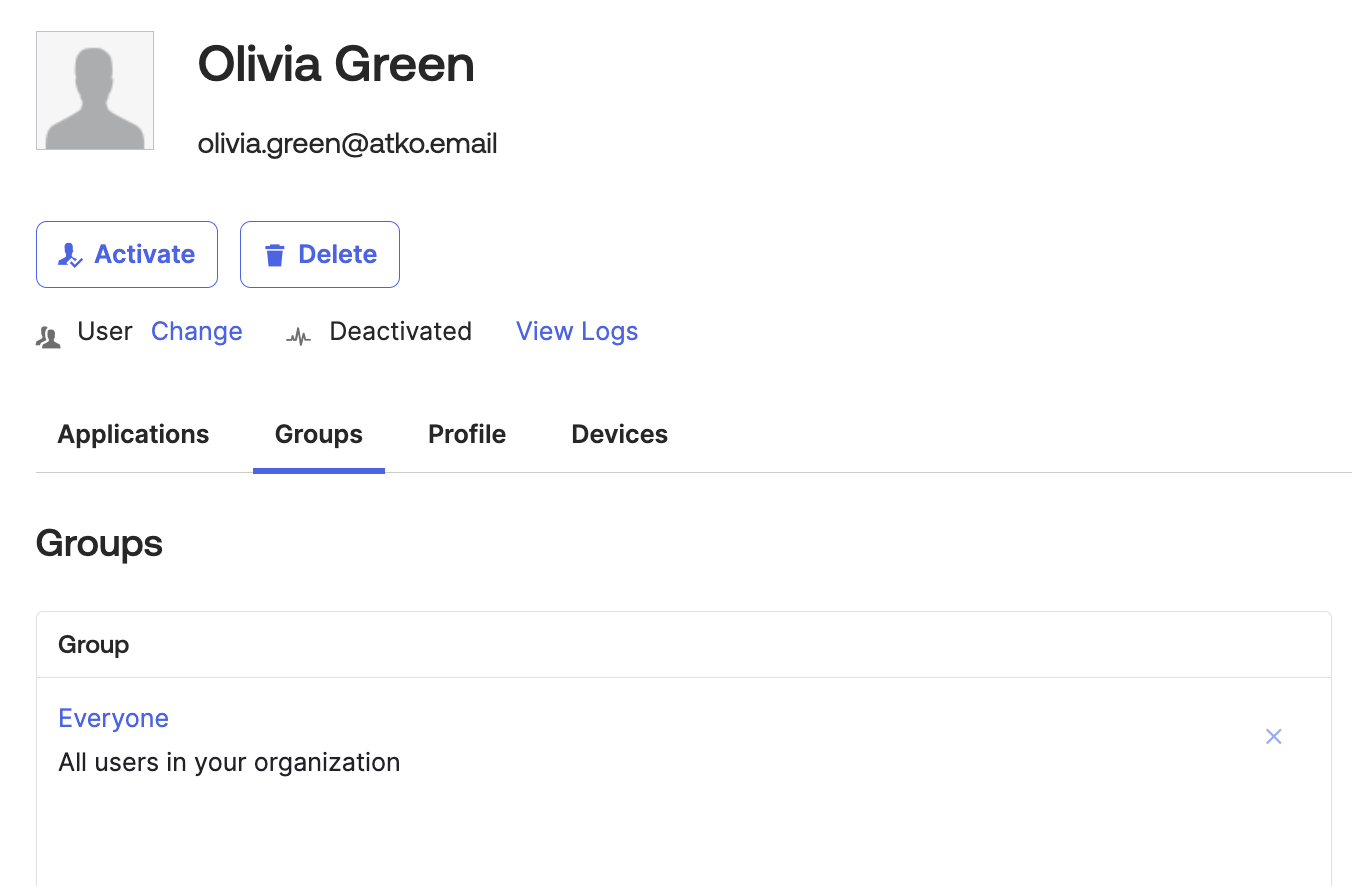
After you run the flow, Olivia Green is removed from all groups except the Everyone groups:
A solution using the List – For Each card
In the first example, you used the streaming option to process the records. Another solution is to use the List – For Each card. With this option, you can process only up to 200 records.
The List User Groups flow looks like this:

The Remove User from Group helper flow looks like this:

Learn more helper flows:
A solution using the List – Filter card
In the two examples above, you added logic to check for the Everyone group and skip removing the user from it.
Another solution is to remove the Everyone group from the list and then pass the list to a helper flow. With this approach, the helper flow will only remove the user from a group.
This is how List User Groups flow looks:

In this solution, the List – Filter card removes the Everyone group item from the list. In the helper flow, you only remove the user from the group.
Note: this solution only works when using the List – For Each card. When using the streaming option, you don’t have access to modify the list.
The helper flow has no if/else logic; it only removes a user from a group:

What you learned
In this blog post, you learned how to remove a user from groups when the user is deactivated.
More resources to help you learn:
🍫 Get help from Workflows specialists during weekly community office hours.
📺 Learn from Workflows videos.
🛟 Get help from support: discuss a Workflows topic or ask a question.
🙋🏻♀️ Join the #okta-workflows channel on MacAdmins Slack to learn and get help from the community.
Leave a Reply