In this guide:
- Okta Workflows guides
- Sharing data between flows
- Related Okta Workflows guides
- Okta Workflows resources
Okta Workflows guides
Okta Workflows guides are questions and answers from the community office hours, the #okta-workflows channel on MacAdmins Slack, and other places. Read all the other guides.
How do you share data between flows using a table in Okta Workflows?
Using a table in Okta Workflows, this guide will teach you how to share data between flows.
Sharing data between flows
The table to share data has two columns:
- Employees (Number).
- Greeting (Text).
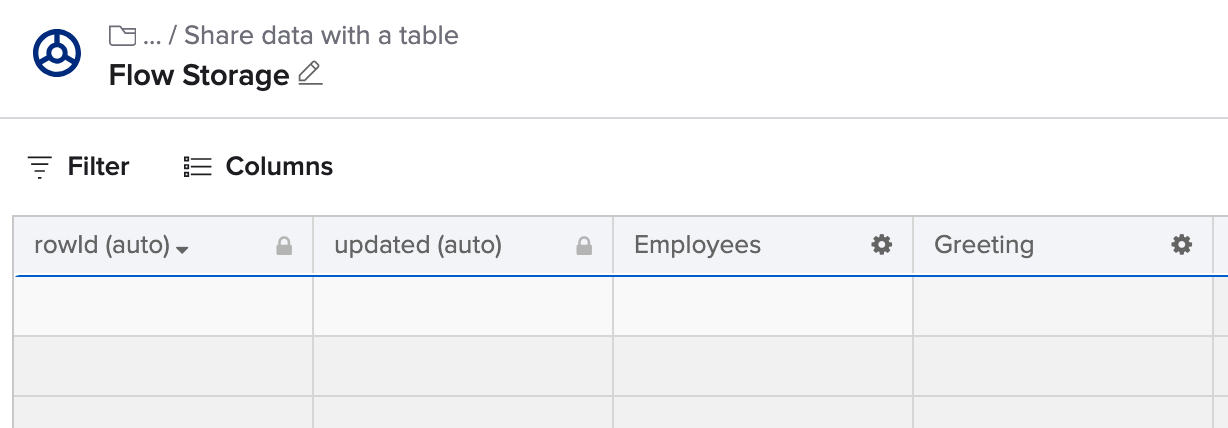
There are two flows. One flow creates (saves) data into a table, and another reads data from a table.
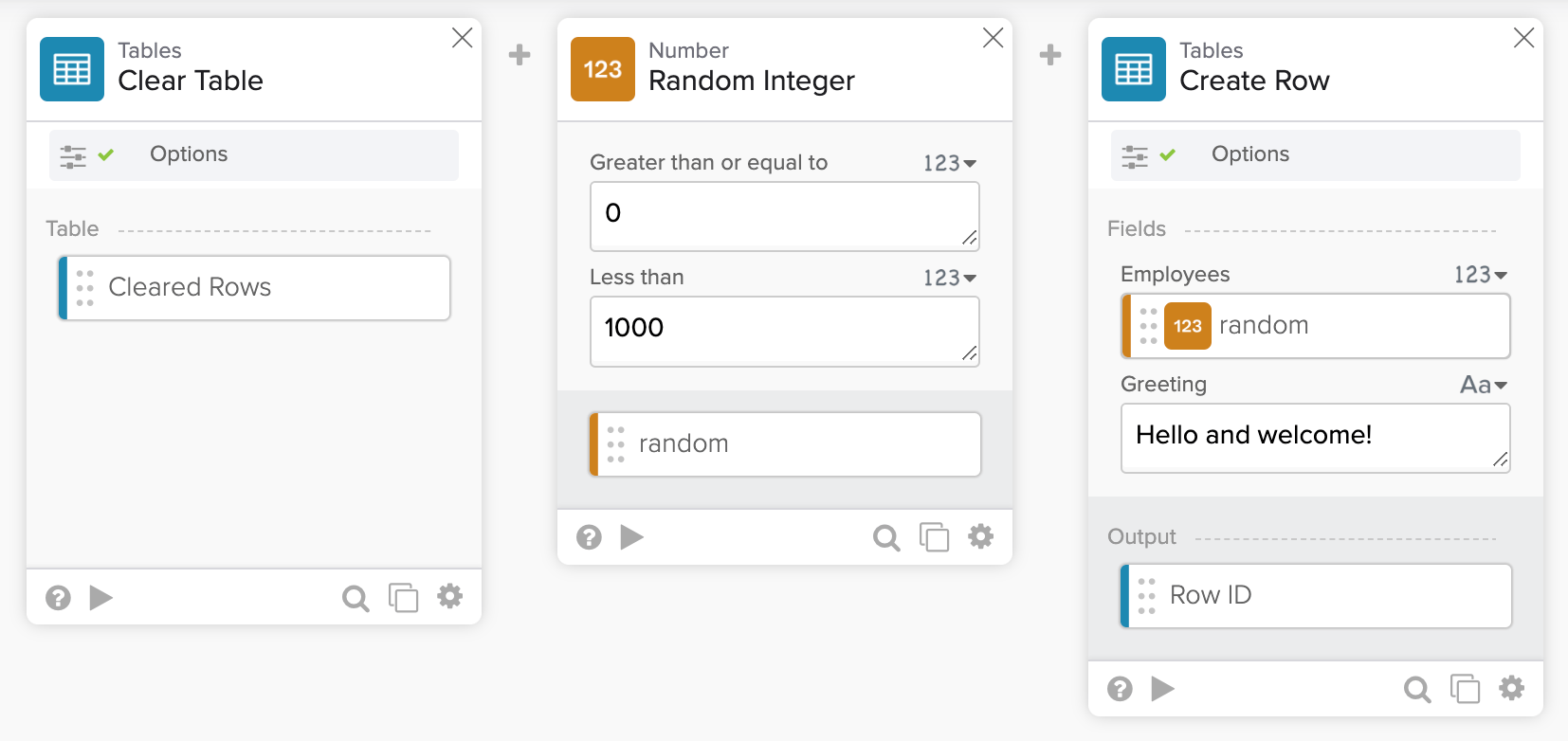
The flow above saves a random number between 0 and 1000 for Employees and a text message for Greeting into a table.
The flow also clears the table before each run.
The second flow reads data from a table.
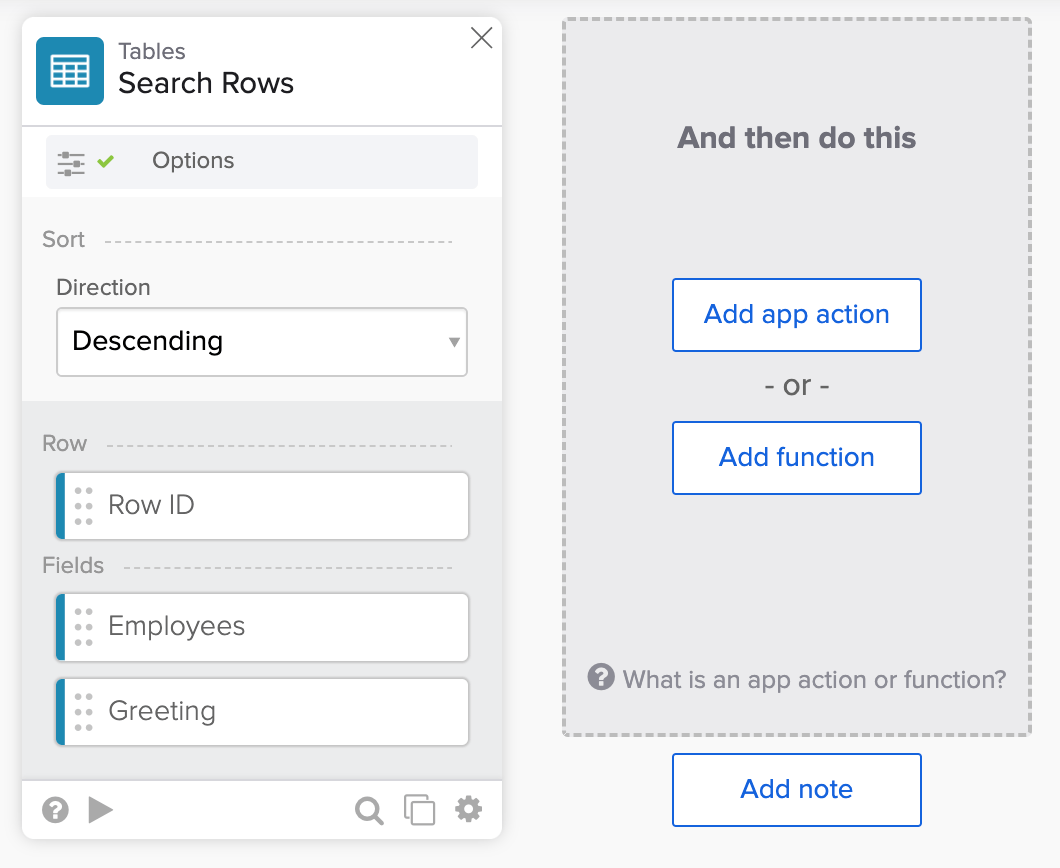
In Options, this flow is set to retrieve the First matching row:

Note: This solution assumes you will store data in a single table row.
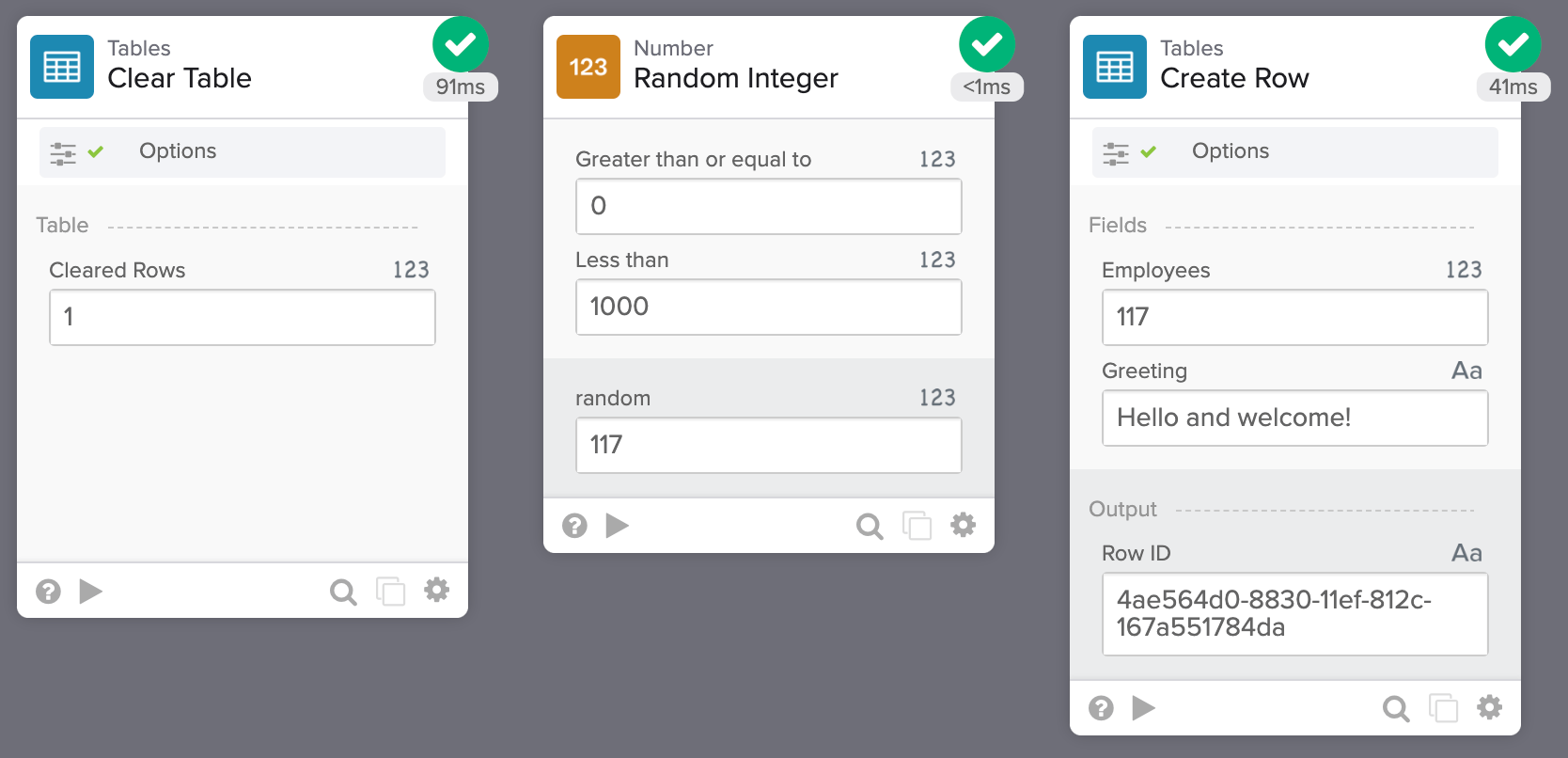
Running the flow
The following screenshots show running two flows and the table.

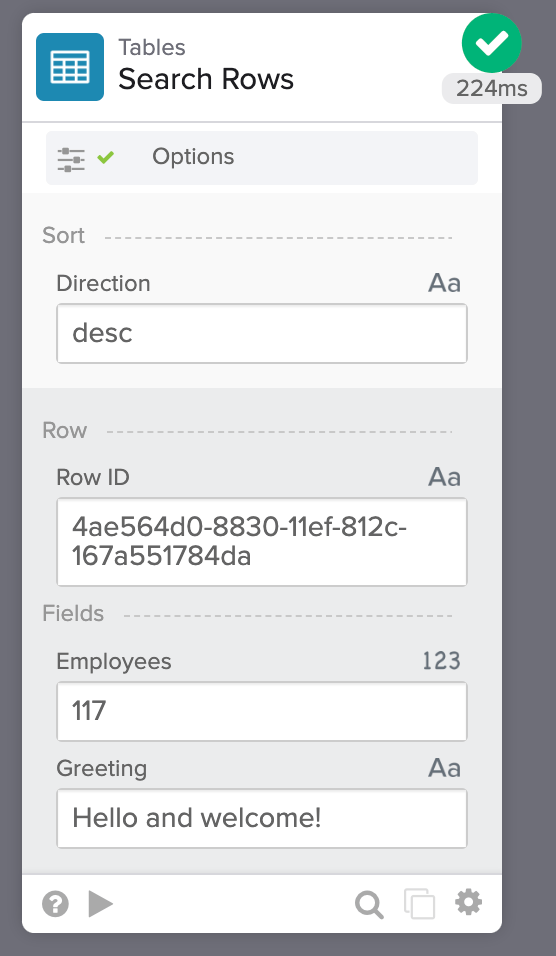
Using row ID instead of searching
Manually create a table row with empty columns. Use its row ID to save data (Table – Update Row card) and read data (Table – Read Row card) from a table.


Get the flows
Download the flows.
Related Okta Workflows guides
- How to Iterate Over Rows in a Table in Okta Workflows.
- How to Conditionally Update a Table in Okta Workflows.
- Remove Duplicates from a Table in Okta Workflows.
Okta Workflows resources
🍫 Get help from Workflows specialists during weekly community office hours.
📺 Learn from Workflows videos.
🛟 Ask questions and share your flows on the Okta Workflows community forum.
🙋🏻♀️ Get help from the community: join the #okta-workflows channel on MacAdmins Slack.
Leave a Reply