Short and handy Okta Workflows tips and tricks. Read the full series.
This automation updates a custom profile field for all active users in your Okta org. It runs on a schedule and writes each user’s email address to their Custom 1 profile attribute — a handy pattern whenever you need to populate or sync a profile field across many users at once.
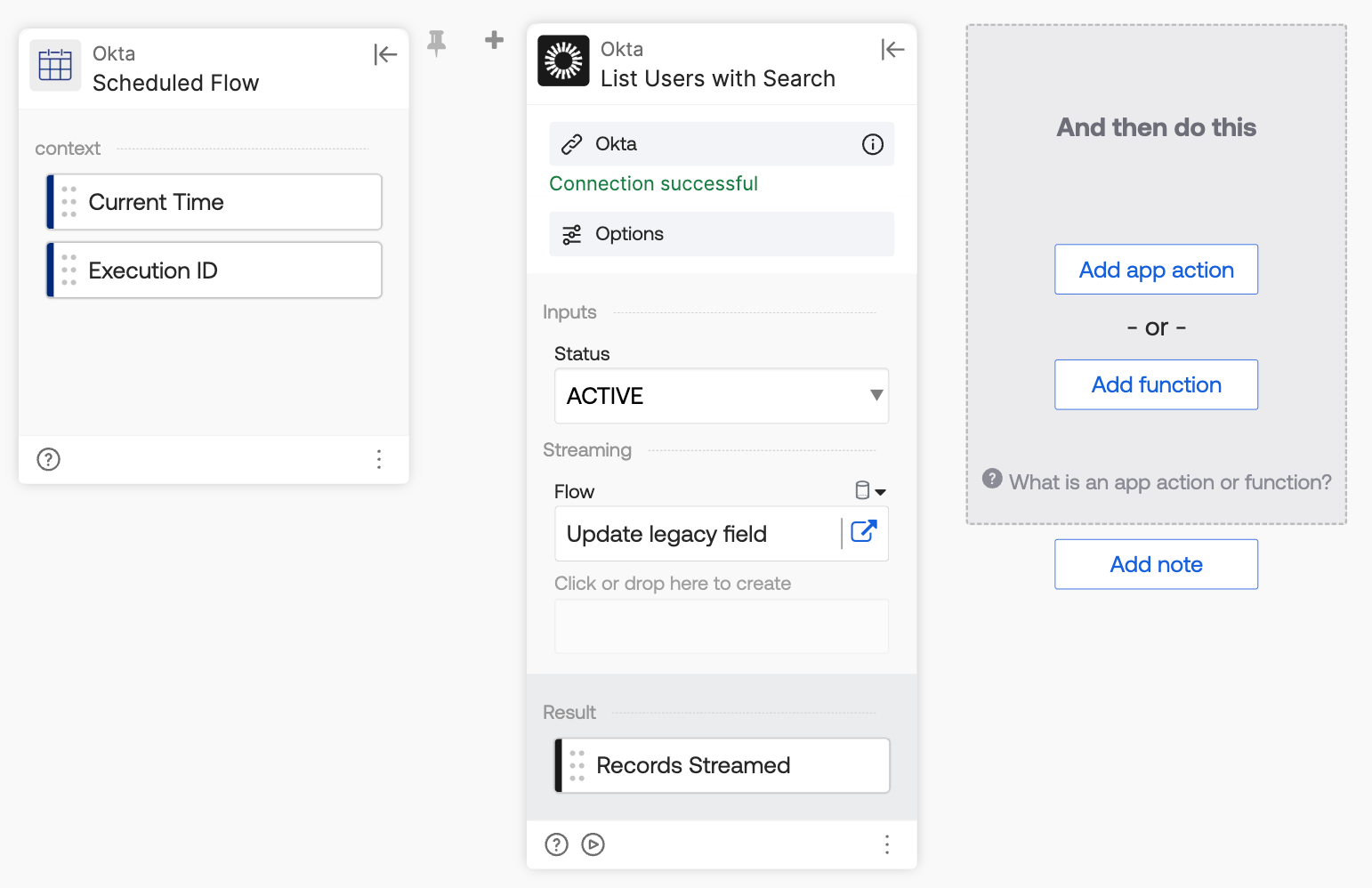
How the flow works
- Scheduled Flow trigger runs the flow on a schedule.
- Okta – List Users with Search searches for all users with status ACTIVE and streams each user to the helper flow.
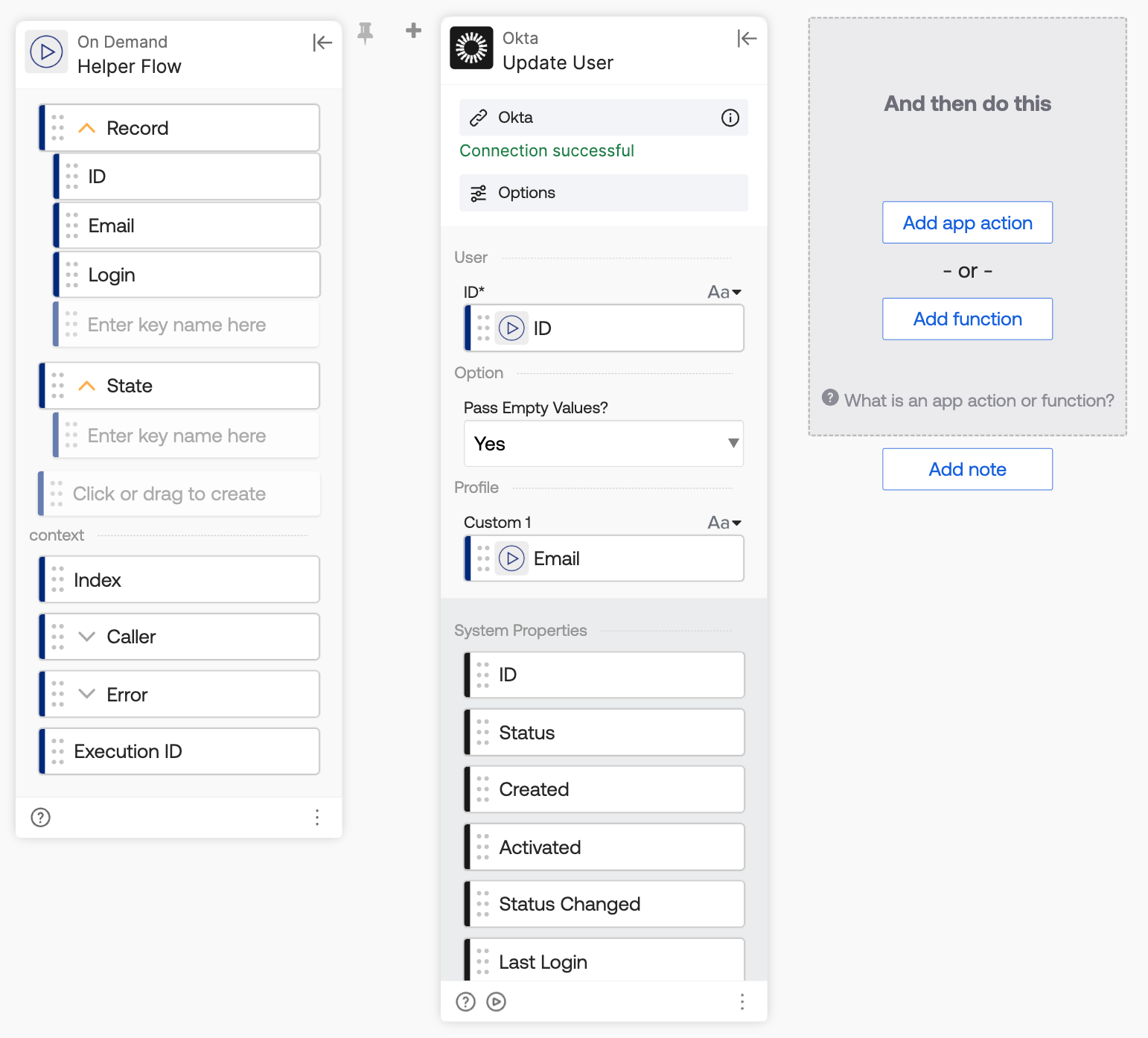
How the helper flow works
- Helper Flow receives a user record object with all user fields and reads the ID, Email, and Login fields.
- Okta – Update User updates the user profile using the user ID and sets the Custom 1 field to the user’s Email.
Okta Workflows resources
- 🚀 New to Okta Workflows? The Getting Started with Okta Workflows page has all the resources to help you get started.
- 📺 Like learning from videos? Watch Okta Workflows videos.
- ❓Have a question? Ask during community office hours or post on the community forum.
- 💬 Want to learn from the community? Join the #okta-workflows channel on the Mac Admins Slack.
- 🎓 Want to learn more about identity automation? Take the Okta Workflows training on Okta Learning.
Leave a Reply