Okta released four features to Production orgs on October 13, 2026:
- Version History
- Role-based access control for folders
- Favorite flows and tables
- Folder pinning
Version History
Version history is now Generally Available in Production orgs. It keeps a record of the changes made to a flow over time. You can use it to audit changes, view execution history for a specific version, and restore a flow to an earlier state.
Here’s a walkthrough:
Role-based access control for folders
Role-based access control for folders is now Generally Available in Production orgs. You can assign access to users per folder using five folder roles:
- Folder Manager: Full access to manage resources in a folder and assign folder roles to users.
- Folder Editor: Full access to manage resources in a folder.
- Folder Runner: Read-only access to resources in a folder, plus the ability to run existing flows and view execution history.
- Folder Reader: Read-only access to resources in a folder.
- Integration Builder: Access to manage projects in Connector Builder.
Connections are now folder-scoped: a connection must be explicitly assigned to a folder. Watch this video about assigning a connection to a folder:
Favorite flows and tables
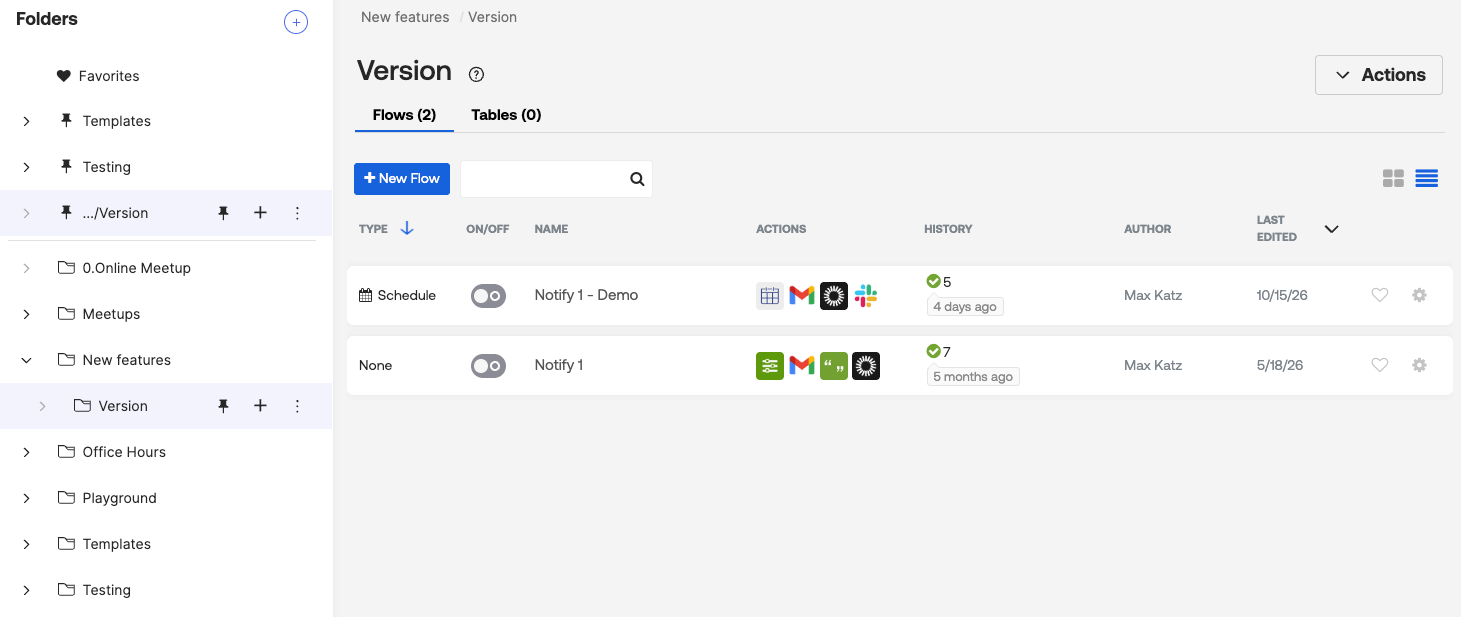
You can now favorite up to 10 flows and 10 tables. Favorites appear in a dedicated Favorites folder, so you can return to your current work without browsing through folders. Click the heart icon to favorite a flow or a table.

Folder pinning
You can now pin folders and subfolders. Pinned folders appear at the top of your folder list, so you don’t have to navigate folders to find them. To pin a folder, select the pin icon to the right of the folder name.
Okta Workflows resources
- 🚀 New to Okta Workflows? The Getting Started with Okta Workflows page has all the resources to help you get started.
- 📺 Like learning from videos? Watch Okta Workflows videos.
- ❓Have a question? Ask during community office hours or post on the community forum.
- 💬 Want to learn from the community? Join the #okta-workflows channel on the Mac Admins Slack.
- 🎓 Want to learn more about identity automation? Take the Okta Workflows training on Okta Learning.
Leave a Reply