In this guide:
Okta Workflows guides
Okta Workflows guides offer questions and answers from the Okta Workflows community office hours. They also come from the #okta-workflows channel on the Mac Admins Slack and other places. Read all the other guides.
How do you export Google Sheets data to an Okta Workflows table?
This guide will teach you how to export Google Sheets data to a table using Okta Workflows.
Export Google Sheets data to a table
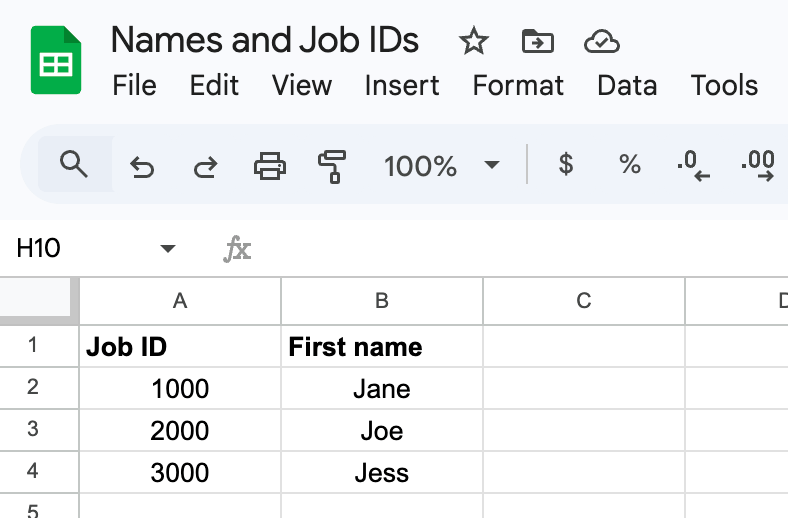
This is the Google Sheets spreadsheet:
Read all rows
The Google Sheets Read Rows flow gets all the rows from the spreadsheet.

How the flow works
- The flow starts with the Tables-Clear Table function card, which clears the table’s previous data.
- The Google Sheets-Read All Rows action card reads all rows in the spreadsheet. It returns a list of rows.
- The List-For Each function card sends the rows to a helper flow. The helper flow will save each row of data into a Workflows table.
Save row into a table
The Save to Table – Helper flow saves each row of data into a Workflows table.

How the flow works
- This Helper Flow card receives the Record field, which contains all the data from a single Google Sheets row.
- The Object-Get Multiple function card extracts Job ID and First name from the Record JSON object.
- The Tables-Create Row function card saves the Job ID and First Name into a table as a new row.
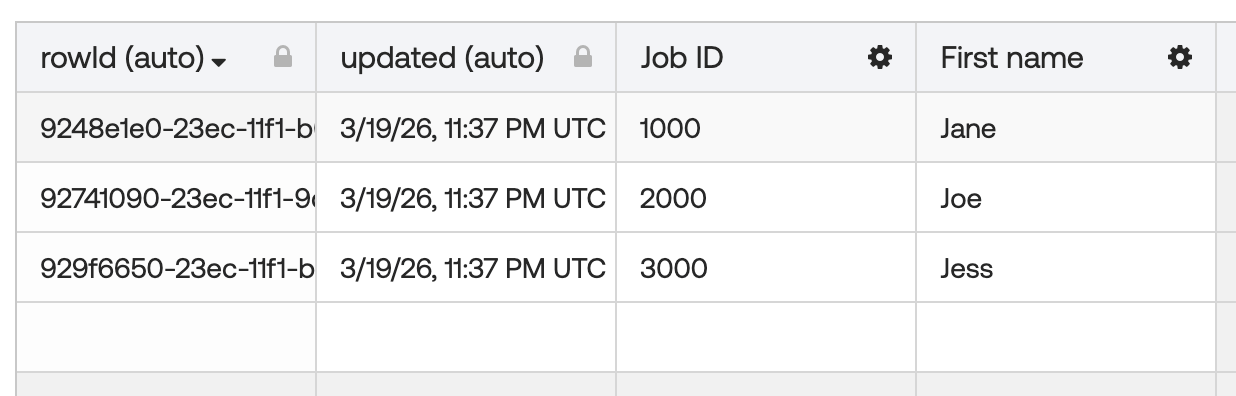
Google Sheets data inside a Workflows table after running the flow:
Related Okta Workflows guides
- How To Save User MFA Information to a Workflows Table.
- How to List Users Assigned to an Application and Save Users Into a Table.
- How to Iterate Over Rows in a Table in Okta Workflows.
Okta Workflows resource
🚀 New to Okta Workflows? The How to Get Started with Okta Workflows page outlines straightforward steps to get started.
📺 Like learning from videos? Watch Okta Workflows videos.
❓Have a question? Ask during community office hours, post on the community forum, or email me.
🙋🏻♀️ Want to learn from the community? Join the #okta-workflows channel on the Mac Admins Slack.
📖 Want to learn more about Okta and automation? Take the Okta Workflows training on Okta Learning.
Leave a Reply