In this guide:
Okta Workflows guides
Okta Workflows guides offer questions and answers from the Okta Workflows community office hours. They also come from the #okta-workflows channel on the Mac Admins Slack and other places. Read all the other guides.
How do you set up an Okta inline hook using Okta Workflows?
This guide will teach you how to set up an Okta inline hook using an Okta Workflows flow.
Inline hooks with Workflows
Inline hooks
Inline hooks are outbound calls from Okta to your own custom code, triggered at specific points in Okta process flows. They allow you to integrate custom functionality into those flows.
Okta supports the following inline hooks:
- Registration: customizes the handling of user registration requests in Self-Service Registration.
- SAML: customizes SAML assertions returned by Okta.
- Token: customizes tokens returned by the Okta API Access Management.
- Password Import: verifies a user-supplied password to support migration of users to Okta.
- User Import: customizes how new users imported from an application are handled in Okta.
- Telephony: use a telephony service provider to send SMS text messages or voice calls. See Configure a telephony provider through an inline hook.
This guide focuses on the Registration inline hook.
Inline hooks are synchronous. When Okta triggers an inline hook, the process pauses and waits for your custom logic (the API endpoint) to send a response before continuing.
Event hooks are asynchronous. These are “fire-and-forget” triggers that run after an event occurs. Unlike inline hooks, the process that triggered the event does not wait for the event hook to finish processing.
Registration – inline hook
The registration inline hook enables modifications to user profile attributes during registration, allowing changes such as setting the userType to Contractor via a commands array.
{ "commands": [ { "type": "com.okta.user.profile.update", "value": { "userType": "Contractor" } } ]}
The next section shows a Workflows flow that returns such JSON.
Workflows flow
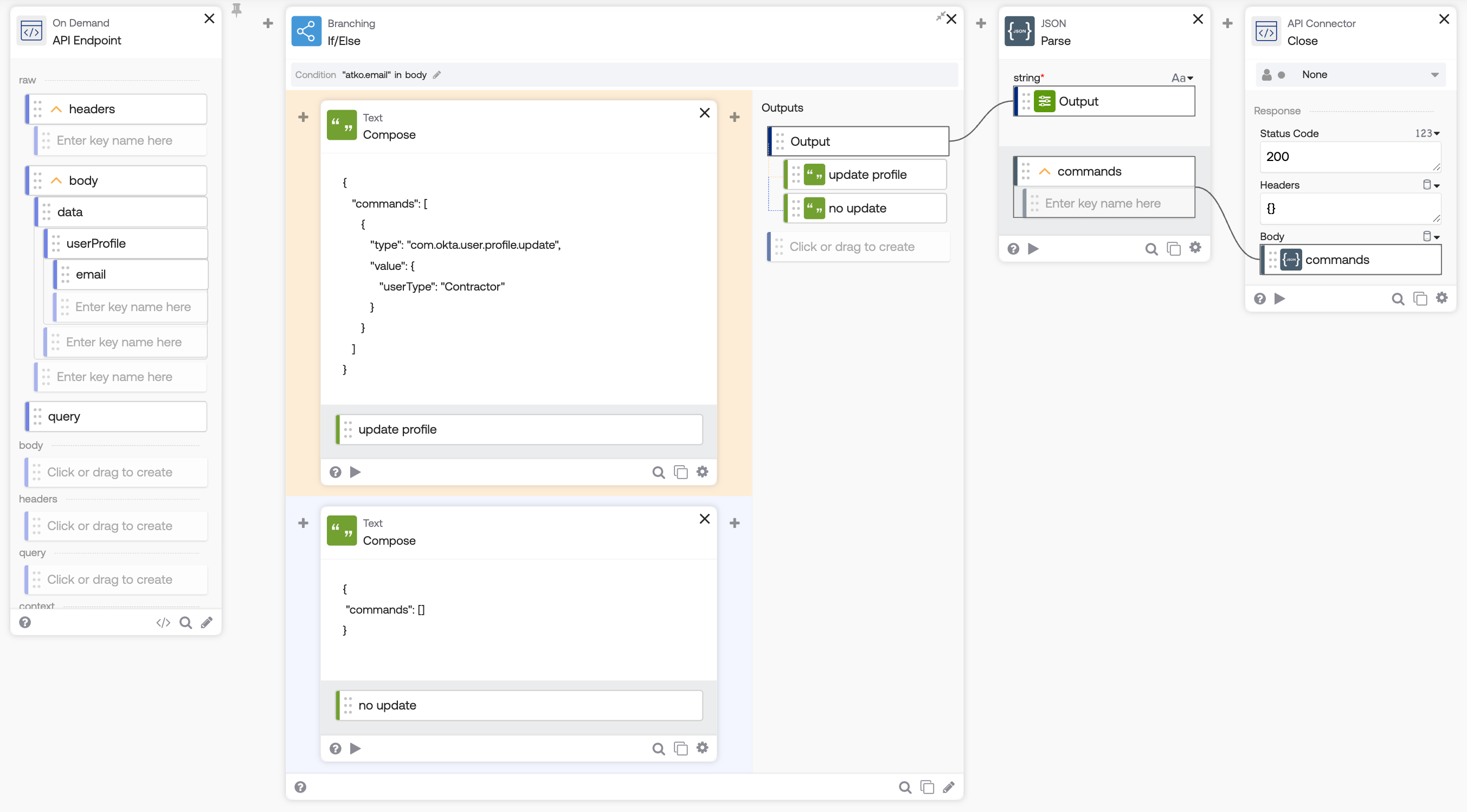
The flow to process the registration inline hook is below:
How the flow works
- The API Endpoint event card allows an inline hook to invoke this flow via an API.
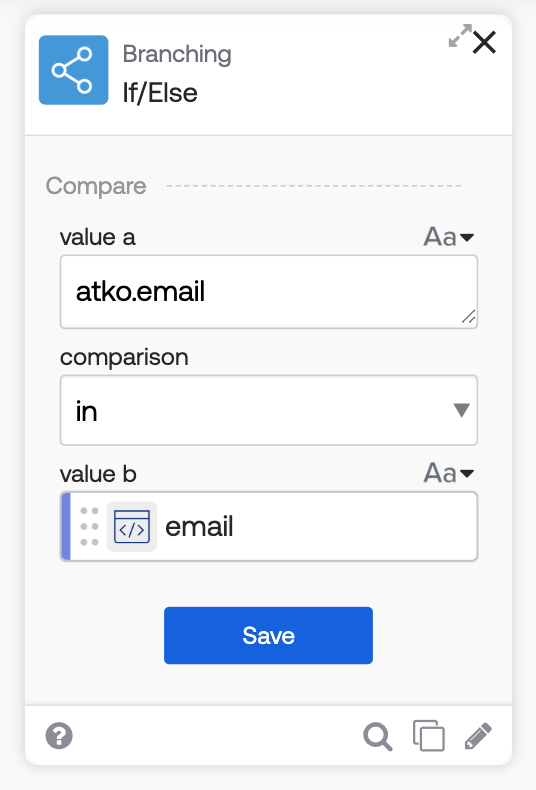
- The Branching-If/Else function card checks the email address:
- If the email has the atko.email domain, the user is a contractor. The Compose function card generates a commands JSON to set the user type to Contractor (atko.email is used as an example domain).
- If the domain is different, an empty commands object is sent.
- The JSON-Parse function card converts JSON text to an object.
- The API Connector-Close card sends the response to the inline hook.
The following image shows the comparison logic inside the Branching-If/Else function card:
Set up an inline hook
Head to Workflow > Inline Hooks in the Okta Admin Console to register an inline hook. The URL field points to a Workflows flow API.
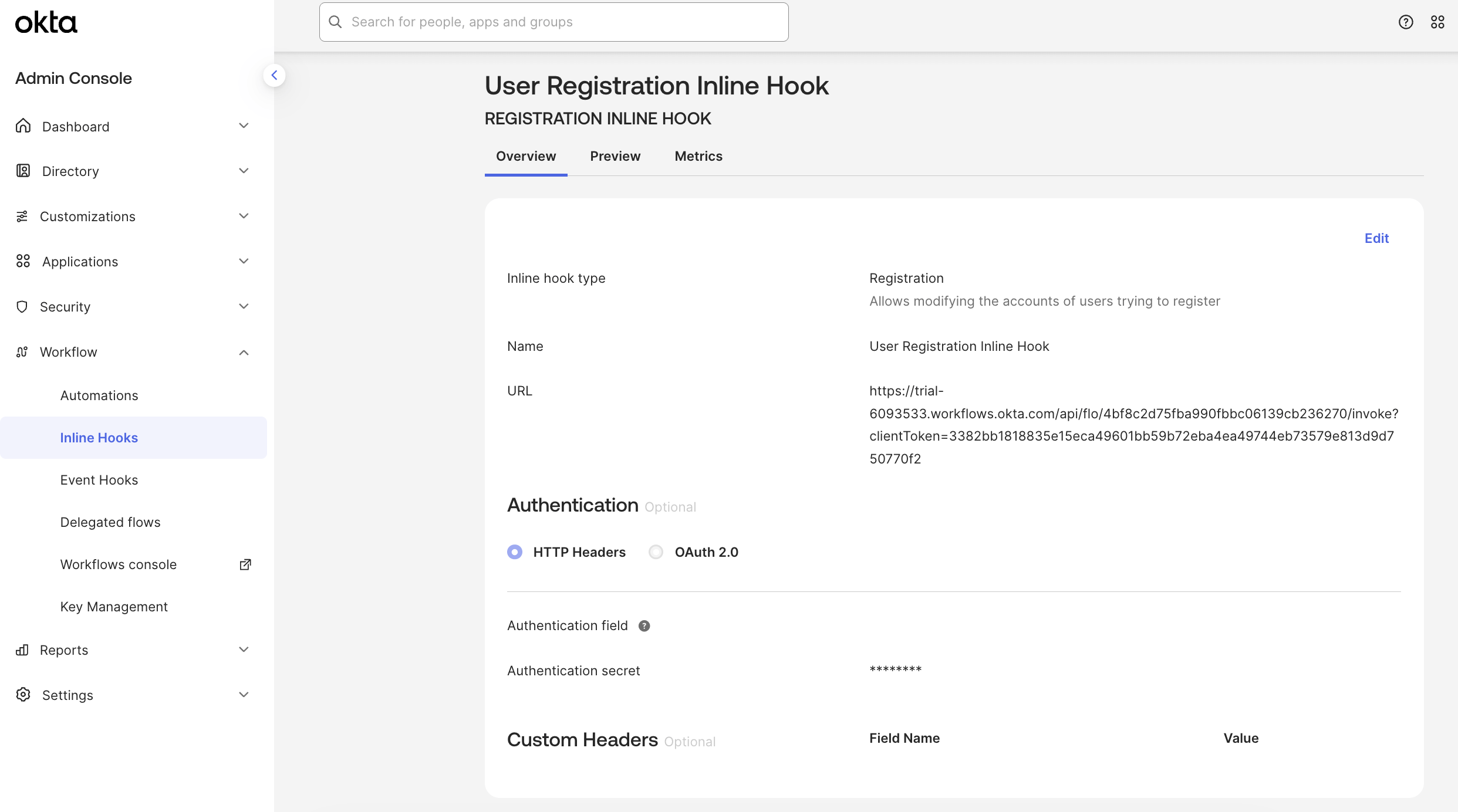
Learn more about how to set up inline hooks.
Enable self-service registration
To allow users to self-register:
- In the Okta Admin Console, go to Security > User Profile Policies.
- Click the pencil-icon to edit the Default Policy.
- Click Edit.
- Check Allowed for Self-service registration.
- Click Save.
When you enter your Okta org URL into a browser, you will see a Sign Up link at the bottom of the registration form.
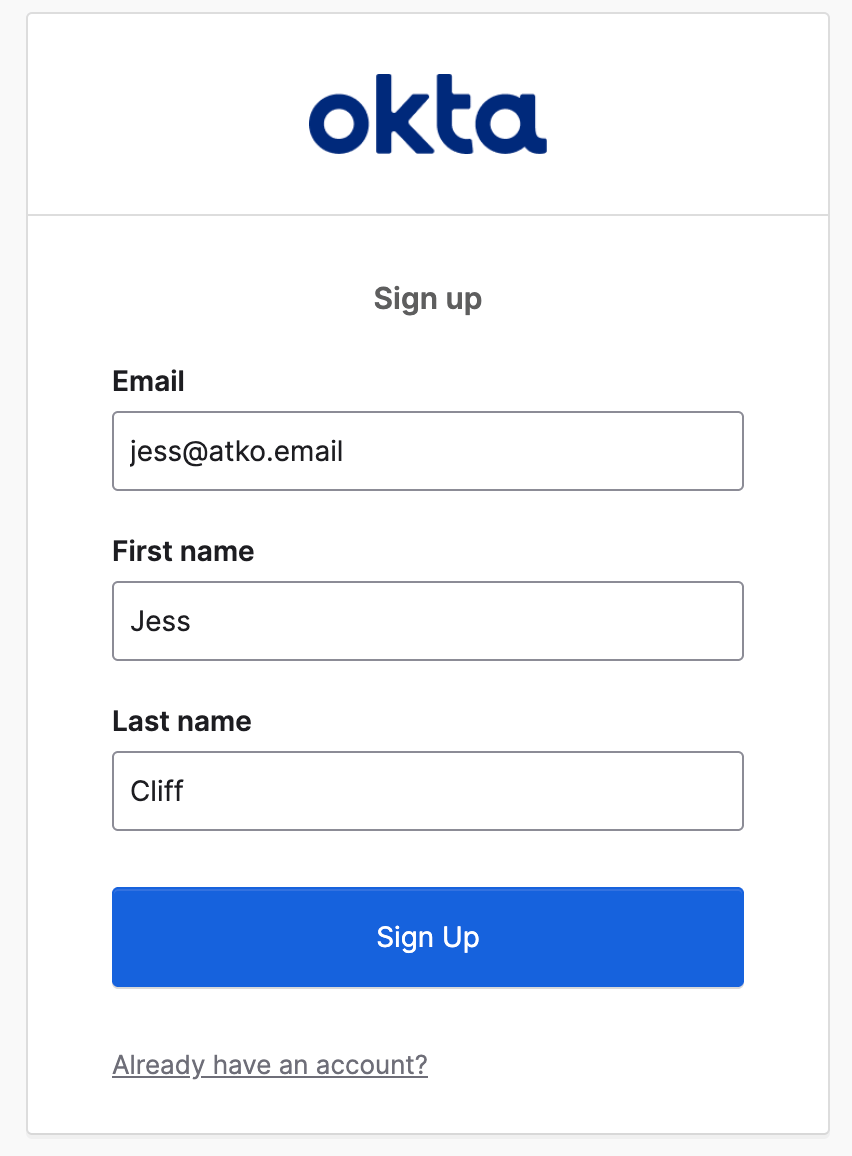
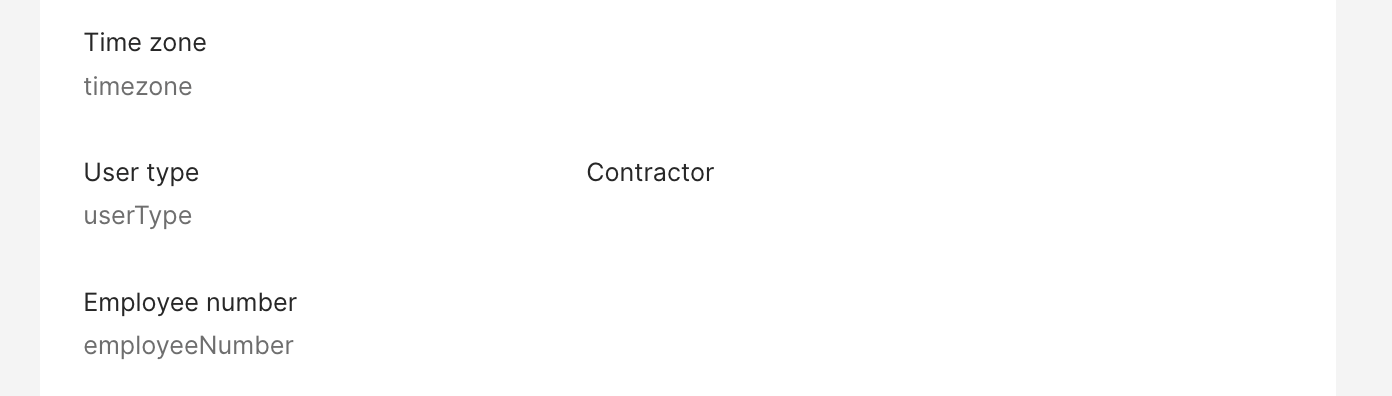
When a user registers with a matching email domain (atko.email), their user type will be set to Contractor via the Workflows flow inline hook.
Related Okta Workflows guides
- Understanding Okta Workflows Events.
- Okta Workflows Tutorial: Notify When a User is Added to a Group (with Event Hook filtering).
Okta Workflows resource
🚀 New to Okta Workflows? The How to Get Started with Okta Workflows page outlines straightforward steps to get started.
📺 Like learning from videos? Watch Okta Workflows videos.
❓Have a question? Ask during community office hours, post on the community forum, or email me.
🙋🏻♀️ Want to learn from the community? Join the #okta-workflows channel on the Mac Admins Slack.
📖 Want to learn more about Okta and automation? Take the Okta Workflows training on Okta Learning.
Leave a Reply