Short and handy Okta Workflows tips and tricks. Read the full series.
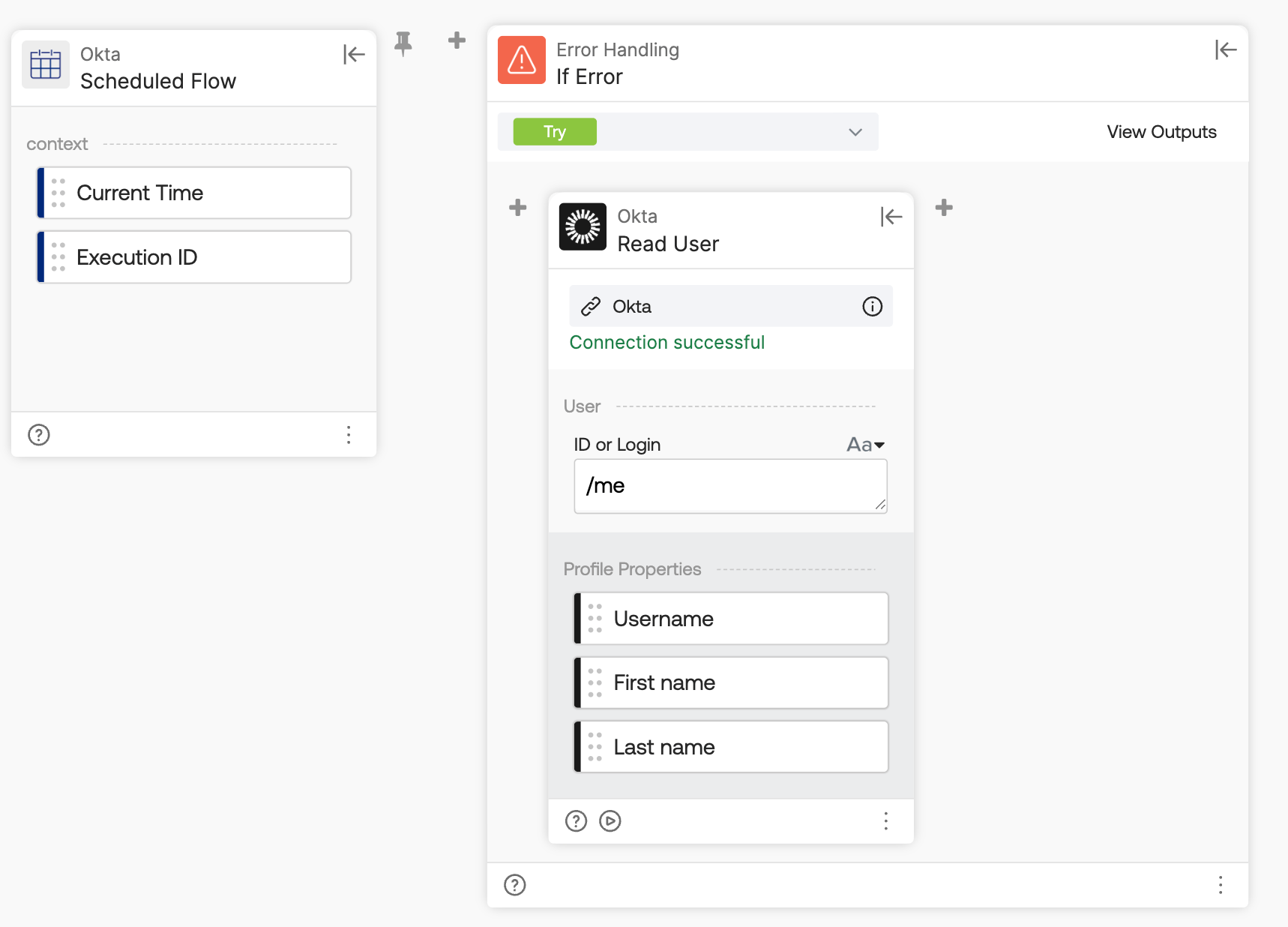
Build a flow that runs on schedule with the Error Control-If Error card:
- Perform a read-like action inside the Try branch.
- If the action fails, the If Error branch runs, which sends a notification.
The Try branch with a read action:
The If Error branch with notification action:
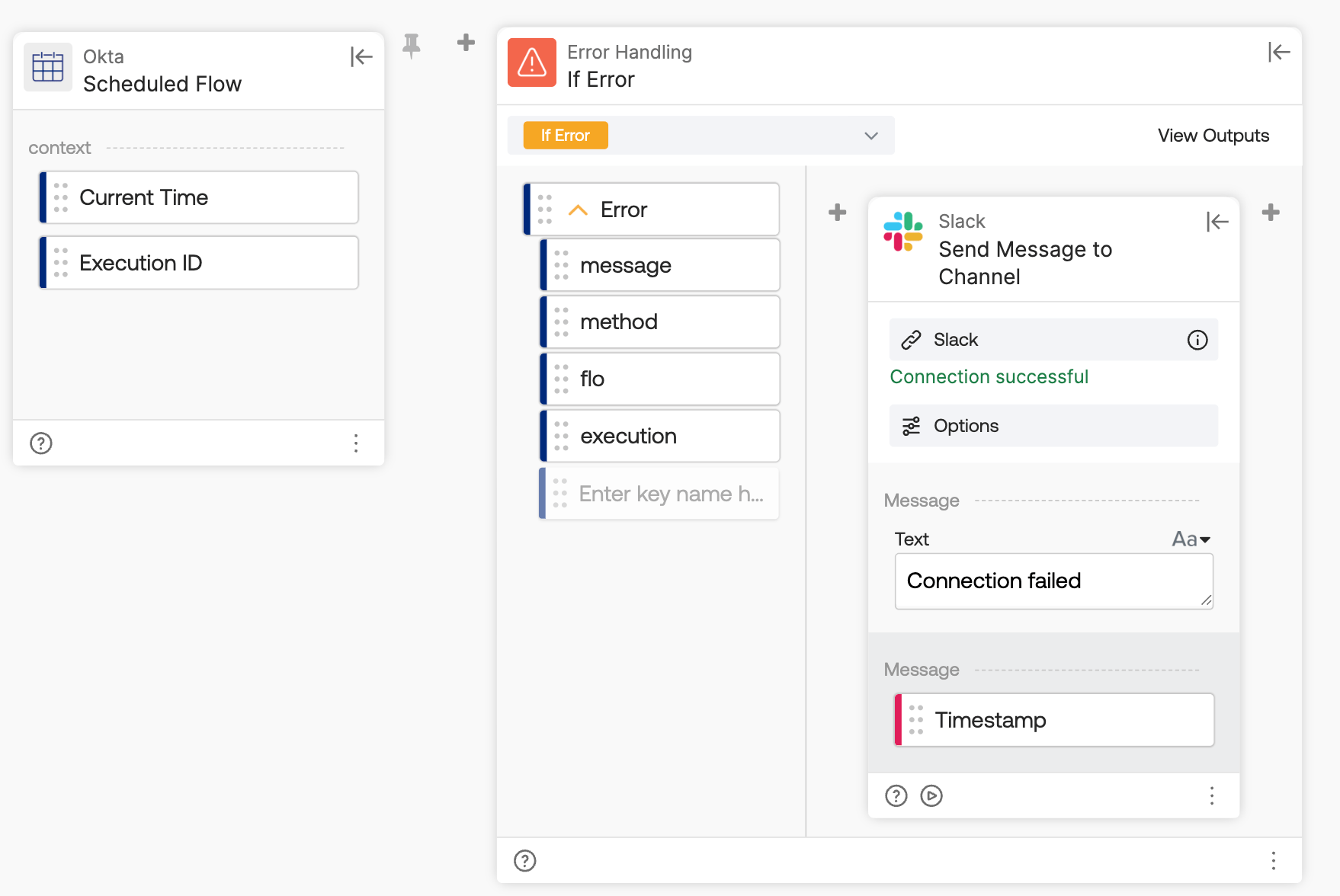
Keep in mind this isn’t a perfect solution, as the notification action might also fail.
Okta Workflows resources
- 🚀 New to Okta Workflows? The Getting Started with Okta Workflows page has all the resources to help you get started.
- 📺 Like learning from videos? Watch Okta Workflows videos.
- ❓Have a question? Ask during community office hours or post on the community forum.
- 💬 Want to learn from the community? Join the #okta-workflows channel on the Mac Admins Slack.
- 🎓 Want to learn more about identity automation? Take the Okta Workflows training on Okta Learning.
Leave a Reply