Short and handy Okta Workflows tips and tricks. Read the full series.
The Object-Unset function allows you to delete a key-value pair from an object. Also, check Okta Workflows Tips #65: Update a JSON Object Using the Object-Set card, which does the opposite.
Creating a JSON object using the Object-Construct function:
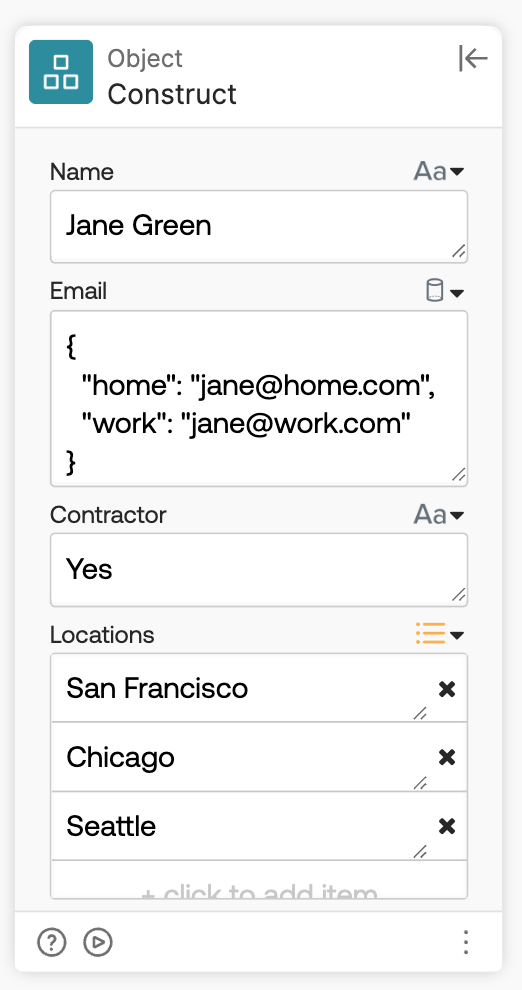
The JSON object looks like this:
{ "Locations": [ "San Francisco", "Chicago", "Seattle" ], "Name": "Jane Green", "Email": { "home": "jane@home.com", "work": "jane@work.com" }, "Contractor": "Yes"}
Using the Object-Unset function to remove the Contractor key:
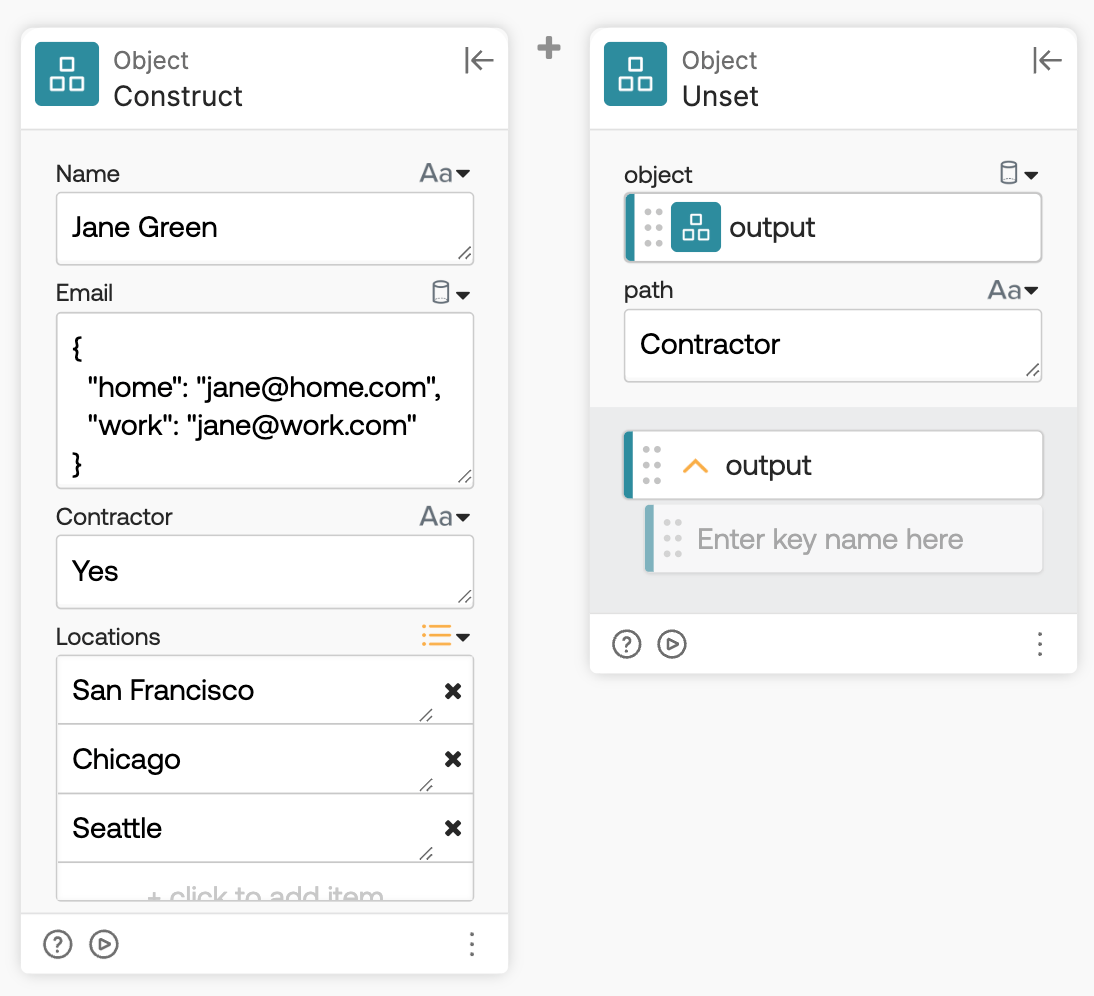
Results in the following object:
{ "Locations": [ "San Francisco", "Chicago", "Seattle" ], "Name": "Jane Green", "Email": { "home": "jane@home.com", "work": "jane@work.com" }}
You can remove a key from a nested object using a dot:
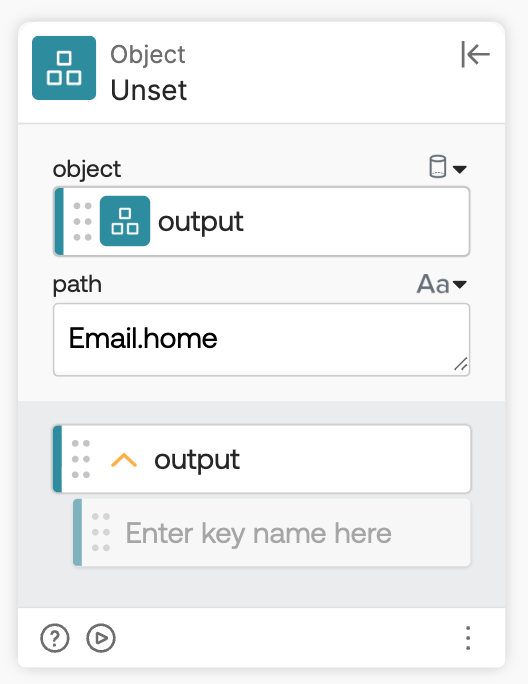
The result is:
{ "Locations": [ "San Francisco", "Chicago", "Seattle" ], "Name": "Jane Green", "Email": { "work": "jane@work.com" }}
You can also remove an item from a list when you indicate an index:
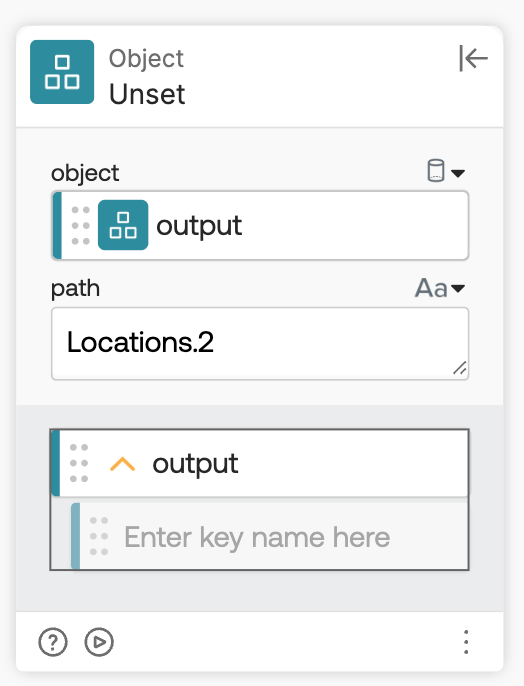
The result is:
{ "Locations": [ "San Francisco", "Chicago" ], "Name": "Jane Green", "Email": { "work": "jane@work.com" }}
Okta Workflows resources
- 🚀 New to Okta Workflows? The Getting Started with Okta Workflows page has all the resources to help you get started.
- 📺 Like learning from videos? Watch Okta Workflows videos.
- ❓Have a question? Ask during community office hours or post on the community forum.
- 💬 Want to learn from the community? Join the #okta-workflows channel on the Mac Admins Slack.
- 🎓 Want to learn more about identity automation? Take the Okta Workflows training on Okta Learning.
Leave a Reply