In this guide:
Okta Workflows guides
Okta Workflows guides offer questions and answers from the Okta Workflows community office hours. They also come from the #okta-workflows channel on the Mac Admins Slack and other places. Read all the other guides.
How to bulk delete groups using Okta Workflows?
This guide will teach you how to bulk delete groups using Okta Workflows.
Bulk delete groups
The automation has two flows and one table:
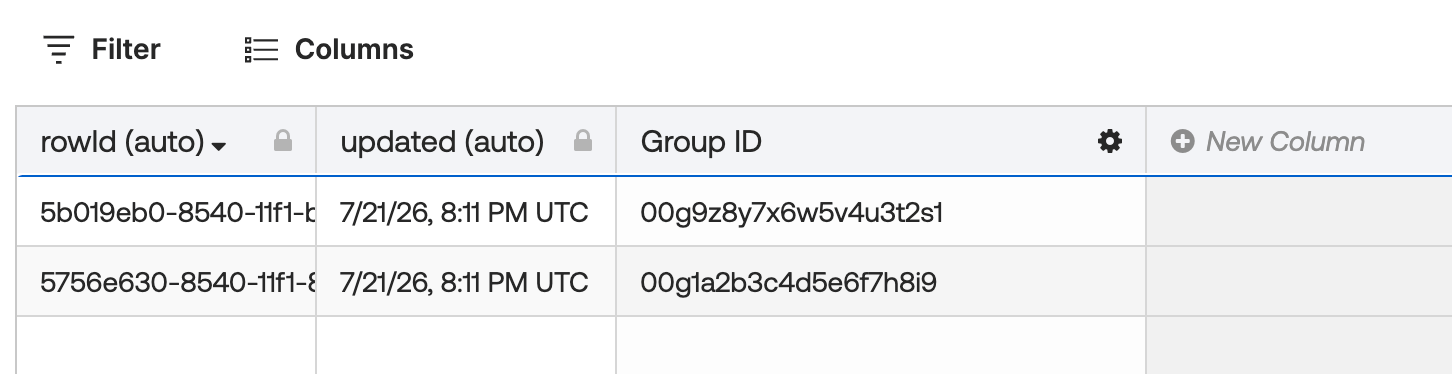
- Groups to delete – table — populate this with the IDs of the groups you want to delete
- List groups to delete — the main flow that reads the table and kicks off deletion for each group
- Delete group — a helper flow that deletes one group at a time
Flow 1: List groups to delete
This flow reads all rows from the Groups to delete – table and calls the helper flow once for each group ID.

How the flow works
- The Table-Search Rows card reads all rows from the Groups to delete table and returns them as a list.
- The List-For Each card iterates over the list and calls the Delete group helper flow once per row, passing the Group ID.
Flow 2: Delete group
This helper flow is called by the List groups to delete flow for each row. It receives
a Group ID and deletes that group from Okta.

How the flow works
- The Helper Flow card receives the Group ID from the calling flow
- The Okta-Delete Group card deletes the group from your org
Table: Group IDs to delete
The table with two group IDs to delete:
Download the flow
Before you run the flow
- The List-For Each card runs with a concurrency of 1, so groups are deleted one at a time. It keeps the flow predictable and avoids API rate limits.
- The Okta-Delete Group card works on groups of type
OKTA_GROUPorAPP_GROUPonly. - Groups managed by an app integration cannot be deleted this way.
Related Okta Workflows guides
- How to Delete All Rows in a Google Sheets Spreadsheet using Okta Workflows.
- How to Delete Multiple Table Rows.
Okta Workflows resources
- 🚀 New to Okta Workflows? The Getting Started with Okta Workflows page has all the resources to help you get started.
- 📺 Like learning from videos? Watch Okta Workflows videos.
- ❓Have a question? Ask during community office hours or post on the community forum.
- 💬 Want to learn from the community? Join the #okta-workflows channel on the Mac Admins Slack.
- 🎓 Want to learn more about identity automation? Take the Okta Workflows training on Okta Learning.
Leave a Reply