In this guide:
Okta Workflows guides offer questions and answers from the Okta Workflows community office hours. They also come from the #okta-workflows channel on the Mac Admins Slack, as well as other places. Read all the other guides.
How do you read linked object relationships between Okta users?
This guide will teach you how to read both sides of an Okta-linked object relationship.
Okta profile linked objects
Okta linked objects store a relationship between two users as a reference rather than a text attribute.
A linked object definition connects two users, and each side has a name. One side is the primary. The other is associated.
Say Max manages Jane and Tom. Max is the primary. Jane and Tom are associated.
An associated user (Jane, Tom) has only one primary (Max).
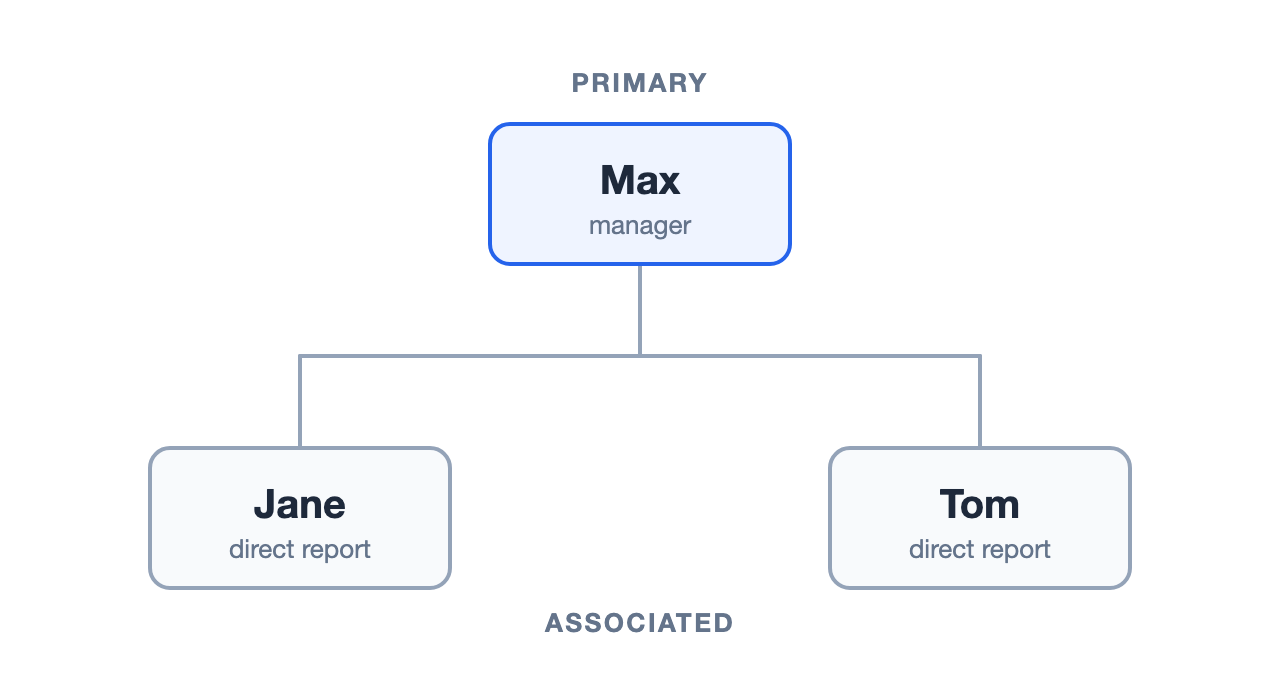
This is the advantage over the standard manager profile attribute. The attribute is a string — readable, but it can’t answer “who reports to this person?” A linked object is a real reference, so the relationship is traversable in both directions.
Before you start
The Okta-Get Primary Linked Object Value and Okta-Get Associated Linked Object Values cards read the linked object definitions in your org, which requires two scopes on the Okta connection: okta.linkedObjects.read and okta.linkedObjects.manage. Grant them on the Scopes tab of the Okta Workflows OAuth app in your Okta org, then re-authorize the Okta connection in the Workflows Console so the new scopes take effect. Without them, the Options dropdown shows a Failed to Load error.
Flow 1: Find a user’s primary
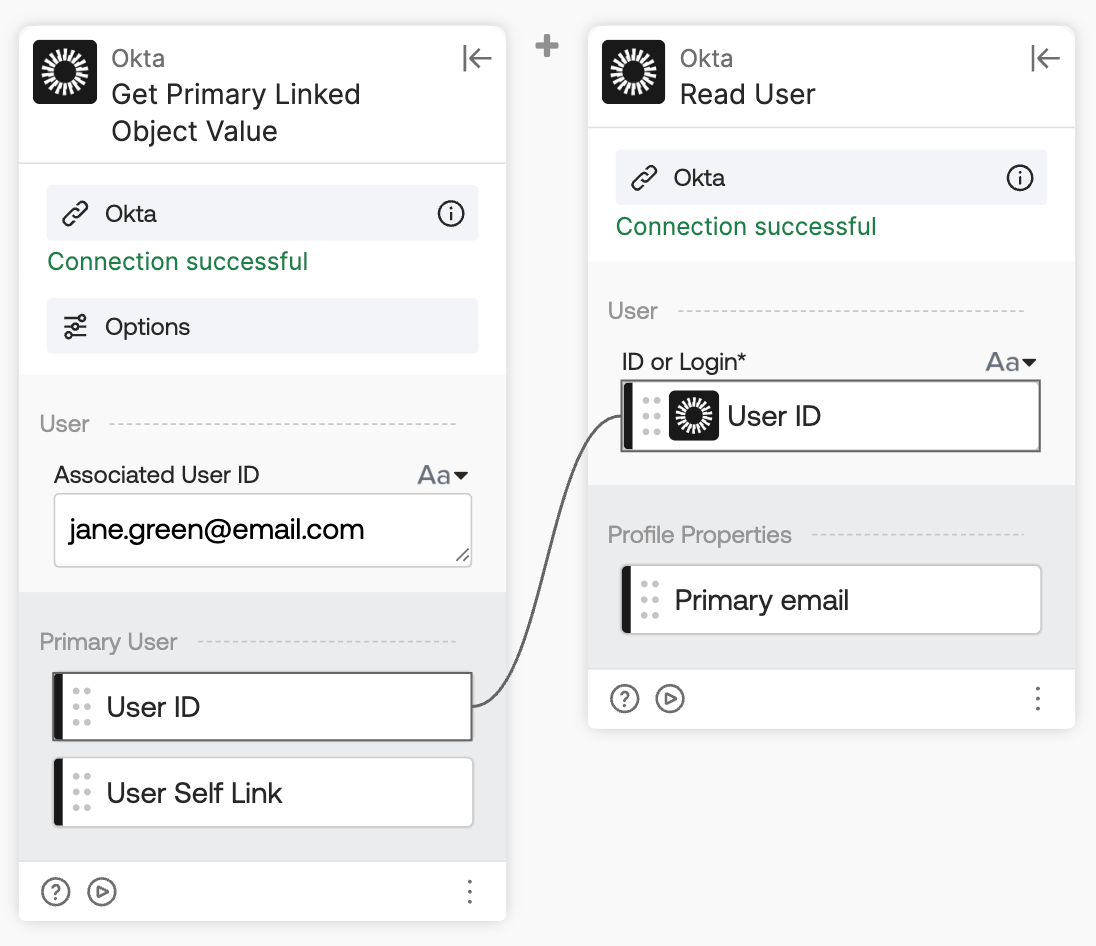
Starting from an associated user, the Okta-Get Primary Linked Object Value card returns the associated user’s primary user.
How the flow works
- The Okta-Get Primary Linked Object Value card takes an associated user’s ID or login and returns the primary user’s User ID and User Self Link.
- The Okta-Read User card reads the primary user’s profile using that User ID.
Before the Okta-Get Primary Linked Object Value card runs, expand Options, choose a Primary Name, and click Save. This is the linked object definition the card reads.
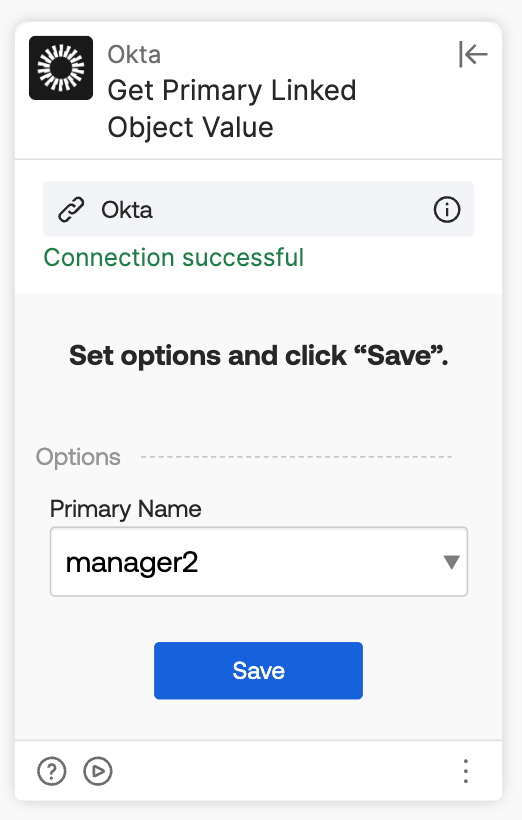
This example uses manager2 because the standard Okta user profile already has a manager attribute, and separate names keep the two clearly distinct.
Flow 2: Find a primary’s associated users
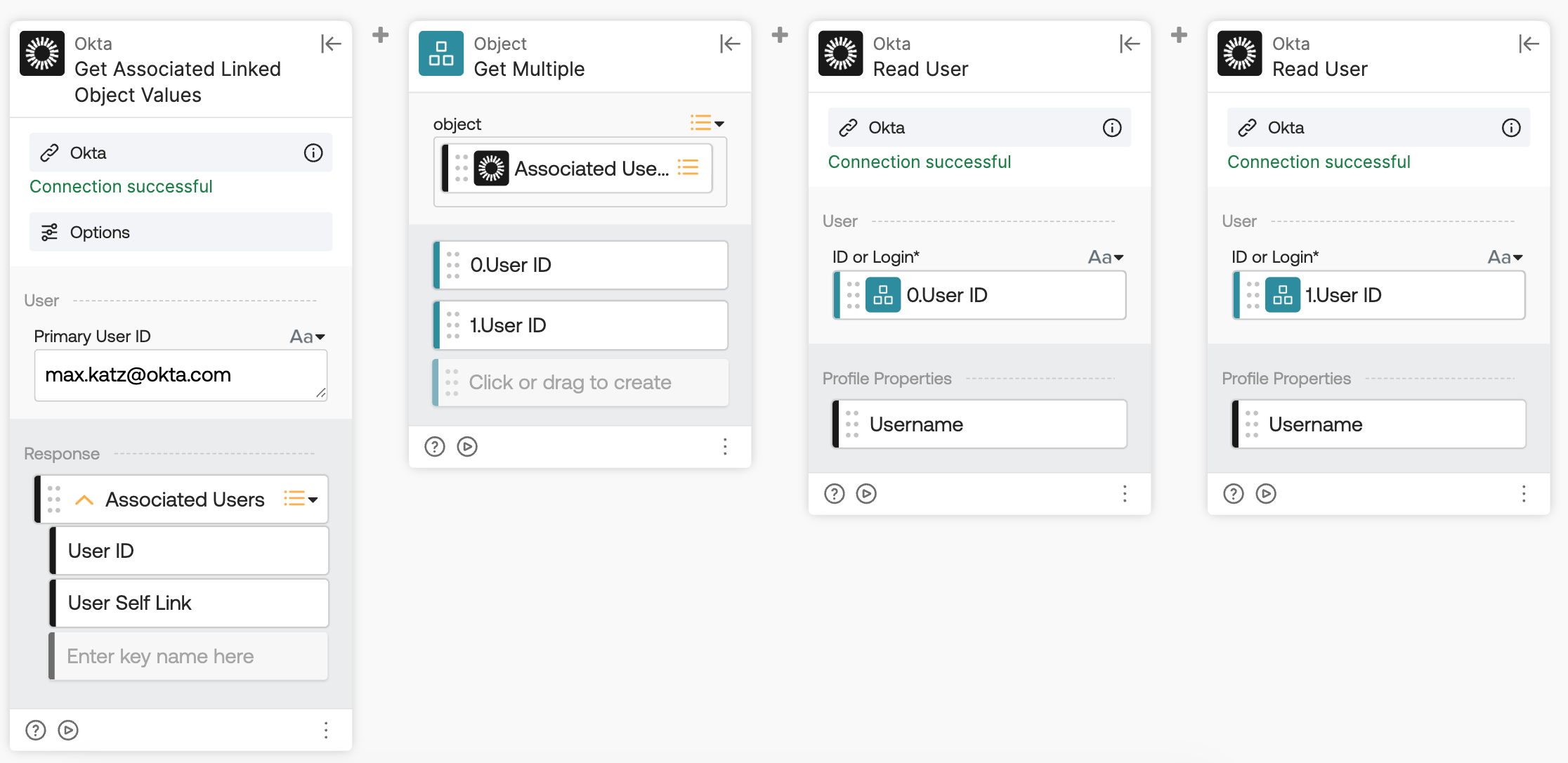
Going the other direction, the Okta-Get Associated Linked Object Values card takes a primary user and returns a list.
How the flow works
- The Okta-Get Associated Linked Object Values card takes the primary user’s ID and returns the Associated Users list, with each entry containing a User ID and User Self Link.
- The Object-Get Multiple card extracts the individual user IDs from that response.
- The Okta-Read User cards read each associated user’s profile to return their username.
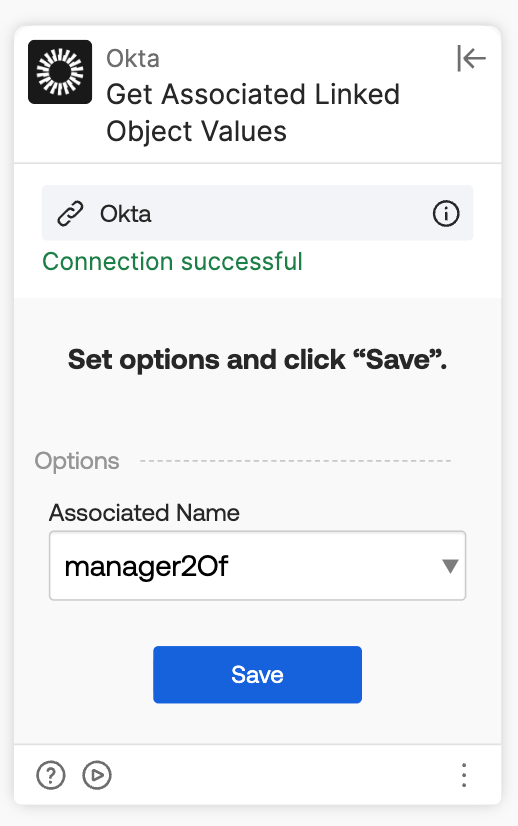
Set Options the same way, except this card asks for the Associated Name (manager2Of), since that’s the side it returns.
Chained together, these two cards let you start from one user, find their manager, then find that manager’s full set of direct reports.
Related Okta Workflows guides
- How To Read a Custom User Profile Attribute With Okta Workflows.
- Workflows: Okta Connector’s Linked Object Actions Returning a “Failed to Load” Error in Dropdown.
Okta Workflows resources
- 🚀 New to Okta Workflows? The Getting Started with Okta Workflows page has all the resources to help you get started.
- 📺 Like learning from videos? Watch Okta Workflows videos.
- ❓Have a question? Ask during community office hours or post on the community forum.
- 💬 Want to learn from the community? Join the #okta-workflows channel on the Mac Admins Slack.
- 🎓 Want to learn more about identity automation? Take the Okta Workflows training on Okta Learning.
Leave a Reply