Short and handy Okta Workflows tips and tricks. Read the full series.
Okta Workflows now supports flow Version History.
Note: As of August 2026, Version History is GA in Preview and Early Access (EA) in Production. To enable in Production, go to Settings > Features in the Admin Console and enable Workflows Audit and Revert.
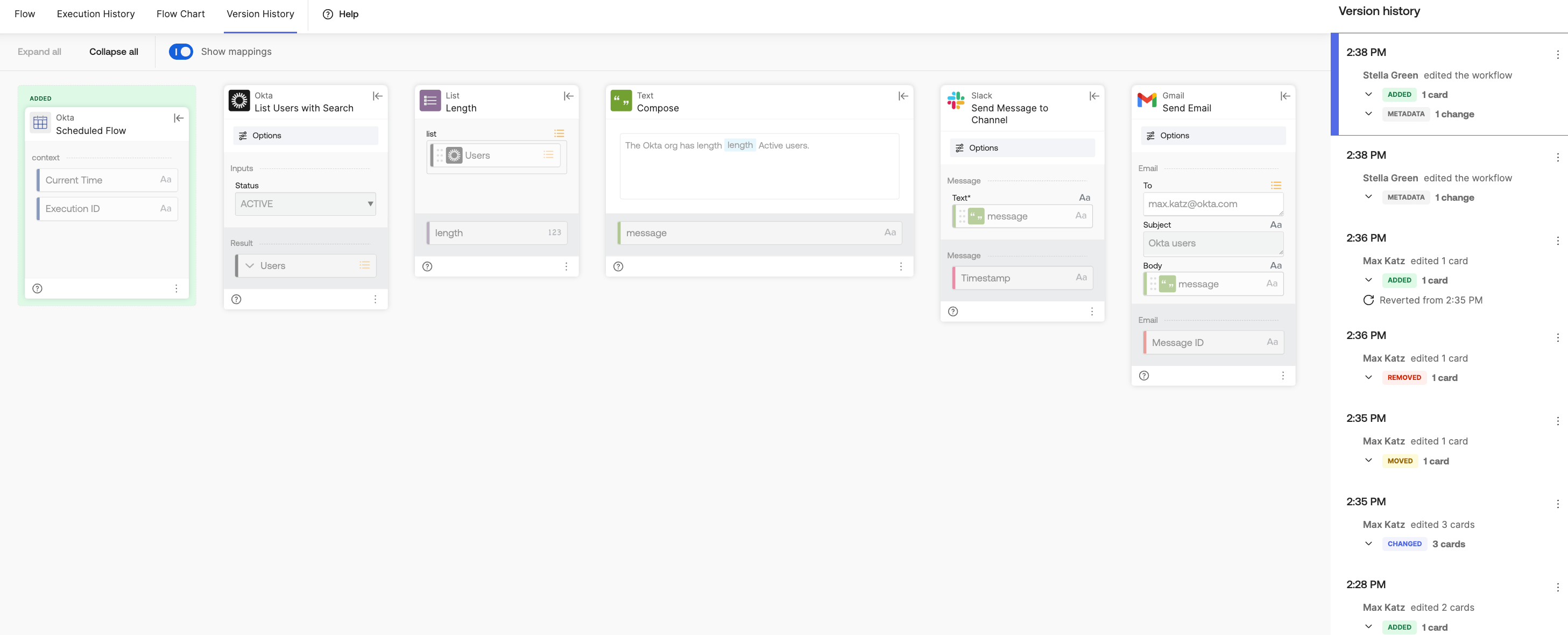
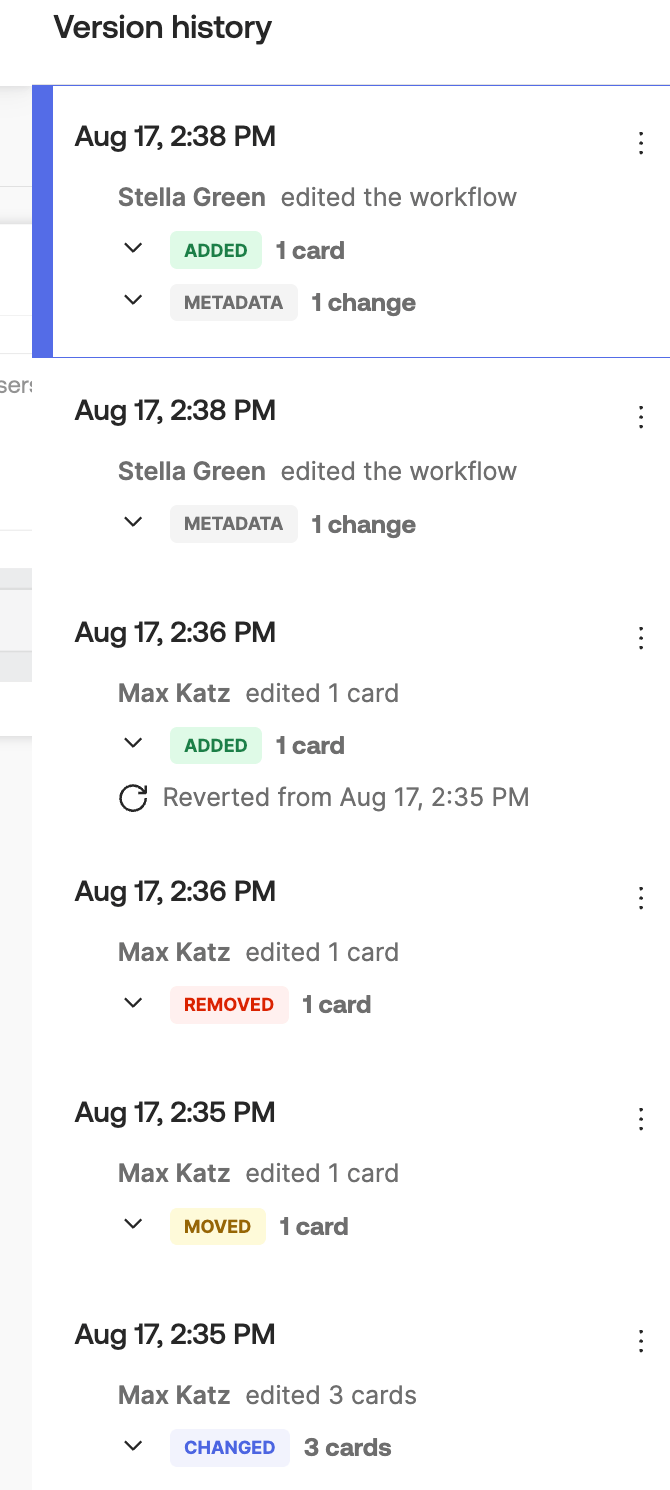
Version History tracks the following flow changes:
- Adding cards
- Changing card fields (for example, selecting a new list value on a card, changing text value, or renaming a field)
- Moving cards
- Deleting cards
- Changing flow metadata (flow name, first event card)
- Recording changes made by another user
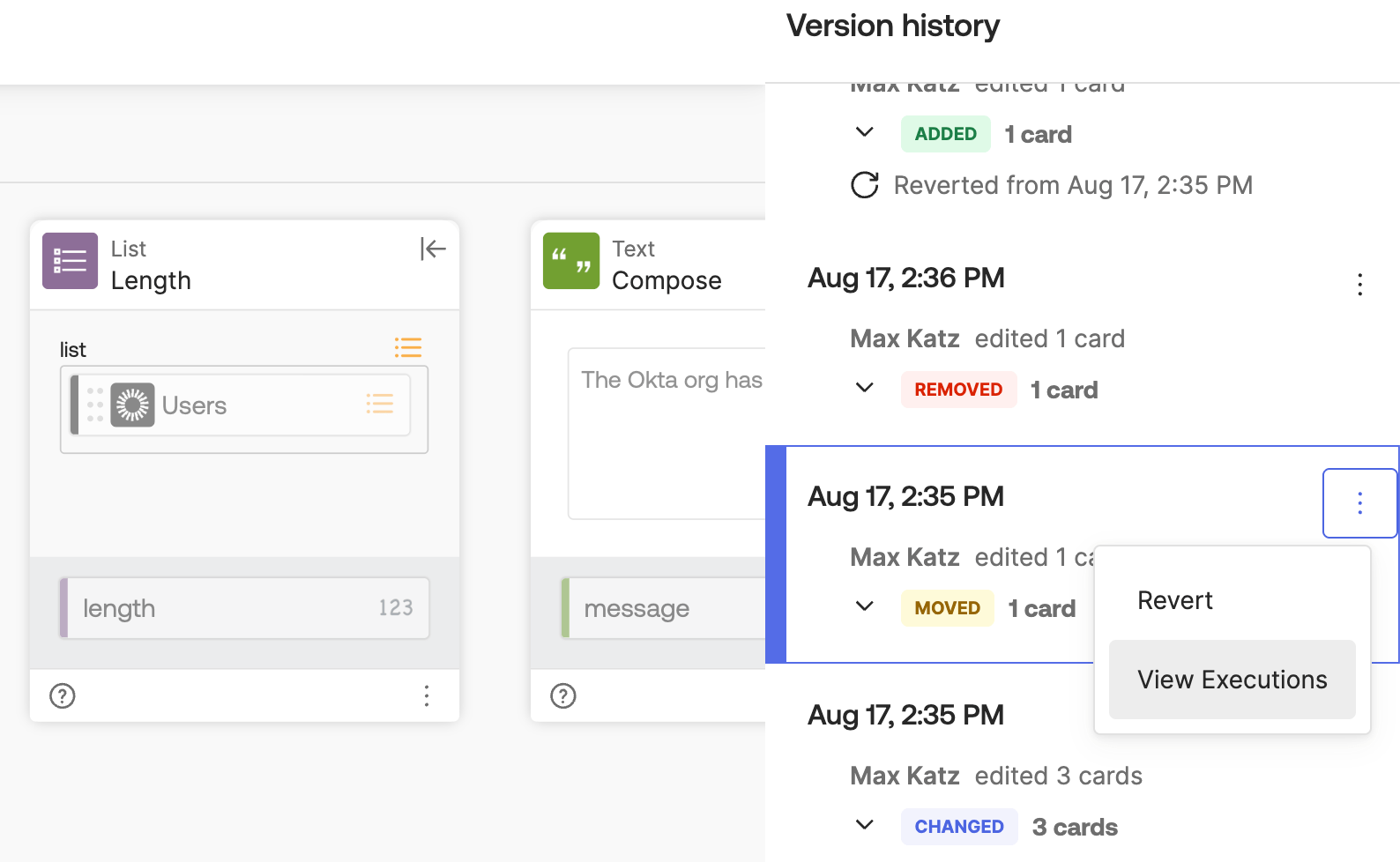
Version History also lets you view execution history for an older version, and revert the flow to that version:
Notes
- Reverting a flow restores the logic and card configurations, but it doesn’t change the account connections that it used
- You can view up to 30 days of version history
- Okta Workflows docs: Workflows version history
Okta Workflows resources
- 🚀 New to Okta Workflows? The Getting Started with Okta Workflows page has all the resources to help you get started.
- 📺 Like learning from videos? Watch Okta Workflows videos.
- ❓Have a question? Ask during community office hours or post on the community forum.
- 💬 Want to learn from the community? Join the #okta-workflows channel on the Mac Admins Slack.
- 🎓 Want to learn more about identity automation? Take the Okta Workflows training on Okta Learning.
Leave a Reply