Short and handy Okta Workflows tips and tricks. Read the full series.
APIs often return key-value data as a list of {name, value} objects instead of a clean object you can reference by key. This tip shows how to turn a list of key-value pairs into an object.
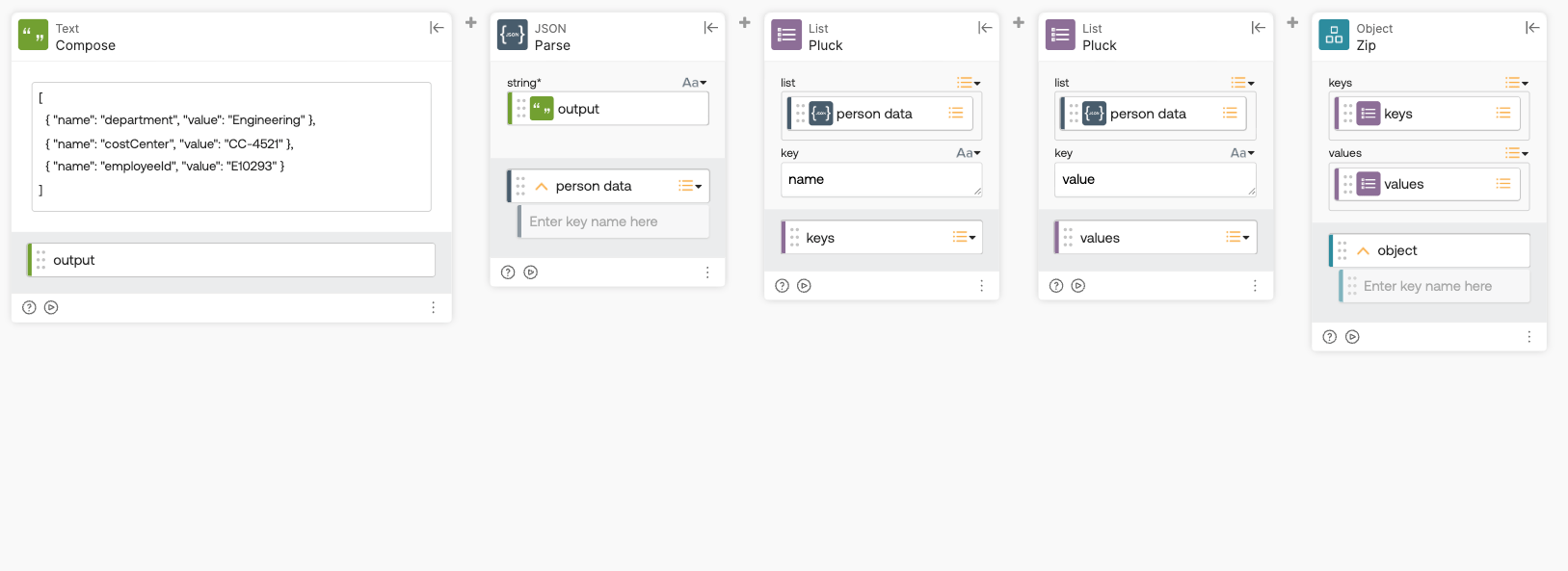
How the flow works
- The Text-Compose card creates a sample JSON string from the following input:
JSON
[ { "name": "department", "value": "Engineering" }, { "name": "costCenter", "value": "CC-4521" }, { "name": "employeeId", "value": "E10293" }]
- The JSON-Parse card converts that string into a JSON array of objects.
- The first List-Pluck card extracts the name value from each object, producing a keys list:
["department", "costCenter", "employeeId"] - The second List-Pluck card extracts the value from each object, producing a values list:
["Engineering", "CC-4521", "E10293"] - The Object-Zip takes the keys list and the values list and pairs them up by position into a single object.
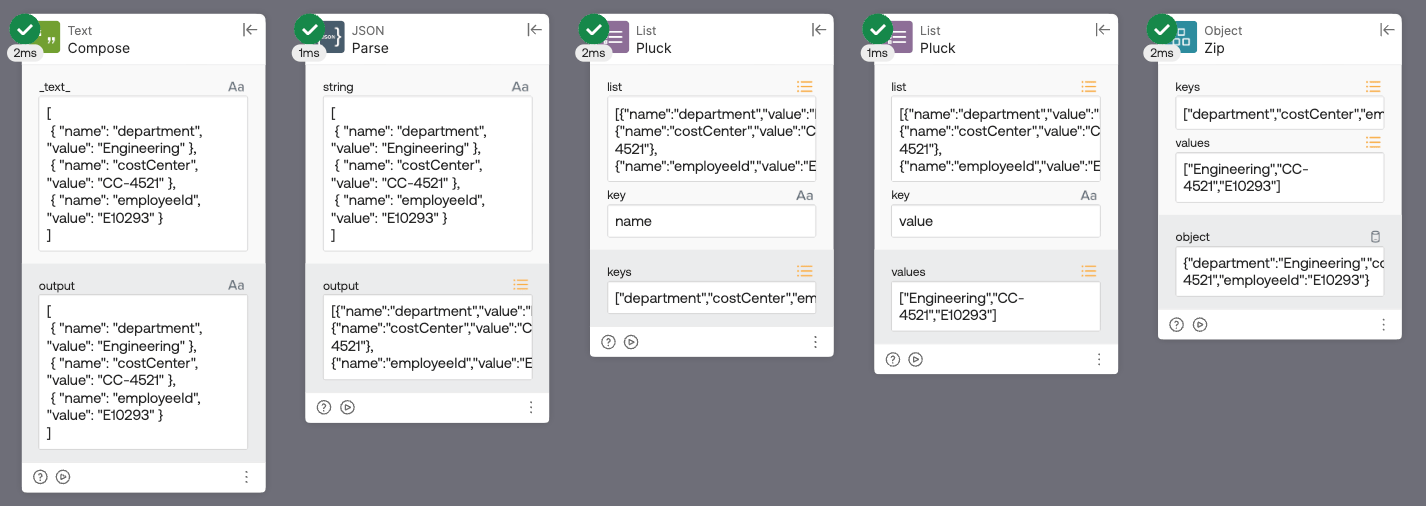
The final JSON object looks like this:
JSON
{ "department": "Engineering", "costCenter": "CC-4521", "employeeId": "E10293"}
Okta Workflows resources
- 🚀 New to Okta Workflows? The Getting Started with Okta Workflows page has all the resources to help you get started.
- 📺 Like learning from videos? Watch Okta Workflows videos.
- ❓Have a question? Ask during community office hours or post on the community forum.
- 💬 Want to learn from the community? Join the #okta-workflows channel on the Mac Admins Slack.
- 🎓 Want to learn more about identity automation? Take the Okta Workflows training on Okta Learning.
Leave a Reply