This is a summary of questions and answers from the Okta Workflows office hours on Thursday, September 3, 2026. Read questions and answers from past office hours.

Questions
How to create a flow that removes all users from two Okta Groups every night at 6 p.m.?
This KB article shows how to remove all users from particular groups on schedule:
How to add a custom scope to an Okta connection?
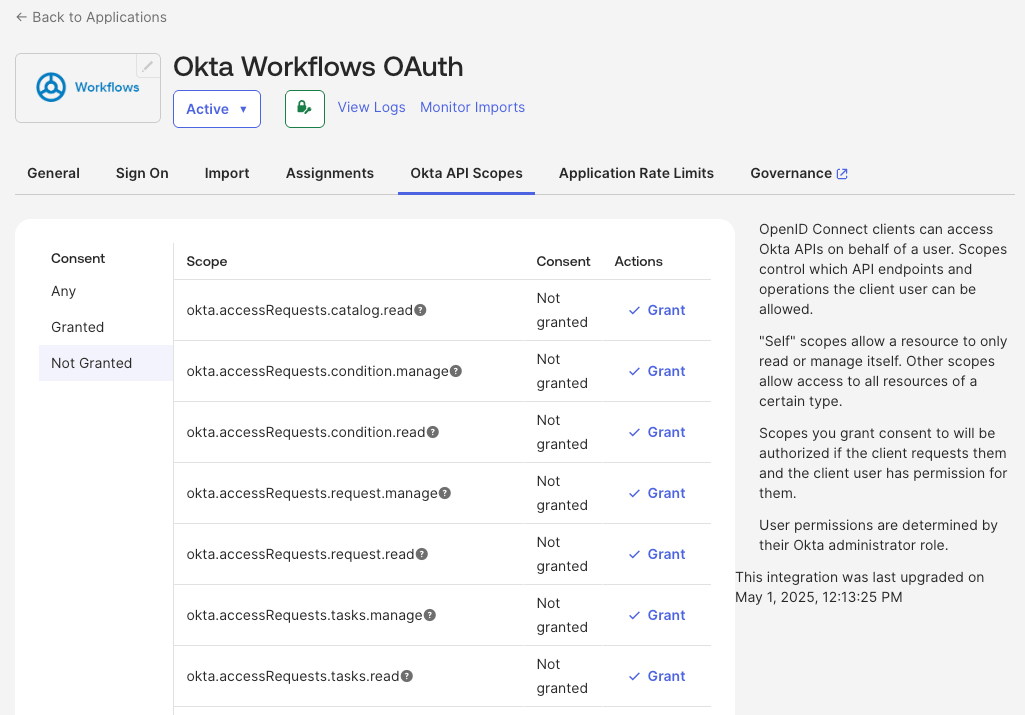
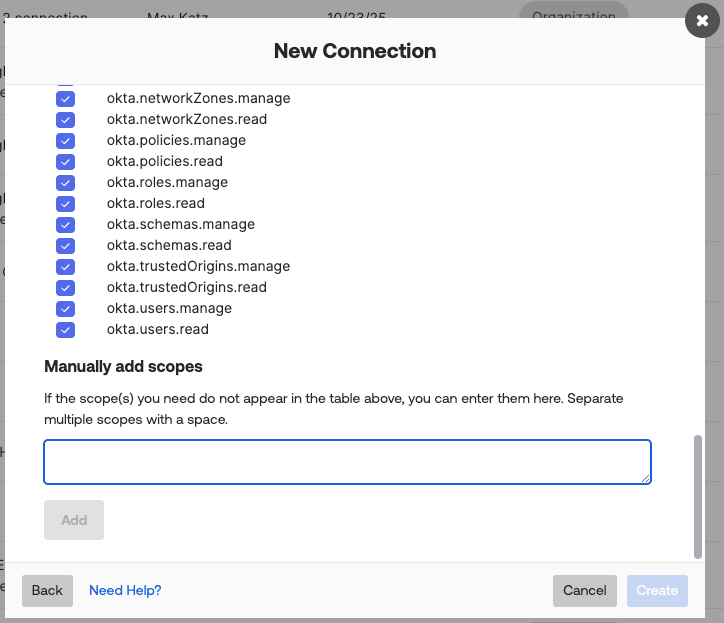
To add a custom scope to an Okta connection in Okta Workflows, you need to configure the scope in two places:
- Add (grant) the scope to the Okta Workflows OAuth app in Admin Console > Applications and Resources > Applications > Okta Workflows OAuth > Okta API Scopes
- Add the same scope(s) when creating a connection in Okta Workflows. Start creating a new Okta connection. Switch to the Permissions tab, select Customize scopes (advanced). Scroll to the bottom, and enter the custom scopes in Manually add scopes.
Learn more about adding scopes and resolving the “403 Forbidden” Error When Using an Okta Connector Action Card in a Workflow.
Okta Workflows resources
- 🚀 New to Okta Workflows? The Getting Started with Okta Workflows page has all the resources to help you get started.
- 📺 Like learning from videos? Watch Okta Workflows videos.
- ❓Have a question? Ask during community office hours or post on the community forum.
- 💬 Want to learn from the community? Join the #okta-workflows channel on the Mac Admins Slack.
- 🎓 Want to learn more about identity automation? Take the Okta Workflows training on Okta Learning.
Leave a Reply