Short and handy Okta Workflows tips and tricks. Read the full series.
When you process a list of records (users, groups, applications, or any other type), you send it to a helper flow. Inside the helper flow, you will likely extract keys from a JSON object.
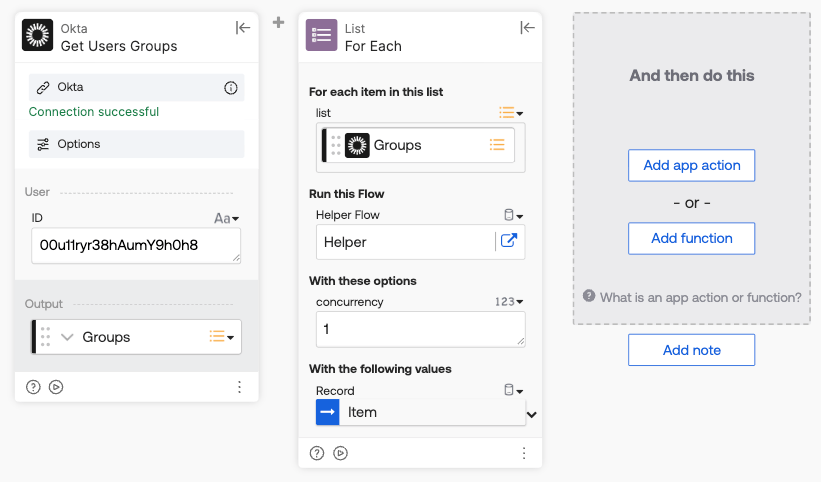
The following flow shows processing user groups:
The helper flow shows three different ways to extract two keys (ID, Name):
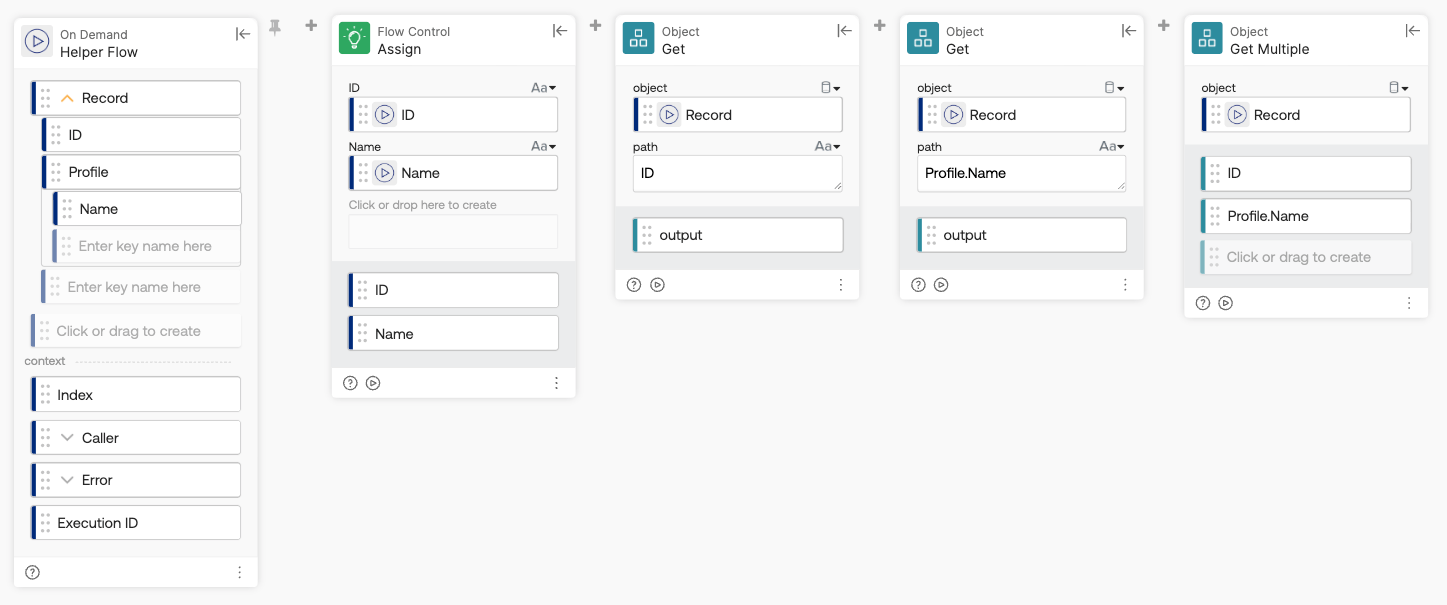
- Two Object-Get cards, each pulling a single value from Record using its path (ID, and Profile.Name)
- One Object-Get Multiple card, pulling both values in a single card using the same two paths
- The Assign card, extracting ID and Profile.Name directly from Record by wiring the nested keys in as inputs, with no Get or Get Multiple cards at all
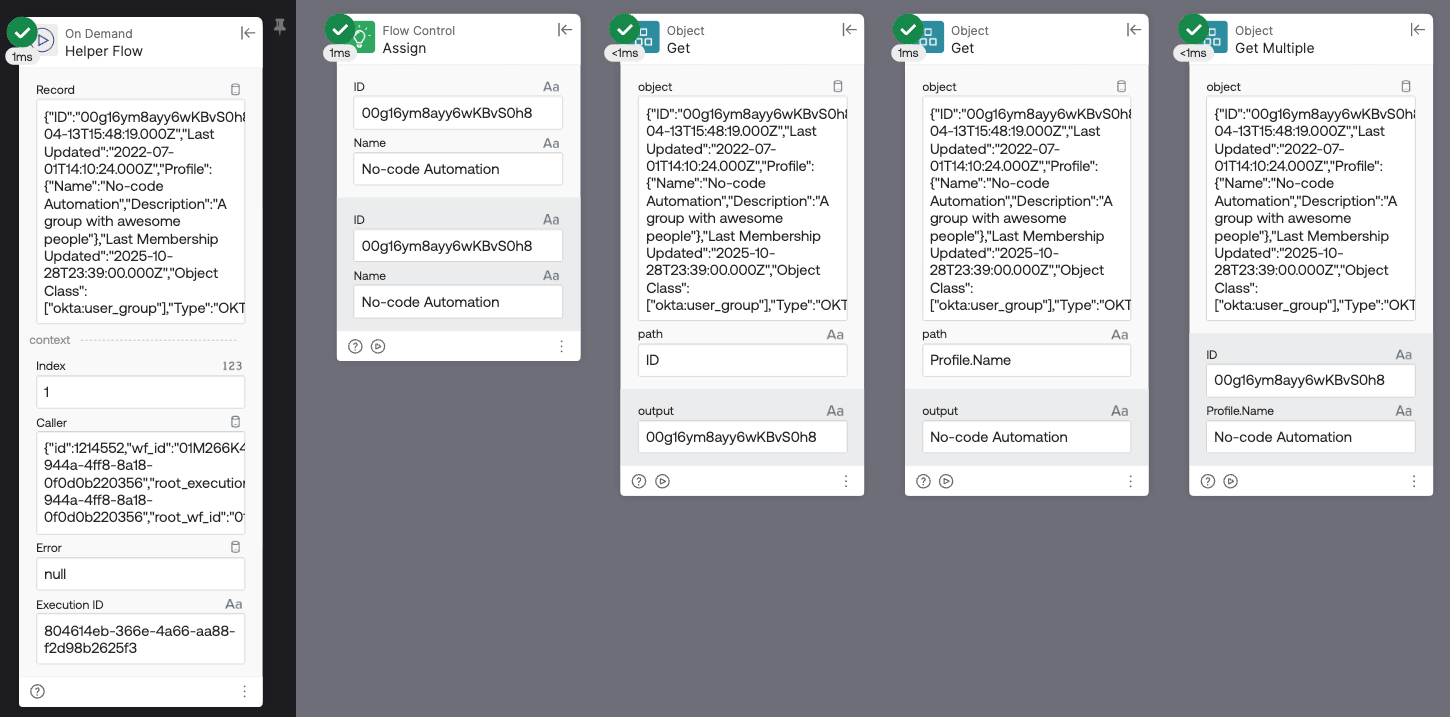
Whether you use one Get card per value, one Get Multiple for both, or just wire the keys directly, you end up with the identical ID and Name values — they’re just three different ways of doing the same extraction.
Running the flow:
For more on working with JSON in Okta Workflows, see the Workflows Collection: Working with JSON.
Okta Workflows resources
- 🚀 New to Okta Workflows? The Getting Started with Okta Workflows page has all the resources to help you get started.
- 📺 Like learning from videos? Watch Okta Workflows videos.
- ❓Have a question? Ask during community office hours or post on the community forum.
- 💬 Want to learn from the community? Join the #okta-workflows channel on the Mac Admins Slack.
- 🎓 Want to learn more about identity automation? Take the Okta Workflows training on Okta Learning.
Leave a Reply