Short and handy Okta Workflows tips and tricks. Read the full series.
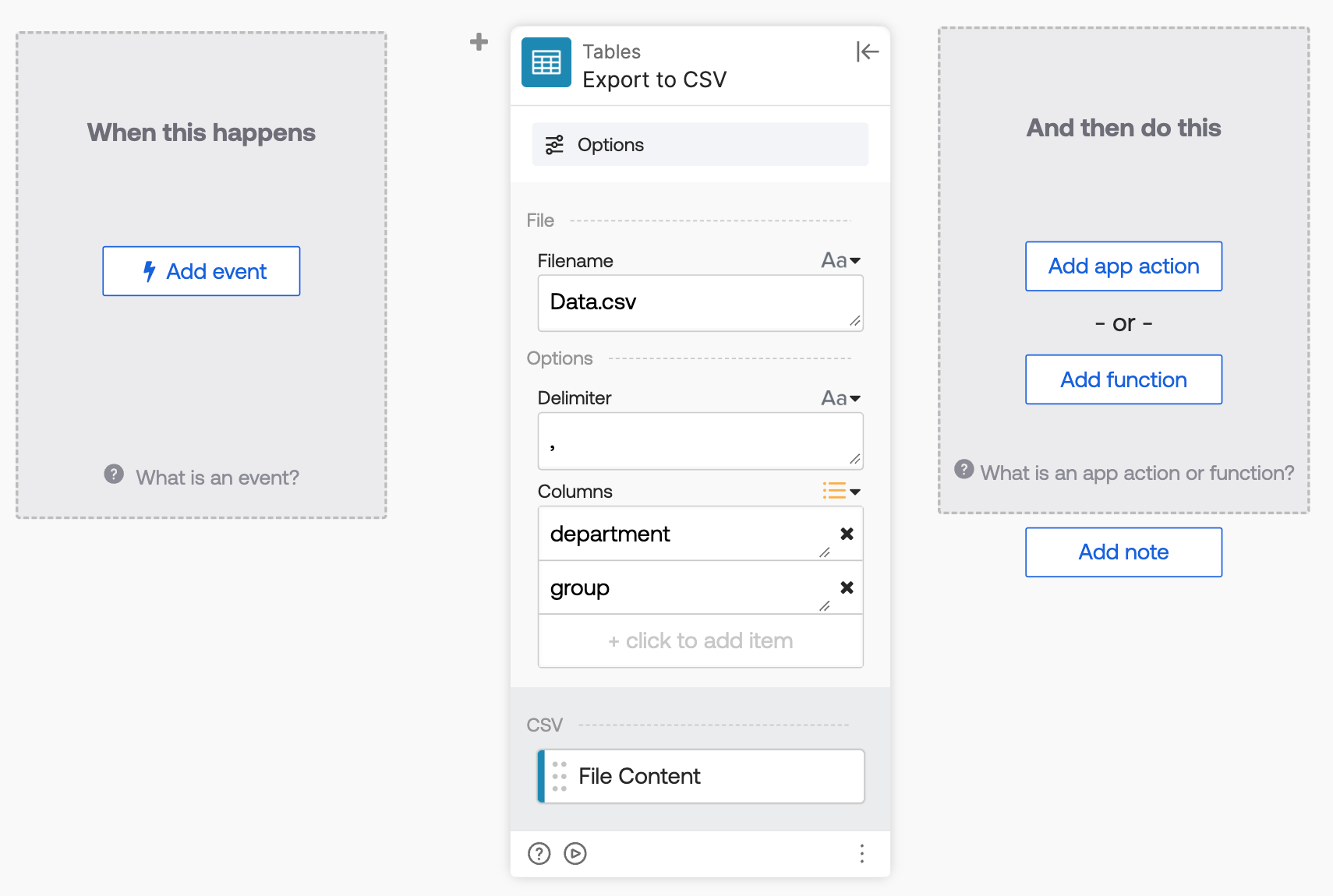
To exclude system columns (such as rowID and updated) from a Workflows table export, use the Columns field on the Tables – Export to CSV card. List only the columns you want in the CSV file.
The following screenshot shows an export of only the department and group columns.
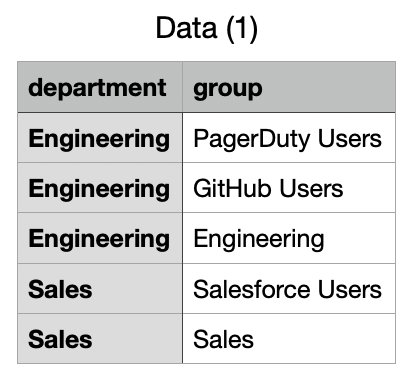
The export looks like this (without the system columns):
Okta Workflows resources
- 🚀 New to Okta Workflows? The Getting Started with Okta Workflows page has all the resources to help you get started.
- 📺 Like learning from videos? Watch Okta Workflows videos.
- ❓Have a question? Ask during community office hours or post on the community forum.
- 💬 Want to learn from the community? Join the #okta-workflows channel on the Mac Admins Slack.
- 🎓 Want to learn more about identity automation? Take the Okta Workflows training on Okta Learning.
Leave a Reply