
Okta Workflows is a no-code platform for automating identity processes.
This blog post shares Okta Workflows educational content from October 2026.
🗓️ Upcoming events
We’re back in San Francisco for the Workflows community meetup on Tuesday, November 17.
🆕 New capabilities
Version History
Version history is now Generally Available in Production orgs. It keeps a record of the changes made to a flow over time. You can use it to audit changes, view execution history for a specific version, and restore a flow to an earlier state.
Role-based access control for folders
Role-based access control for folders is now Generally Available in Production orgs. You can assign access to users per folder using five folder roles:
- Folder Manager: Full access to manage resources in a folder and assign folder roles to users.
- Folder Editor: Full access to manage resources in a folder.
- Folder Runner: Read-only access to resources in a folder, plus the ability to run existing flows and view execution history.
- Folder Reader: Read-only access to resources in a folder.
- Integration Builder: Access to manage projects in Connector Builder.
Connections are now folder-scoped: a connection must be explicitly assigned to a folder. Watch this video to learn how to assign a connection to a folder.
Favorite flows and tables
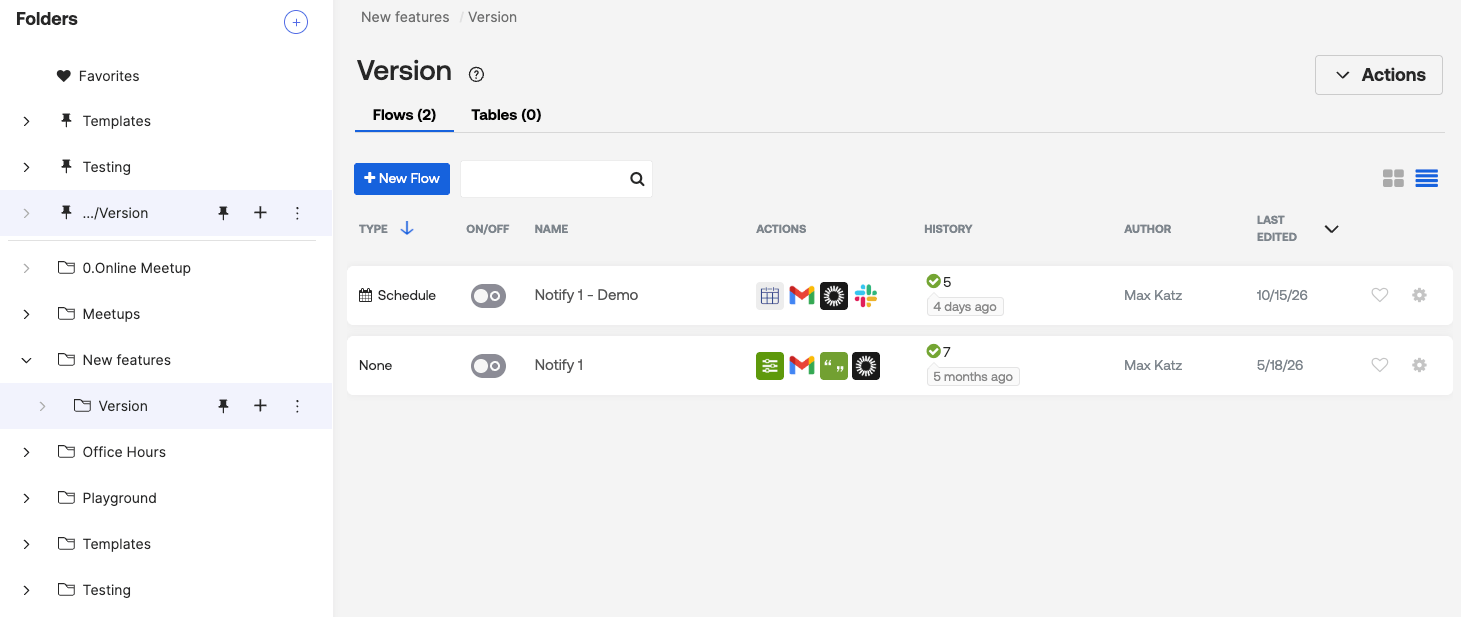
You can now favorite up to 10 flows and 10 tables. Favorites appear in a dedicated Favorites folder, so you can return to your current work without browsing through folders. Click the heart icon to favorite a flow or a table.

Folder pinning
You can now pin folders and subfolders. Pinned folders appear at the top of your folder list, so you don’t have to navigate folders to find them. To pin a folder, select the pin icon to the right of the folder name.
▶️ Videos
- How to Automate Temp User Access in Okta Using Workflows
- Automating Manual App Access Requests with Okta Identity Governance (OIG) & Workflows
📝 Blogs
- Beyond Workflows connectors: Integration Builder expands what you can automate with Okta
- New in Okta Workflows: Version History, Folder Access Control, Favorites, and Folder Pinning
- Watch the Okta Workflows Flowcase Session Recording from Oktane 2026
- Okta Workflows Training Series: Lifecycle, Security, and Governance Automation
📘 KB articles
- How to Add Users to Multiple Groups Based on Department Using Okta Workflows
- How to Find Expired SAML App Certificates Using Okta Workflows
- Guidance For Okta Workflows API Endpoints Without Authentication
- Control the Response Returned by an Okta Workflows Flow
🧩 Templates
Community templates:
🪄 Tips
- Okta Workflows Tips #100: Tips From the Community (Special Edition)
- Okta Workflows Tips #99: How to Automate Temporary Access to Okta
⚙️ Platform updates
- Okta Workflows release notes (Docs).
- Okta Workflows News (Community forum).
🔗 More resources
- 🚀 New to Okta Workflows? The Getting Started with Okta Workflows page has all the resources to help you get started.
- 📺 Like learning from videos? Watch Okta Workflows videos.
- ❓Have a question? Ask during community office hours or post on the community forum.
- 💬 Want to learn from the community? Join the #okta-workflows channel on the Mac Admins Slack.
- 🎓 Want to learn more about identity automation? Take the Okta Workflows training on Okta Learning.
Leave a Reply