Short and handy Okta Workflows tips and tricks. Read the full series.
Okta linked objects store a relationship between two users as a reference rather than a text attribute.
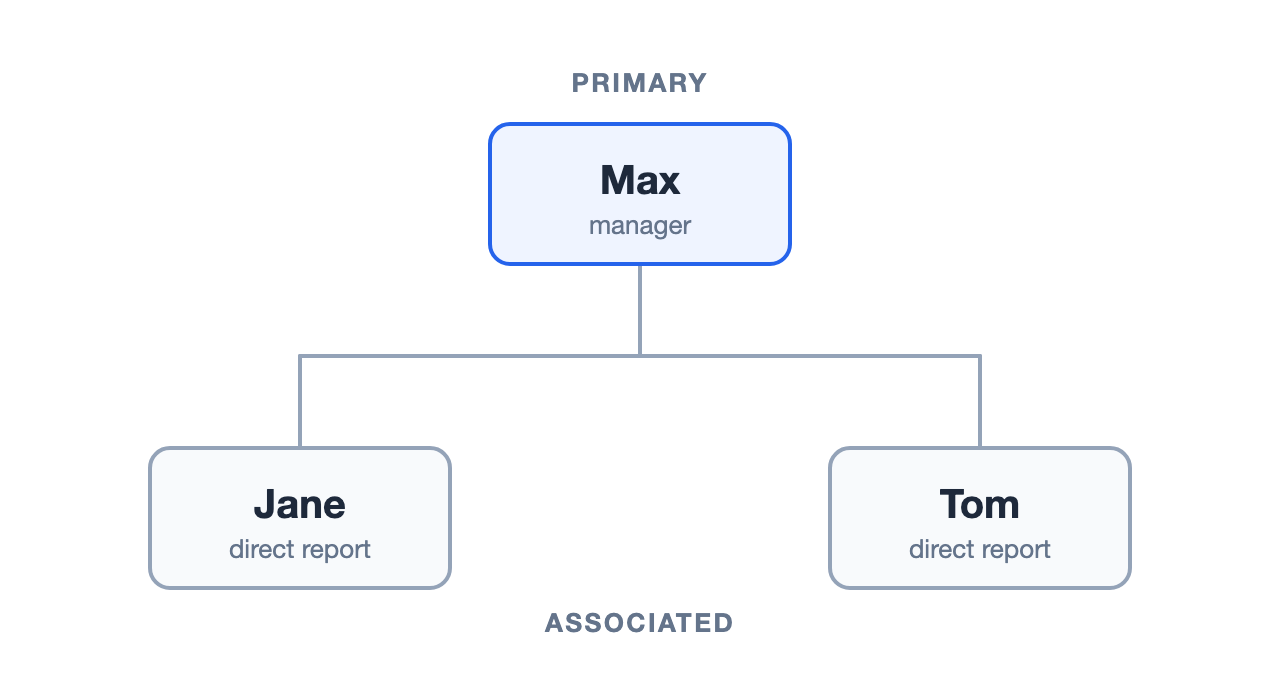
A linked object definition connects two users, and each side has a name. One side is the primary. The other is associated.
Say Max manages Jane and Tom. Max is the primary. Jane and Tom are associated.
An associated user (Jane, Tom) has only one primary (Max).
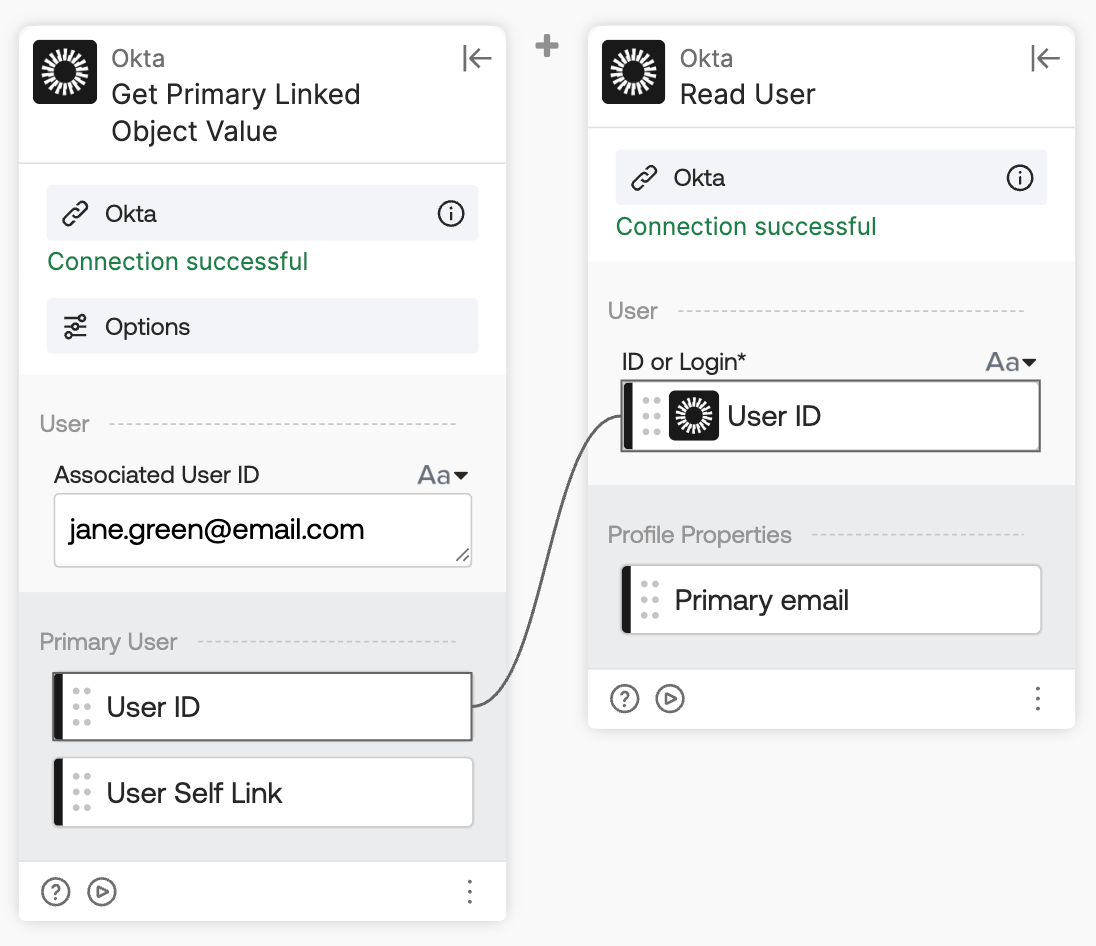
Starting from an associated user, the Okta-Get Primary Linked Object Value card returns the associated user’s primary user.
Okta Workflows resources
- 🚀 New to Okta Workflows? The Getting Started with Okta Workflows page has all the resources to help you get started.
- 📺 Like learning from videos? Watch Okta Workflows videos.
- ❓Have a question? Ask during community office hours or post on the community forum.
- 💬 Want to learn from the community? Join the #okta-workflows channel on the Mac Admins Slack.
- 🎓 Want to learn more about identity automation? Take the Okta Workflows training on Okta Learning.
Leave a Reply